19
En
SOUND ADJUSTMENTS
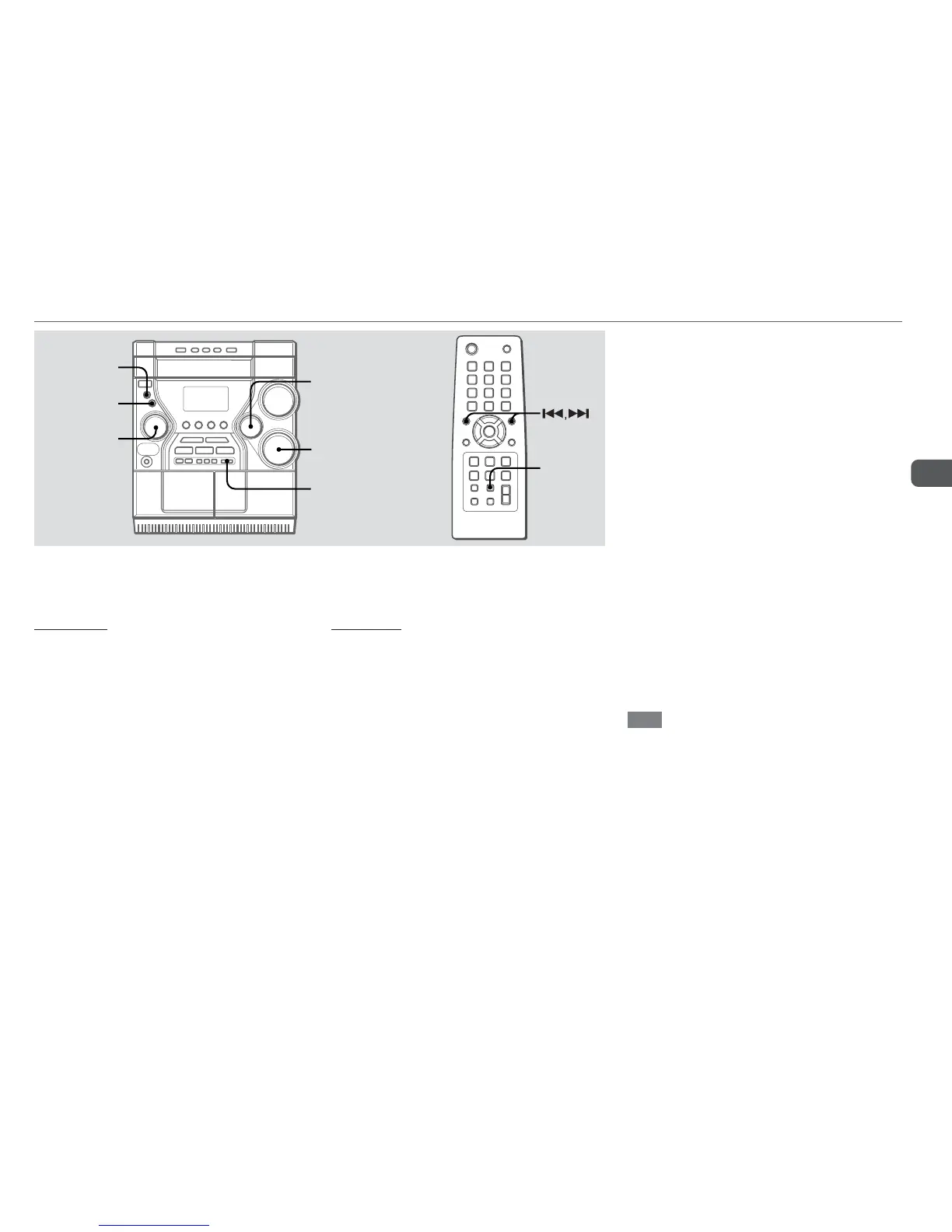
BASS
Emphasizes low frequencies for a powerful sound.
Turn BASS to adjust from 0 to 5.
On the remote, press SOUND repeatedly until "BASS"
appears in the display and then press r or t repeatedly
within 6 seconds.
•When the sound becomes distorted with the BASS effect,
cancel it.
MODE
ENTER
MULTI JOG
TREBLE
BASS
i-Bass
SOUND
TREBLE
Enhances high frequency for sound clarity.
Turn TREBLE to adjust from 0 to 5.
On the remote, press SOUND repeatedly until "
TREBLE
"
appears in the display and then press r or t repeatedly
within 6 seconds.
•When the sound becomes distorted with the TREBLE effect,
cancel it.
i-Bass
Produces rich and clear low frequency sound besides BASS effect.
1
Press i-Bass to select "I-BASS
ON".
The red indicator on i-Bass button lights up.
2
Turn BASS to adjust from 1 to MAX(5).
To select the frequency range for i-Bass effect
1 Press i-Bass to select "I-BASS ON".
2 Press MODE repeatedly until "IBAS FREQ?" appears in
the display and then press ENTER.
3Turn MULTI JOG to select one of the three frequency ranges
(FREQ 1, 2 and 3).
- FREQ 1: Low range
- FREQ 2: Middle range
- FREQ 3: High range
After step 3, adjust the i-Bass level by turning BASS if
needed.
If there is no MULTI JOG or button operation within 6
seconds, the setting is canceled.
To cancel i-Bass
Press i-Bass to select "I-BASS OFF".
Note
When "I-BASS ON" is selected, BASS is deactivated; therefore,
you cannot select "BASS" with SOUND on the remote.
To activate BASS, cancel i-Bass.



 To Next Page