EasyManua.ls Logo

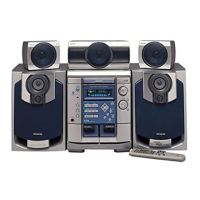
Aiwa NSX-DS50 - Dolby Surround modes; Playing Dolby Digital sound; Playing Dolby Pro Logic sound

Aiwa NSX-DS50
28 pages
Print Icon
To Next Page IconTo Next Page
To Previous Page IconTo Previous Page
Loading...
Dolby
Digital
sound
and
Dolby
Pro
Logic
sound
can
only
be
obtained
when
playing
back
software
with
their
respective
Ogos.
Make
sure
all
the
supplied
speakers
are
placed
and
connected
properly
(see
"Positioning
the
speakers’),
lake
sure
the
video
equipment
can
play
back
the
particular
medium
of
the
Dolby
Digital
or
Dolby
Pro
Logic
software
(LDs
or
DVDs,
for
example).
Consult
the
operating
instructions
for
the
equipment.
You
cannot
play
DVDs
on
he
unit's
CD
player.
e
External
digital
input
of
this
unit
accepts
Dolby
Digital
bitstream
signals,
or
linear
PCM
signals
with
a
sampling
frequency
of
32
kHz,
44.1
kHz
or
48
kHz.
This
unit
cannot
play
software
whose
sampling
frequency
is
96
kHz.
©
Some
DVD
players
connected
digitally
to
this
unit
may
cause
noise
during
some
DVD
operation
such
as
when
searching
a
disc,
skipping
a
chapter,
etc.
¢
This
unit
does
not
support
the
DTS
Digital
Sound
system.
Playing
Dolby
Surround
sound
Playing
Dolby
Digital
sound
For
software
with
the
DOe8¥]
fogo.
1
Select
digital
input.
(See
“Playing
a
digital
source")
The
"BIGITAL!’
indicator
lights
up
on
the
display.
2
Play
the
Dolby
Digital
source
on
the
video
equipment.
The
“DODIGITAL"
indicator
lights
up
on
the
display.
¢lf
Dolby
Digital
software
is
played
back
via
the
analog
connection,
the
sound
will
be
in
Dolby
Pro
Logic.
¢
Dolby
Digital
mode
is
automatically
changed
to
2CH
ST
mode
(see
below)
when
the
headphones
are
plugged
in.
Playing
Dolby
Pro
Logi
in
For
software
with
the
DI
(pousy
surrounn]
jogo,
1
Select
analog
input.
(See
"Playing
an
analog
source’)
2
Play
the
Dolby
Pro
Logic
source
on
the
video
equipment.
3
Press
SURROUND.
The
"DOPRO
LOGIC"
indicator
lights
up
on
the
display.
Dolby
Pro
Logic
sound
is
automatically
canceled
when
the
headphones
are
plugged
in.
When
Dolby
Pro
Logic
is
activated,
the
BBE
system
is
automatically
canceled.
To
cancel
Dolby
Pro
Logic
Press
SURROUND
repeatedly
until
"OFF"
is
displayed.
Dolby
Surround
modes
Selects
a
Dolby
Surround
mode
fo
match
the
connected
speaker
for
playing
Dolby
Digital
and
Dolby
Pro
Logic
sound
Press
SURROUND
repeatedly
to
select
one
of
the
following
modes.
-
NORMAL:
When
all
speakers
are
connected.
-
PHANTOM:
When
the
center
speaker
is
not
connected.
The
center
channel
signals
are
output
through
the
front
speakers.
-
3
STEREO:
When
the
surround
speakers
are
not
connected.
The
rear
channel
signals
are
output
through
the
front
speakers.
-
2CH
ST
(Dolby
Digital)
or
OFF
(Dolby
Pro
Logic):
When
neither
the
center
nor
the
surround
speaker
units
are
connected.
When
2CH
ST
mode
is
selected,
"STEREO"
appears
on
the
display.
¢
Dolby
Digital
modes
can
only
be
selected
when
a
Dolby
Digital
source
is
being
played
via
digital
connection.
eWhen
playing
2-channel
Dolby
Digital
sound
that
is
not
Pro
Logic
encoded,
Dolby
Pro
Logic
is
activated
in
stead
of
Dolby
Digital.
To
display
the
current
Dolby
Surround
mode
Press
SURROUND
once.
The
mode
will
be
displayed
for
4
seconds.
21

Other manuals for Aiwa NSX-DS50

Related product manuals