EasyManua.ls Logo

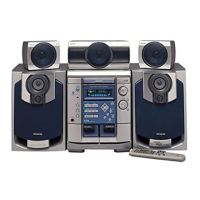
Aiwa NSX-DS50 - Main unit: front; Controls and Functions

Aiwa NSX-DS50
28 pages
Print Icon
To Next Page IconTo Next Page
To Previous Page IconTo Previous Page
Loading...
Main
unit:
front
@
POWER
OSTANDBY/ON
Switches
the
unit
on
and
off
(standby).
DEMO/ECO
When
the
unit
is
turned
off:
switches
DEMO
on
and
off.
When
the
unit
is
turned
on:
enters
ECO
or
dimmer
setting
mode.
SURROUND
Selects
a
Dolby
Surround
mode.
GEQ
Selects
a
sound
equalization
curve.
BBE
Enhances
high
frequency
sound.
T-BASS/LFE
Emphasizes
low
frequency
sound
and
adjusts
the
low-
frequency
effect
level
of
the
Dolby
Digital
sound.
14)
8
PHONES
jack
Plug
in
here
an
optional
headphones
set
with
a
standard
stereo
plug
(26.3
mm).
Speaker
output
is
canceled.
MCLEAR
CD
and
Tape:
stops
playback.
Radio:
clears
a
station
preset.
»
PRESET
CD
and
Tape:
starts
playback.
Radio:
tunes
into
a
preset
station.
<<4/1I<<
DOWN,
PP/P>PIUP
TUNING
CD:
skips
to
a
previous
or
a
succeeding
track
when
pressed,
searches
a
track
in
fast
forward
or
fast
reverse
playback
when
held
down.
Tape:
fast
forwards
or
rewinds
the
tape.
Radio:
manually
tunes
down
or
up
within
the
band.
HISET
CD
and
Tape:
pauses
playback.
Radio:
stores
the
received
station
to
preset.
SYNC
DUB
Starts
dubbing
a
whole
tape.
@REC/REC
MUTE
Starts
recording.
@
TAPE
DECK
1/2
Selects
Tape
function,
and
deck
1
or
2.
TUNER/BAND
Selects
Radio
function
and
the
radio
band.
VIDEO/AUX/DVD
Selects
the
function
of
external
equipment
connected
to
DIGITAL
IN
(PCM/DOLBY
DIGITAL)
OPTICAL
(VIDEO/
AUX/DVD)
jack
or
VIDEO/AUX/DVD
jacks.
CD
Selects
CD
function.
VOLUME
Adjusts
the
volume,
MULTI
JOG
CD:
skips
to
a
previous
or
a
succeeding
track.
Radio:
selects
a
preset
number.
Clock
and
Timer:
sets
the
time.
ECO
and
Dimmer:
selects
the
mode.
ENTER
Determines
the
mode
and
the
time
(ECO,
dimmer,
clock
and
timer).
TIMER
Enters
timer
setting
mode.
DISC
DIRECT
PLAY
1-3
Selects
a
CD
tray.
DISC
CHANGE
Rotates
the
CD
trays.
A
OPEN/CLOSE
Opens
or
closes
the
disc
compartment.

Other manuals for Aiwa NSX-DS50

Related product manuals