EasyManua.ls Logo

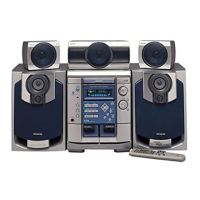
Aiwa NSX-DS55 - ADJUSTMENTS BEFORE OPERATIONS; Power On;Off and Standby; Volume and Balance Control; DEMO Mode Features

Aiwa NSX-DS55
28 pages
Print Icon
To Next Page IconTo Next Page
To Previous Page IconTo Previous Page
Loading...
ADJUSTMENTS
BEFORE
OPERATIONS
Power
Turning
the
unit
on
Press
POWER
«)STANDBY/ON
(POWER
on
the
remote
control),
Or
press
TAPE,
TUNER/BAND,
VIDEO/AUX/DVD
or
CD,
the
playback
will
start
automatically
if
a
disc
or
tape
is
inserted.
Turning
the
unit
off
Press
POWER
@STANDBY/ON
again.
The
unit
goes
into
standby.
10
Volume
Turn
VOLUME
(Press
VOL
AA,
on
the
remote
control).
Adjust
from
0
(minimum)
to
49
and
MAX
(maximum).
Tip:
Volume
level
setting
is
retained
during
power-off
standby.
If
the
unit
is
turned
off
with
the
volume
set
to
21
or
more,
it
is
automatically
turned
down
to
20
the
next
time
the
unit
is
turned
on.
To
change
the
left/right
balance
Press
MANUAL
SELECT
repeatedly
on
the
remote
control
until
"L/R"
is
displayed.
Then,
press
<<
or
BB
within
4
seconds.
¢
The
front
speakers
level
for
the
Dolby
Digital
and
Dolby
Pro
Logic
systems
is
changed
as
well.
DEMO
If
the
clock
has
not
been
set,
a
DEMO
appears
on
the
display
when
the
unit
is
turned
off.
There
are
two
kinds
of
DEMO:
“Illumination
demo"
and
“Game
demo".
You
can
enjoy
both
on
the
unit.
To
deactivate
and
activate
the
DEMO
Press
DEMO/ECO
when
the
unit
is
turned
off.
To
switch
between
“Illumination
demo"
and
"Game
demo"
Hold
down
DEMO/ECO
and
press
POWER.
To
play
the
Game
demo
Press
B>
so
that
three
numbers
start
to
run
and
then
press
I
three
times
to
stop
the
numbers,
ifthe
three
numbers
are
equal,
you
win
points.
If
not,
you
lose
them.
Tip:
To
change
the
winning
probability,
press
<4
or
BP
so
that
the
CD
tray
number
indicator
changes
between
1
(lowest)
and
3
(highest).

Other manuals for Aiwa NSX-DS55

Related product manuals