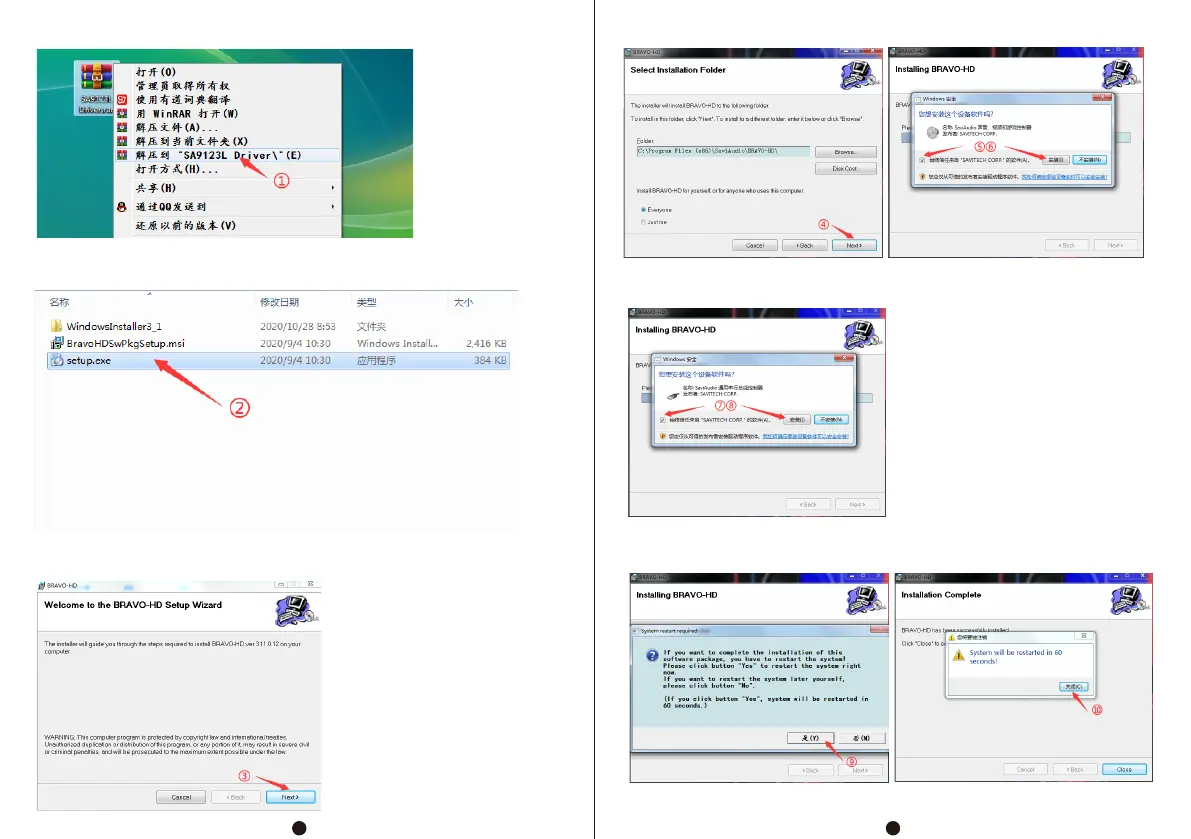
Installation steps are as follows:
After finding the installation file, right-click the "SA9123L Driver"
file as shown in the figure, and click "Unzip to SA9123L Driver";
After unzipping, double-click "Setup. exe" to run the installation
program;
During installation, click "Next"
When prompted "Would you like to install this device software?",
please choice"Always Trust..."And installation;
When the installation is completed, the system will prompt you to
restart. Click "Yes" and wait for the restart to complete.
4
3


 To Next Page