EasyManua.ls Logo

AJAX A050-A300 - User Manual

AJAX A050-A300
116 pages
Print Icon
To Next Page IconTo Next Page
Loading...
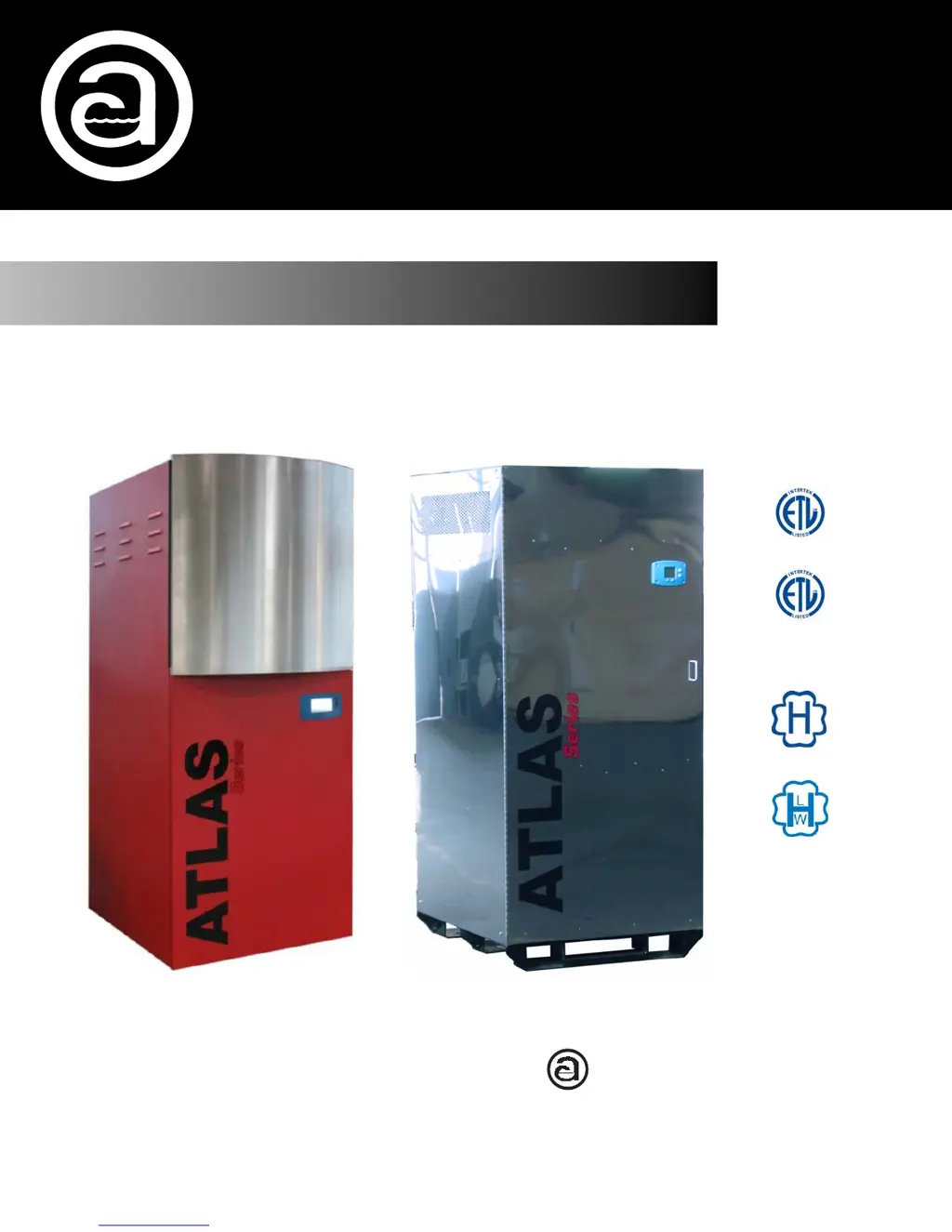
Atlas
Copper-Fin Coil
High Efficiency
Condensing Boiler
Models A050-A300
Operating and Maintenance Manual
Designed and Manufactured in Accordance with
ASME Code Section IV
U.L. 795
CSA 3.1
c
E.T.L.
Canadian
Listed
E.T.L. Listed
ASME
ASME
AJAX BOILER INC.
Photo shown may vary from actual model.
Effective August 31,
2010
Rii 21

Table of Contents

Questions and Answers

  • K
    Kenneth SmithAug 17, 2025
    What to do if the AJAX A050-A300 Boiler shows 'Demand Lost in Run'?
    • J
      Jonathan ShawAug 17, 2025
      If the AJAX Boiler displays 'Demand Lost in Run', first verify that there is an adequate gas supply at the gas inlet. Then, remove the UV flame detector and gently clean the lens with a soft cloth. If the issue continues after these steps, further assistance may be needed.
  • N
    Natalie PooleAug 20, 2025
    Why does my AJAX A050-A300 display 'Flame detected out of sequence'?
    • G
      Gregory YangAug 20, 2025
      If your AJAX Boiler shows 'Flame detected out of sequence', first ensure that there is no flame present in the combustion chamber and correct any errors. Next, check that the UV flame detector wires are protected from stray noise. Then, reset and sequence the module. If the code reappears, replace the flame detector. If the problem still persists, further assistance may be needed.
  • R
    Robert WeberAug 22, 2025
    What to do if AJAX A050-A300 Boiler displays 'Outlet high limit'?
    • B
      Brian PageAug 22, 2025
      If the AJAX Boiler displays 'Outlet high limit', begin by checking the wiring and correct any errors. If the problem persists, replace the outlet high limit. If the issue continues after these steps, further assistance may be needed.
  • J
    Jennifer WallAug 25, 2025
    What to do if AJAX A050-A300 Boiler displays 'DHW high limit'?
    • C
      Cynthia WalshAug 26, 2025
      If the AJAX Boiler displays 'DHW high limit', first check the wiring and correct any possible errors. If the problem continues, replace the DHW high limit. If the issue continues after these steps, further assistance may be needed.
  • N
    nicholas70Aug 28, 2025
    What to do if AJAX A050-A300 displays 'Flame lost in MFEP'?
    • M
      Mary HowardAug 28, 2025
      If the AJAX Boiler displays 'Flame lost in MFEP', first check the pilot valve operation and correct any errors. Then, check the fuel supply and pressure, and repeat the pilot tests. After that, check the pilot assembly ignition electrode and flame detector. If the fault persists after these steps, further assistance may be needed.
  • H
    Heather GreenAug 31, 2025
    What to do if AJAX A050-A300 displays 'Header sensor fault'?
    • M
      Mr. Steven AliAug 31, 2025
      If your AJAX Boiler displays 'Header sensor fault', first check the wiring and correct any possible errors. If the problem persists, replace the header sensor. If the problem still persists, further assistance may be needed.
  • G
    gclarkSep 2, 2025
    What to do if AJAX Boiler displays 'Stack sensor fault'?
    • M
      Mrs. Madison Gonzalez DDSSep 3, 2025
      If your AJAX Boiler displays 'Stack sensor fault', first check the wiring and correct any possible errors. If the problem persists, replace the stack sensor. If the problem still persists, further assistance may be needed.
  • S
    Shannon ThompsonSep 5, 2025
    What to do if AJAX A050-A300 Boiler displays 'Outdoor sensor fault'?
    • S
      Samantha NelsonSep 5, 2025
      If your AJAX Boiler displays 'Outdoor sensor fault', first check the wiring and correct any possible errors. If the problem persists, replace the outdoor sensor. If the problem still persists, further assistance may be needed.
  • S
    Stephen LarsenSep 8, 2025
    Why does my AJAX Boiler show '24VAC voltage low/high'?
    • W
      william16Sep 8, 2025
      If the AJAX Boiler displays '24VAC voltage low/high', check the module and display connections. Also, check the module power supply and ensure that the frequency, voltage, and VA meet the specified requirements.
  • L
    Lisa JonesSep 12, 2025
    What to do if AJAX A050-A300 Boiler displays 'High fire switch OFF'?
    • R
      ruben71Sep 12, 2025
      If the AJAX Boiler displays 'High fire switch OFF', reset the module. If the fault repeats, further assistance may be needed.

Summary

Introduction and Safety

General Safety Information

Provides essential safety guidelines for boiler operation and maintenance.

Installation

Rating and Certifications

Outlines installation standards, codes, and boiler certifications.

Connection Information

Details connection sizes for various boiler models.

General Safety

Discusses safety considerations for hot water boiler operation.

Installation Procedures

Installation Codes

Lists codes and ordinances that must be followed for installation.

Equipment Base

Specifies requirements for mounting the boiler unit securely.

Determining Unit Location

Guides on selecting the optimal placement for the boiler.

Combustion and Ventilation Air

Addresses requirements for adequate air supply for combustion and ventilation.

Conventional Combustion Air Supply

Details methods for supplying combustion air indoors and outdoors.

Conventional Exhaust Venting

Explains proper installation and categories of exhaust venting systems.

Gas Supply

Covers requirements for connecting and testing the gas supply line.

Pump Installation

Provides instructions and warnings for pump installation.

Electrical Connections

Details electrical connection requirements and safety precautions.

DHW;CH Installation and Programming

Explains initial setup for Domestic Hot Water and Central Heating.

Lead Lag Installation and Programming

Covers the setup and wiring for lead lag boiler systems.

Suggested Piping Diagrams

Offers diagrams for domestic hot water and central heating system piping.

Basic Panel Operating Procedures

User Mode Operation

Describes how to navigate and view data in User Mode on the basic panel.

Setup Mode Configuration

Details how to access and modify setup parameters using the basic panel.

Diagnostic Mode

Explains how to use diagnostic mode for system checks and adjustments.

Error Mode and Controller Start Sequence

Describes error codes and the sequence of operations during boiler startup.

Start;Stop Levels

Explains how setpoints and hysteresis control boiler start/stop.

High Limit Setpoint

Details the default and adjustable high limit setpoints.

Enhanced;System Operator Interface Operation

System Operator Interface Panel Overview

Describes the interface, home page, and navigation.

Keyboard Input and Page Navigation

Explains how to use the keyboard and navigate through screens.

Status Page

Displays current unit condition and important configuration settings.

Configuration Page

Allows viewing and setting parameters that define boiler functions.

Configuration Password

Details access levels and password requirements for configuration.

Change Parameter Settings

Guides on how to modify parameter values through the interface.

Fault;Alarm Handling

Explains how the controller reports faults and alarms.

History Page

Allows viewing lockouts, holds, and alerts from the controller.

Operation Page

Displays boiler operation and allows setpoint changes.

Diagnostic Page

Shows analog and digital I/O status for controller diagnostics.

Trend Analysis Page

Provides historical views of controller status data.

System Identification & Access Parameters

Covers parameters for identifying the system and user access.

Central Heating Parameters

Lists configurable parameters for central heating operation.

Outdoor Reset Parameters

Details parameters for configuring the outdoor reset feature.

DHW Configuration Parameters

Lists configurable parameters for domestic hot water operation.

Modulation Configuration Parameters

Details parameters related to boiler modulation.

Pump Configuration Parameters

Lists configurable parameters for pump control.

Statistics Configuration Parameters

Displays statistics like burner cycles and run time.

High Limit Configuration Parameters

Details parameters for setting high limit safety controls.

Stack Limit Configuration Parameters

Covers parameters for the stack temperature limit.

Other Limit Configuration Parameters

Details parameters for limits like Delta-T.

Frost Protection Configuration Parameters

Lists parameters for enabling and configuring frost protection.

DHW Storage Configuration Parameters

Details parameters for DHW storage mode.

Warm Weather Shutdown Configuration Parameters

Covers parameters for warm weather shutdown features.

T-Rise Limit Configuration Parameters

Details parameters for the temperature rise limit.

Lead Lag Slave Configuration Parameters

Details parameters for configuring lead lag slave units.

Lead Lag Master Configuration Parameters

Details parameters for the lead lag master unit.

Lead Lag Advanced Settings

Covers advanced configuration options for lead lag systems.

Monitoring

Explains how to monitor boiler status via status pages.

Honeywell Sola Controller Diagnostics

Displays diagnostic information for the controller.

Installer Checkouts - Diagnostics Tests

Details tests for installer verification and system checkout.

System Time Configuration

Explains how to set and manage the system time.

Installer Integration Guide

Central Heat Related Configuration

Guides on configuring central heating loop parameters.

Outdoor Reset Related Configuration

Details configuration for outdoor reset feature.

Domestic Hot Water Related Configuration

Covers configuration parameters for DHW operation.

Modulation Related Configuration

Explains parameters for modulating boiler performance.

Pump Control Related Configuration

Details parameters for controlling boiler pumps.

High Limit Related Configuration

Covers configuration of high limit safety controls.

Stack Limit Related Configuration

Details parameters for stack temperature limit.

Delta-T Limit Related Configuration

Explains configuration of Delta-T limit parameters.

Frost Protection Related Configuration

Covers parameters for frost protection features.

DHW Storage Configuration

Details configuration for DHW storage mode.

Warm Weather Shutdown Configuration

Explains parameters for warm weather shutdown.

T-Rise Limit Configuration

Covers configuration for the temperature rise limit.

Lead Lag Slave Configuration

Details parameters for configuring lead lag slave units.

Lead Lag Master Configuration

Lists parameters for the lead lag master unit.

Lead Lag Advanced Setting: Modulation Parameter

Advanced settings for lead lag modulation.

Start Up Instructions

Factory Test Report and Verification

Explains the factory test report and initial verification steps.

Start Up and Maintenance Tests

Details tests for startup, maintenance, and gas line integrity.

Safety Shutdown Tests

Outlines safety tests to perform during startup.

Startup Component Adjustments

Guides on adjusting firing rate and air flow switch.

Air Flow Switch Calibration and Fuel Selection

Covers calibration of air flow switch and fuel selection.

Unit Shutdown and Checklist

Provides procedures for shutting down the unit and post-startup checks.

Maintenance

Maintenance Descriptions

Describes various maintenance tasks and their frequencies.

Maintenance Schedule

Provides a yearly schedule for boiler maintenance tasks.

Appendices

Troubleshooting and Hold;Lockout Codes

Lists codes for troubleshooting and identifying system faults.

Replacement Parts

Lists part numbers for boiler components by model.

Atlas Warranty

Atlas Condensing Boiler Limited Parts Warranty

Details the warranty terms and conditions for the boiler parts.

AJAX A050-A300 Specifications

General IconGeneral
BrandAJAX
ModelA050-A300
CategoryBoiler
LanguageEnglish