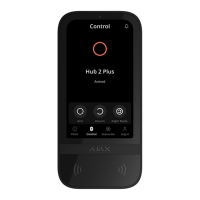
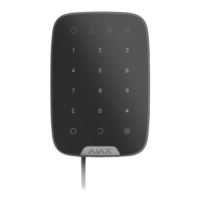
Adding to the system
The keypad is compatible with Hub Hybrid (2G) and Hub Hybrid (4G) only. Fibra devices
can only be added and congured through the Ajax PRO app by a user with administrator
rights.
Before adding a device
How to add KeyPad Fibra
There are two ways to add devices: manually and automatically.
To add a device manually:
Double-sided tape can only be used for temporary installation. The device attached
by the tape may come unstuck from the surface at any time. As long as the device
is taped, the tamper will not be triggered when the device is detached from the
surface.
13. Place the keypad on the SmartBracket mounting plate and x it with a
screw.
Types of accounts and their rights
1. Install the . Log in to a PRO or create a new
one if you don’t have it yet. Add a hub compatible with the device to the app,
make the necessary settings, and create at least one .
PRO version of the app account
virtual room
2. Make sure that the hub is turned on and has internet access via Ethernet
and/or mobile network. You can check the connection in the Ajax app or by
looking at the LED on the hub board. It should light up white or green.
3. Make sure the hub is disarmed and does not start updates by checking its
status in the Ajax app.
4. Make sure the device is physically connected to the hub.


 To Next Page