EasyManua.ls Logo

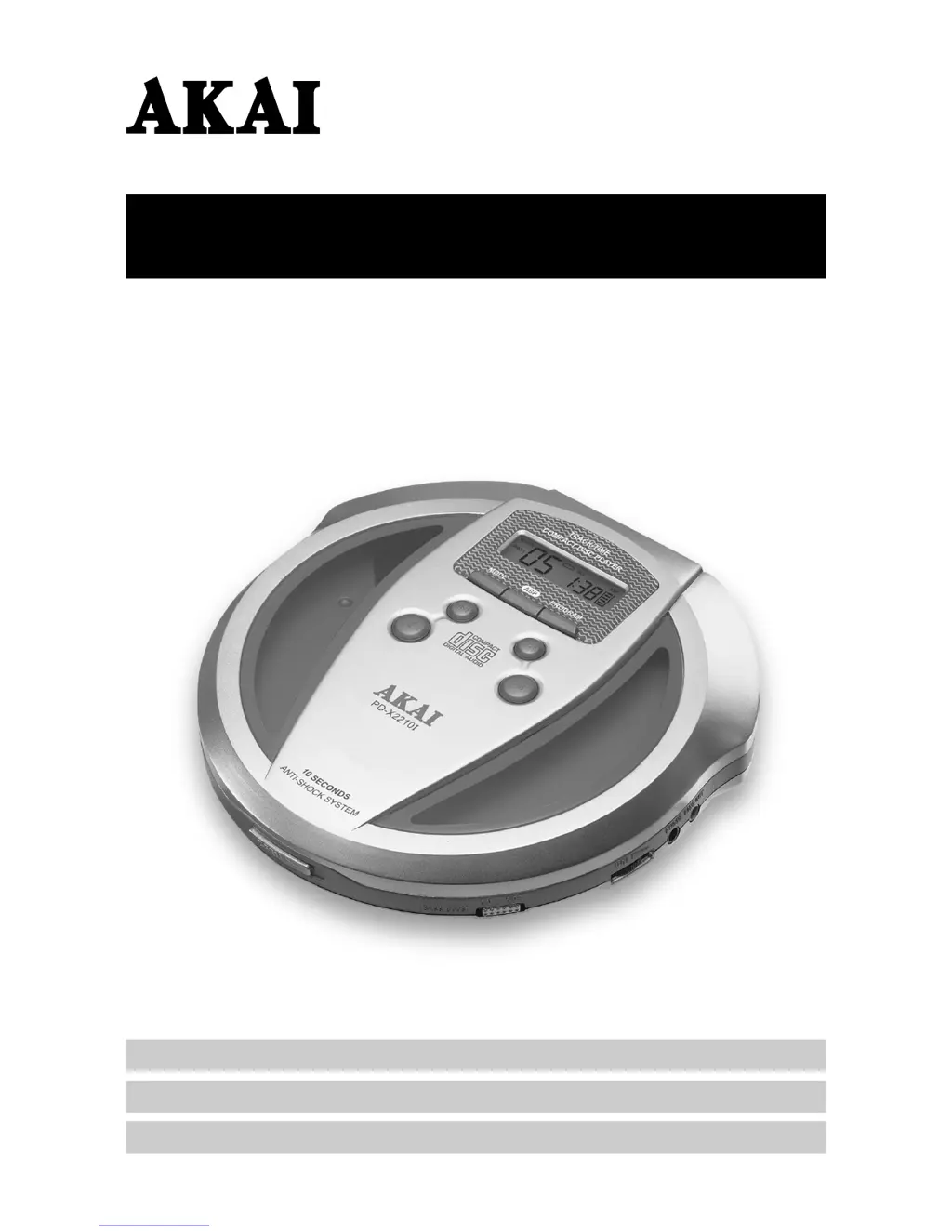
Akai PD-X2210I - User Manual

Akai PD-X2210I
10 pages
Print Icon
To Next Page IconTo Next Page
Loading...
PORTABLE CD PLAYER WITH ANTI-SHOCK (10 SEC.)
PD-X2210I
Operators manual
Operators manual
1-9
10-18
19-29
(GB)
(NL)
(F)
Gebruikshandleiding
Mode d’emploi

Questions and Answers

  • A
    aguirrejamieJul 29, 2025
    What to do if my Akai CD Player sound is skipping?
    • C
      Chad ClarkJul 29, 2025
      If your Akai CD Player is skipping, it might be due to a dirty disc or lens. Try cleaning or replacing the compact disc. Alternatively, use a camera brush or blower to clean the lens. Also, too much movement of the CD player can cause skipping. Reduce movement of the CD player.
  • S
    Steven QuinnAug 2, 2025
    How to fix an Akai PD-X2210I CD Player that will not turn on?
    • C
      Cameron HarveyAug 2, 2025
      If your Akai CD Player is not turning on, the batteries may be dead or weak. Replace both batteries. Also, check the AC adapter connection at both the AC outlet and the side of the set to ensure it is properly connected.
  • D
    Donna BarnesAug 7, 2025
    What to do if my Akai PD-X2210I CD Player disc will not play?
    • M
      Marc TapiaAug 7, 2025
      If your Akai CD Player disc will not play, make sure you re-insert the disc with the label side facing up. If that doesn't work, the compact disc may be defective or the wrong type. Try another audio compact disc. Ensure the CD door is securely closed by pushing down the left corner of the door. Also, moisture may have condensed inside the CD deck. Take out the CD and leave the CD door open for about an hour to dry the moisture condensation.
  • B
    browntoddAug 11, 2025
    Why is there no sound from headphones on my Akai PD-X2210I?
    • E
      Elizabeth LeeAug 11, 2025
      If you're not getting any sound from your headphones with your Akai CD Player, first, re-insert the headphone plug into the headphone jack (marked phones) to ensure it's properly connected. Make sure the headphone is plugged into the headphone jack and not the line out jack. Increase the volume. Weak batteries can also cause this issue, so replace them with fresh batteries or use the AC adapter. Try another compact disc.
  • B
    Bryan WellsAug 15, 2025
    Why is the sound distorted on my Akai PD-X2210I CD Player?
    • T
      Thomas NguyenAug 15, 2025
      If the sound from your Akai CD Player is distorted, try decreasing the volume control level. If the batteries are weak, replace them or use the AC adapter. Also, if the bass boost is on and the music is too loud, lower the volume or slide the bass boost switch to the off position.
  • J
    James MorganAug 20, 2025
    What to do if tracks do not change on Akai PD-X2210I CD Player?
    • S
      Susan BradyAug 20, 2025
      If the tracks on your Akai CD Player do not change or the set does not play normally, it could be due to weak batteries, and the battery symbol may show in the display. Replace both batteries with fresh alkaline batteries, or use an AC Adapter.
  • R
    Rebecca MackAug 25, 2025
    How to fix Akai PD-X2210I CD Player buttons that do not work?
    • A
      allison26Aug 25, 2025
      If the buttons on your Akai CD Player are not working, it could be due to an electronic or static error that has caused the circuitry to lock. Remove the batteries and AC adapter, wait a few seconds, and then re-insert them. Ensure the batteries are fresh or the adapter has power. Also, check if the HOLD function is on and slide the HOLD switch to the OFF position if it is.

Summary

Important Safety Instructions

Read Instructions

All safety and operating instructions should be read before product operation.

Heed Warnings

All warnings on the product and in instructions must be adhered to.

Follow Instructions

All operating and use instructions should be followed.

Water and Moisture

Do not use the product near water or in wet locations.

Ventilation Requirements

Ensure openings are not blocked to prevent overheating.

Power Sources

Operate only from the indicated power source type.

Grounding or Polarization

Polarized plug fits one way; do not defeat safety feature.

Overloading Risks

Do not overload outlets or cords to prevent fire or shock.

Object and Liquid Entry

Never insert objects or spill liquids into the product.

Servicing Safety

Do not attempt self-servicing; refer to qualified personnel.

Damages Requiring Service

Unplug and refer for service if cord, liquid, or performance issues occur.

Precautions for Unit

Control Operation and Function

AC Adaptor Precautions

Avoid touching adaptor with wet hands; power switches to AC/DC automatically.

Battery Cautions

Use specified types, observe polarity, don't mix, remove for long non-use.

Charging and Use of Rechargeable Batteries

Playing a Disc

Anti-Skip Memory Function (10 Sec.)

Trouble Shooting Guide

Akai PD-X2210I Specifications

General IconGeneral
Dynamic range96 dB
Total harmonic distortion0.003%
Line output2V
Output Voltage2V
Disc formatCD
Channels2

Related product manuals