SP2/SP8/SP8-X20 Manual
Updated until firmware 413 - 16 -
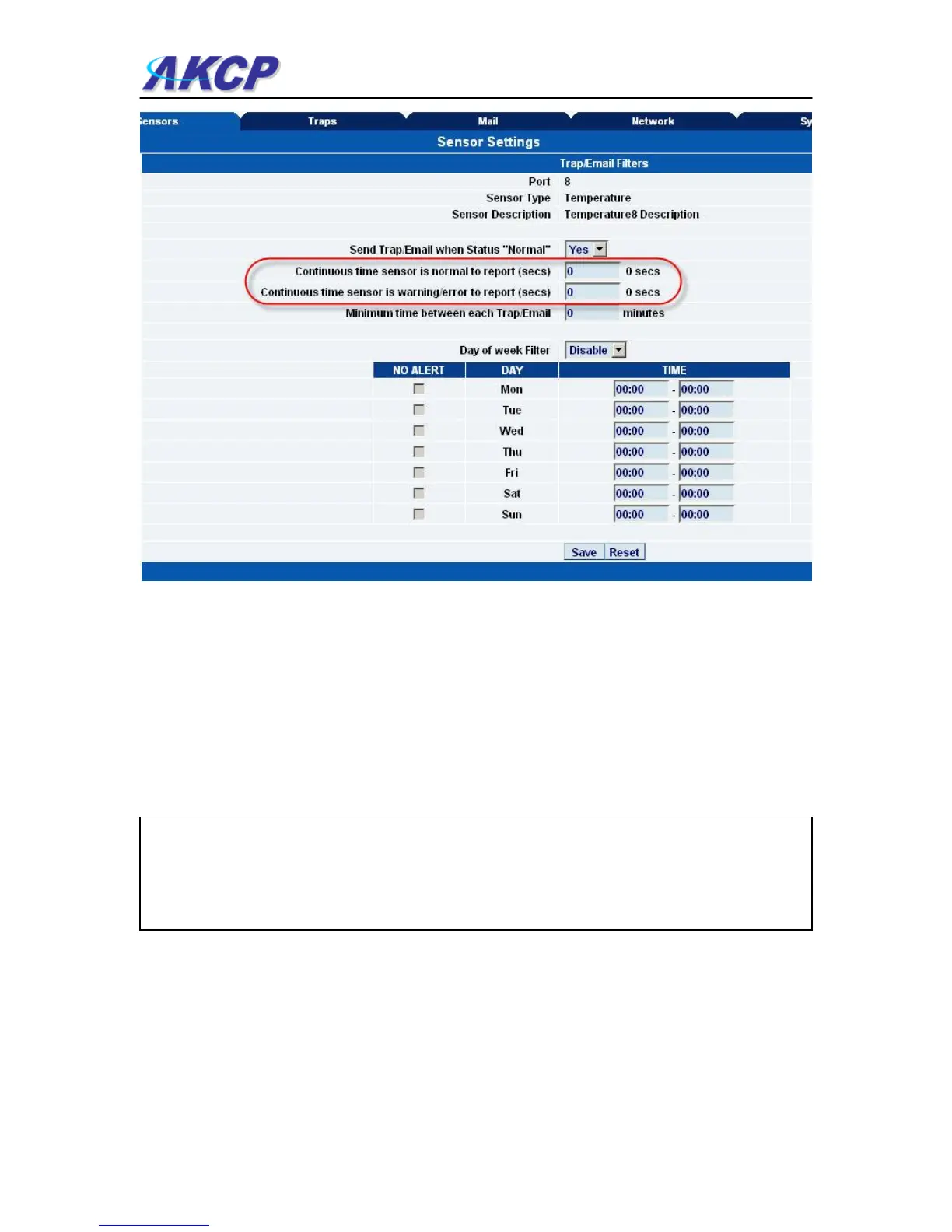
Sensor Status Filters: - By clicking on the “Sensors Status Filters” button shown in the image
above on page #13, you can then adjust the continuous time the sensor is in a warning, error, or
normal state before the unit sends the alerts. This feature was added to eliminate false warnings.
4) Notifications
1. Setting up a trap
The SP2 / SP8 can send an SNMP trap message to two different hosts. Whenever the status
changes for a sensor that is online, a trap message can be sent.
To get to the entry point of this tutorial, complete the following:-
1) log into the web interface as administrator
2) from summary page select the Traps tab



 To Next Page