SP2/SP8/SP8-X20 Manual
Updated until firmware 413 - 13 -
3) Setting up a sensor
For the purposes of this manual and tutorials we will cover setting up a dual temp / humidity
sensor. The first part of the tutorial will cover the basic installation and settings for the sensor.
The second part will explain how to go about setting up various notifications such as SNMP traps.
1. Basic setup
a) Plug in your sensor to the RJ45 port 1 (sensor 1). The unit will automatically detect the
presence of the sensor and configure it.
b) Now return to the web browser and input the IP address of your unit. Then log in as
administrator.
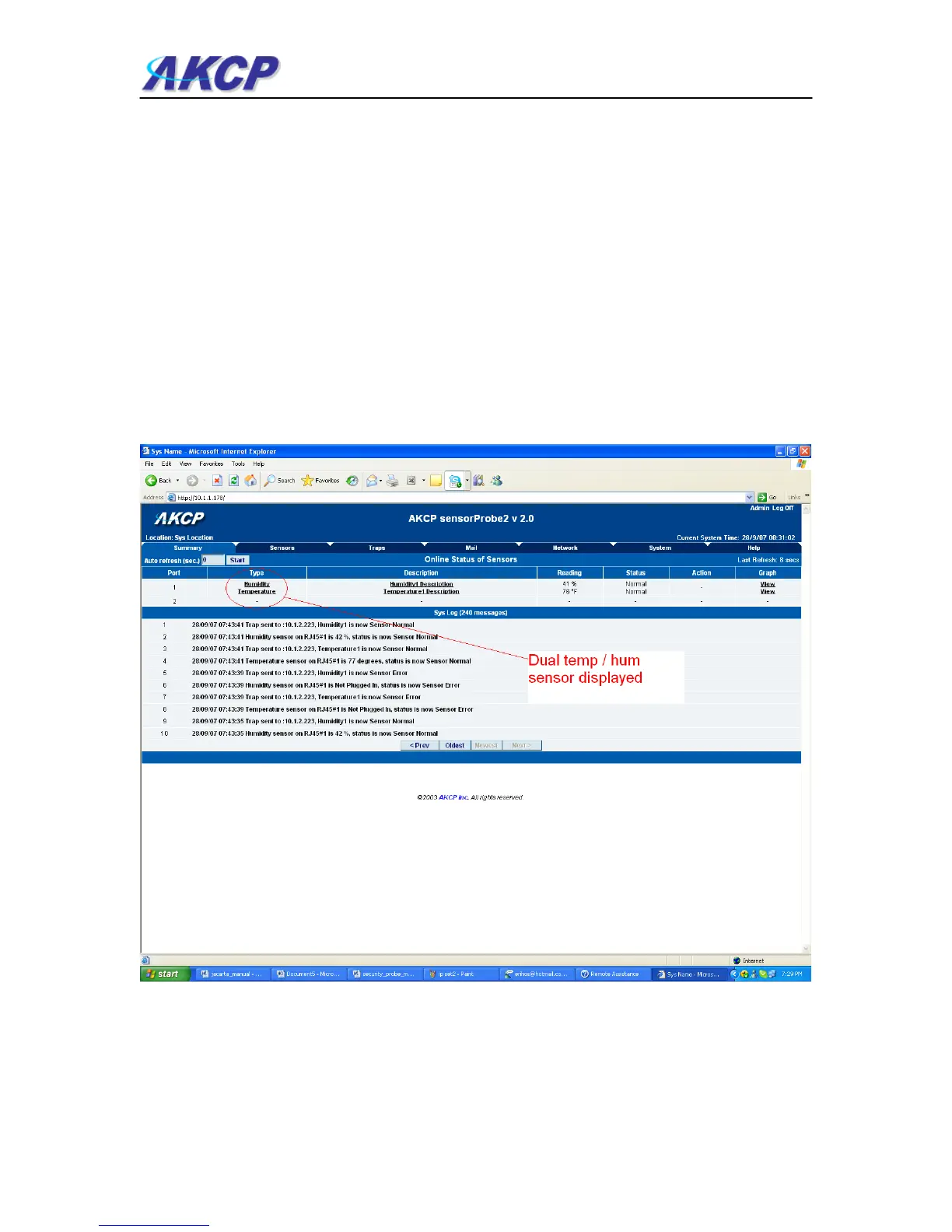
c) You will now see the summary page looking something like this:-
You will see the temp/humidity sensor displayed in the summary page.



 To Next Page