SP2/SP8/SP8-X20 Manual
Updated until firmware 413 - 31 -
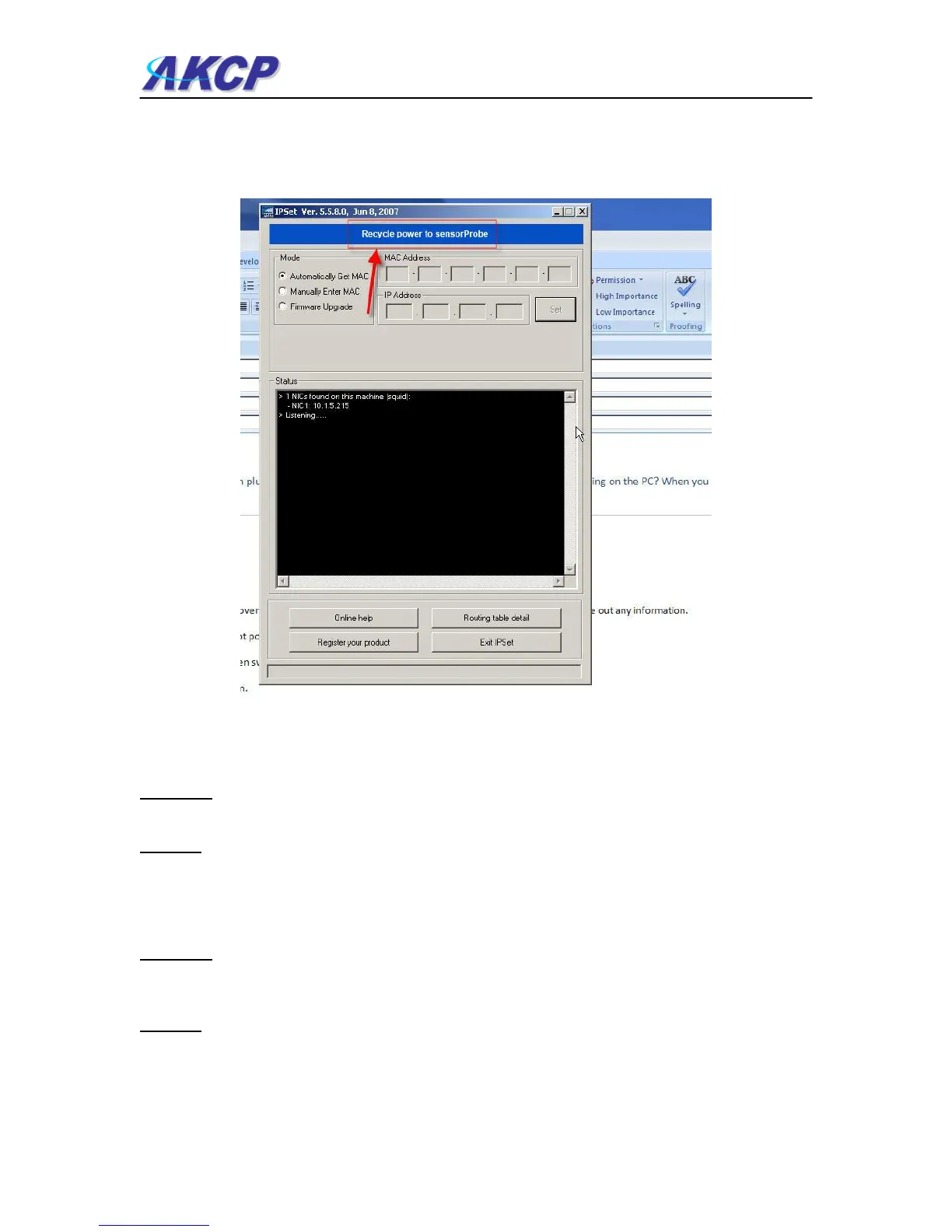
Yes, you can unplug the power cord, then plug it back in, to cycle the power on the sensorProbe
while you have the IPSet utility software running on your PC. When you open the IPSet utility, it
will say “Recycle power to sensorProbe” as shown in this screen shot on page 29):
(continued on next page)
When the sensorProbe is powered up, the IPSet will capture its IP address, then you will be able
to click on the flashing button to open the web interface. You can download the IPSet utility by
logging into the AKCP web site with you units MAC ID.
Question:
Is there a way to reset my unit back to the factory default settings?
Answer:
Yes, you can reset the unit back to the factory default settings using our utility called "configure".
You can download this from our web site. when you reset the unit, please do this with it directly
connected to your PC with the cross connect cable. If you get the unit reset, please run the latest
firmware update as well with the utility. You can download this from the same link above.
Question:
I am still having trouble connecting to the unit and opening the web interface, what could be the
problem and what should I try?
Answer:
If you are using IE7 or IE8 web browser versions, try placing the unit in the “trusted sites” list. Try
clearing the cache and refreshing your browser with the ctrl + F5 key. Are you using HTTPS? The
sensorProbes, nor IPSet do not support HTTPS. This only available on the securityProbe units.



 To Next Page