SP2/SP8/SP8-X20 Manual
Updated until firmware 413 - 34 -
http://www.kiwisyslog.com/kiwi-syslog-daemon-download/
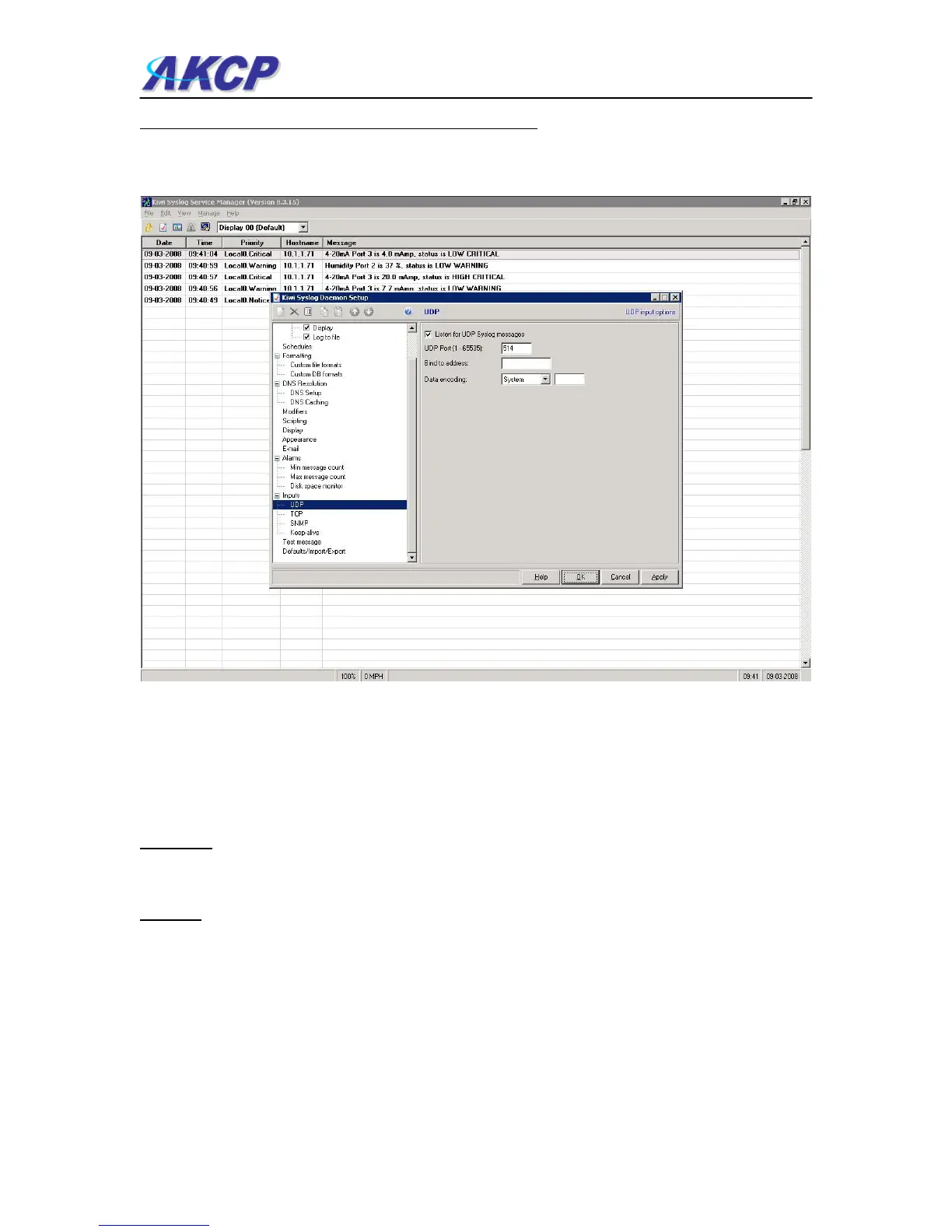
You can install and open the Kiwi Syslog program and set the UDP in the Input settings like in the
screen shot here: (continued on next page)
Now you set the Remote Syslog in the sensorProbe. The Remote Syslog IP Address is the IP
address of the PC that has the Kiwi Remote syslog program running on it. The Remote Syslog
Port is the same port on the Remote syslog program.
It will show you the syslog in real time and any entry that is logged in the unit will be shown on
your server. You can also export this data to a text file.
Question:
I am not too familiar with SNMP or what OID’s to use with your products. How would I find out
more about this and what OID’s to use?
Answer:
We have an OID manual that includes basic information on SNMP and were to find out more
information on this. The manual also includes all our OID’s and related information. Please
contact the AKCP Support Team if you would like a copy of this.



 To Previous Page