EasyManua.ls Logo

AKG Y100 WIRELESS - User Manual

AKG Y100 WIRELESS
32 pages
Print Icon
To Next Page IconTo Next Page
Loading...
1
PACKAGE CONTENTS
CONTENU DE LA BOÎTE
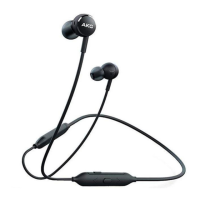
PouchHeadphones
QUICK START GUIDE
GUIDE DE DÉMARRAGE RAPIDE
Y100WIRELESS
HP_AKG_Y100BT_QSG_CR_V26.indd 1 6/24/2019 5:57:06 PM
Question and Answer IconNeed help?

Do you have a question about the AKG Y100 WIRELESS and is the answer not in the manual?

Summary

Package Contents

Overview

Buttons and LED Indicators

Explains the function of all buttons and LED lights on the headphones.

Charging the Device

Bluetooth Pairing

Powering On and Off

Step-by-step guide on how to turn the headphones on and off.

Connecting to a Bluetooth Device

Instructions for pairing and connecting the headphones to a Bluetooth-enabled device.

Button Functions

Music Control

How to use the headphone buttons for music playback and control.

Phone Call Management

How to use the headphone buttons for managing phone calls.

Voice Assistant Activation

How to activate and use the voice assistant feature with the headphones.

Ambient Aware Feature

Multi-Device Connectivity

Connecting a Second Device

Guide on how to pair and connect the headphones to a second Bluetooth device.

Resetting the Device

LED Indicator Status

Product Specifications

Regulatory and Compliance Information

Battery Handling and Disposal

Summary

Package Contents

Overview

Buttons and LED Indicators

Explains the function of all buttons and LED lights on the headphones.

Charging the Device

Bluetooth Pairing

Powering On and Off

Step-by-step guide on how to turn the headphones on and off.

Connecting to a Bluetooth Device

Instructions for pairing and connecting the headphones to a Bluetooth-enabled device.

Button Functions

Music Control

How to use the headphone buttons for music playback and control.

Phone Call Management

How to use the headphone buttons for managing phone calls.

Voice Assistant Activation

How to activate and use the voice assistant feature with the headphones.

Ambient Aware Feature

Multi-Device Connectivity

Connecting a Second Device

Guide on how to pair and connect the headphones to a second Bluetooth device.

Resetting the Device

LED Indicator Status

Product Specifications

Regulatory and Compliance Information

Battery Handling and Disposal

AKG Y100 WIRELESS Specifications

General IconGeneral
TypeIn-ear
Bluetooth version4.1
Battery Life8 hours
Driver Size8.6 mm
Frequency Response20 Hz - 20 kHz
Impedance16 Ohms
Charging time2 hours
ConnectivityBluetooth

Related product manuals