Description
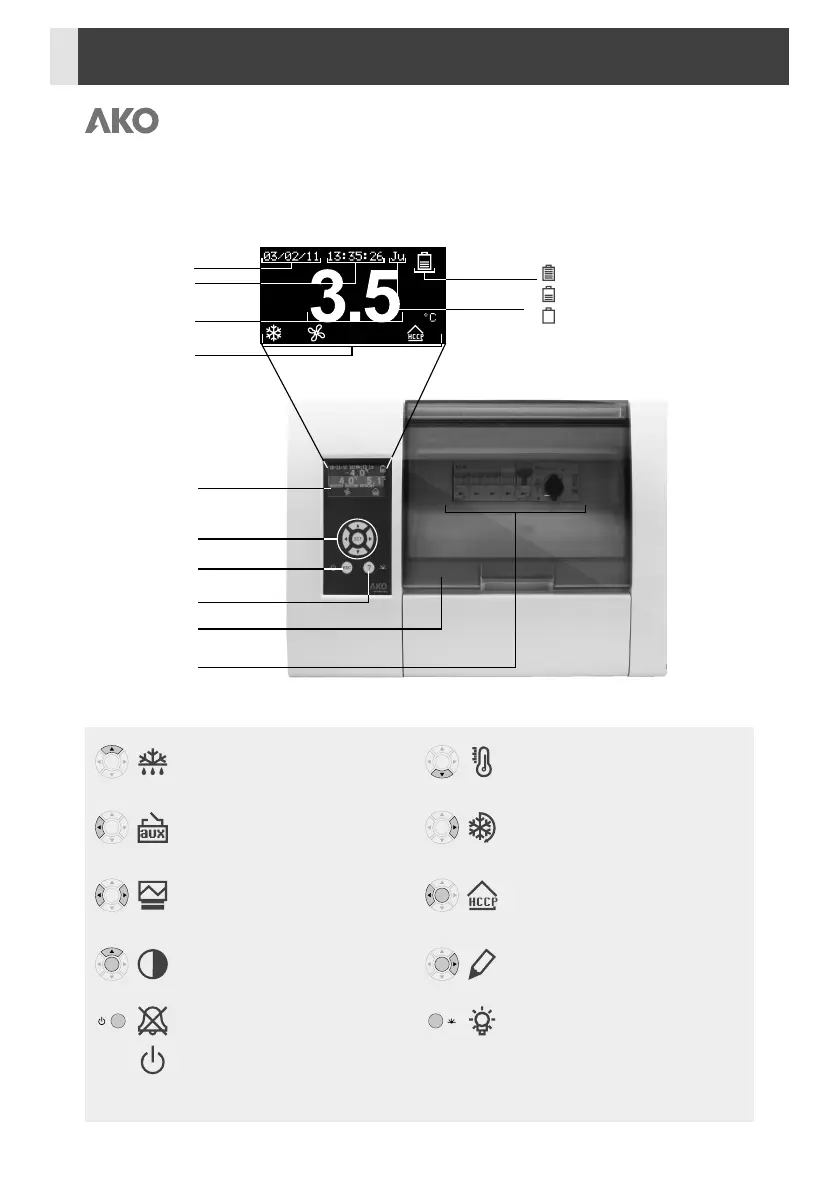
Quick access to functions
Pressing it for 5 seconds allows changing the
SET POINT temperature.
Pressing it for 5 seconds activates or deactivates
the CONTINUOUS CYCLE.
Pressing it for 5 seconds accesses the HACCP
events log.
Pressing it for 5 seconds allows editing the
description of the unit.
It activates or deactivates the cold room light
(terminals 11 and 12). This function stays
active although the unit is in the m mode.
Pressing it for 5 seconds activates or deactivates
the defrost.
Pressing it for 5 seconds activates or deactivates
the AUX relay. (According to config.).
Pressing it for 5 seconds accesses the log list.
Pressing it for 5 seconds accesses the display
contrast setting, press N and Q to change it.
Silences the alarms (they are indicated on the
display).
Pressing it for 5 seconds activates or deactivates
the Stand-By mode. The display shows the m
symbol in this mode.
SET
SET
SET
SET
SET
SET
SET
SET
ESC
¿
Date
Faulty or not connected (flashing)
Loading
Loading finished Battery status
Time
Status
indicators
Temperature
Day of
the week
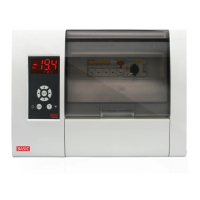
Display
Browser
Help key
Safety cover
Electrical
protections
Escape key
16


 To Next Page