12
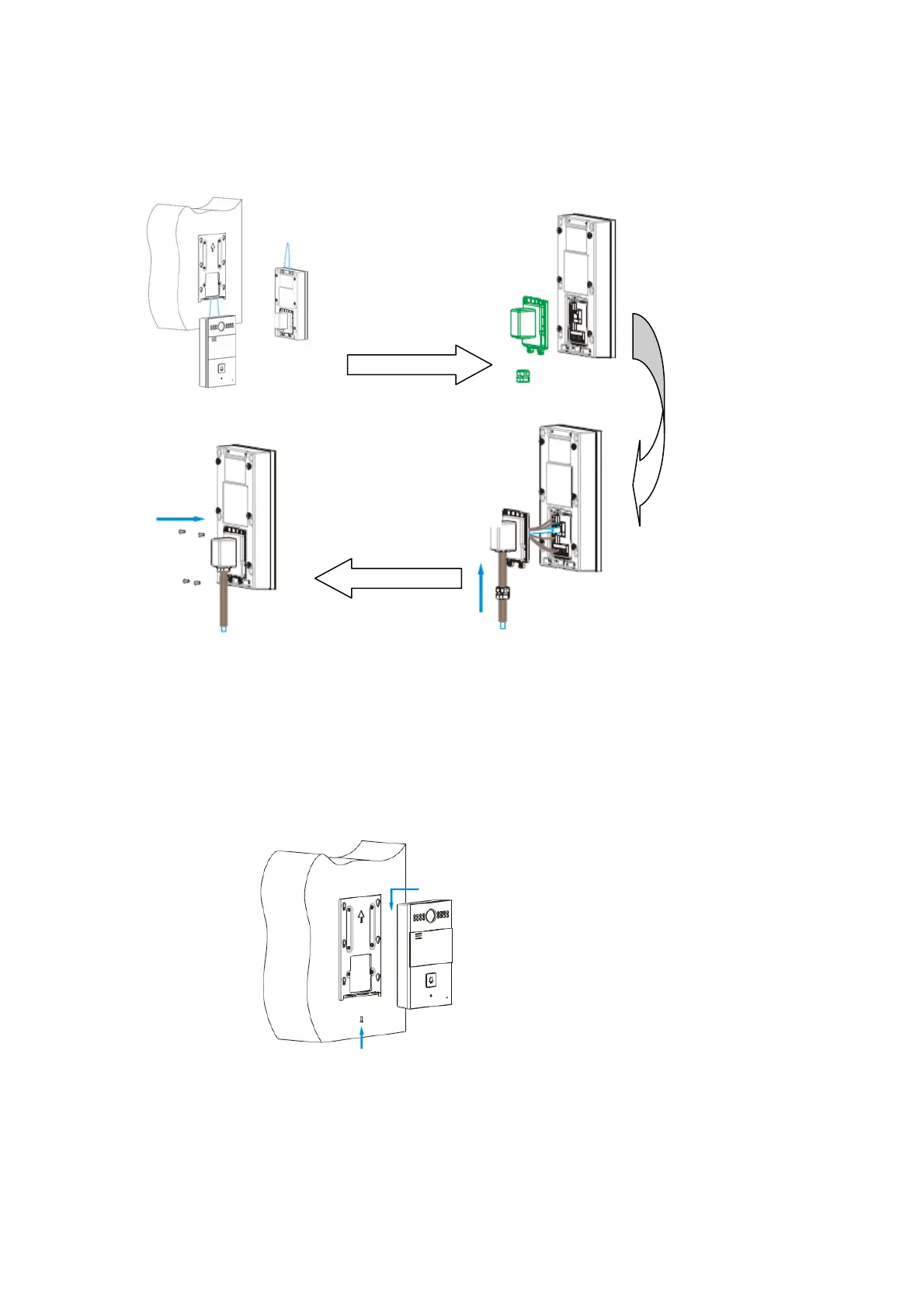
Backcoverinstallation:
Devicemounting:
Take downtheback
cover ,cable buckle
andsealingring
Make cables go through all
the components of the
bottom hole of the back
cover , connect with the
contacts in the main board.
Then put the cable buckle
andsealingringintotheback
cover.
Use 4 M3x5 screws to
fixthebackcover
Place R26 into the wall
bracket hole . Push
down so that the device
is fixed securely. Lock
thetheM3X 1 0screwsat
thebottomofdevice.
For convenient
wiring,hangR26Xin
thebracketviausing
rope


 To Next Page
 Loading...











