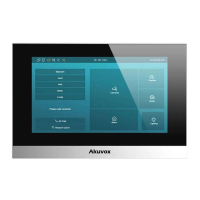
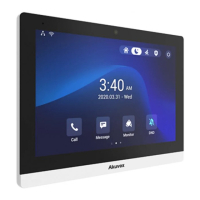
S563
Warranty
1. Akuvox warranty does not cover intentional mechanical damage or destruction caused by improper installation.
2. Do not attempt to modify, alternate, maintain, or repair device by yourself. Akuvox warranty does not apply to damages
caused by anyone who is not representative of Akuvox or an Akuvox authorized service provider. Please contact Akuvox
Technical Team if the device need to be repaired.
Device Test
Please verify the device status after installation:
1.Network: Navigate to Setting > System Info to check the device's IP address and network status. Network is working
properly if the IP address is obtained.
2.Intercom: Dial the callee’s or APT number, and press Dial icon to make a audio call or press Video icon to
make a video call. The call configuration is correct if the call is successful.
3.Access Control: Press Unlock icon on the monitor interface to unlock the door.
Akuvox S563 firmware contains third-party open source software under the terms of the GNU General Public
License(GPL). Akuvox is committed to meeting the requirements of the GNU General Public License (GPL) and will make
all required source code available.
The source code of software under the terms of GNU GPL can be downloaded online, http://www.akuvox.com/gpl.
Information contained in this document is believed to be accurate and reliable at the time of printing. This document is
subject to change without notice, any update to this document can be viewed on Akuvox’ s website:
http://www.akuvox.com © Copyright 2023 Akuvox Ltd. All rights reserved.
Notice Information
Get Help
For help or more assistance, contact us at:
https://ticket.akuvox.com/
support@akuvox.com
Scan the QR code to get more videos, guides, and additional product information.
8



 To Previous Page
 Loading...