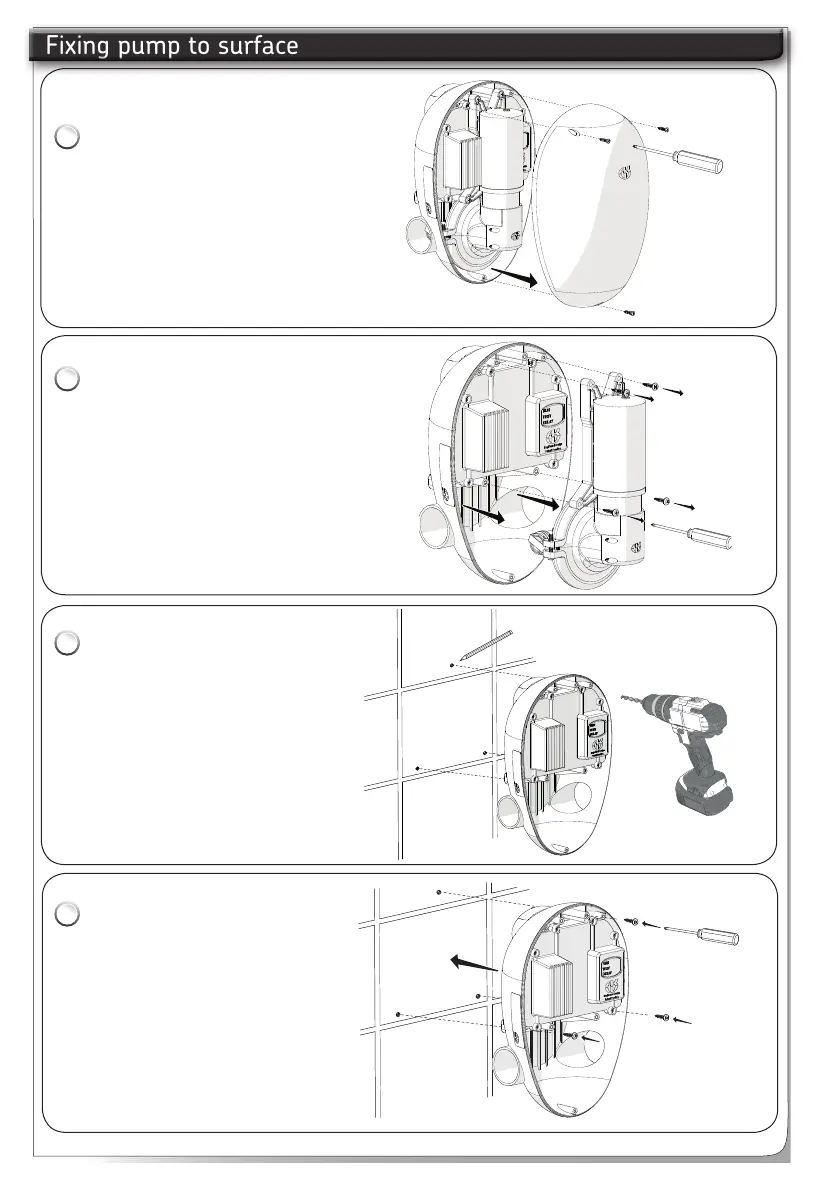
Remove front cover with a
screwdriver.
Disconnect pump motor cable.
Remove pump assembly from
the back plate to access the
fixing holes.
Fit to a finished surface.
Using the back plate as a
template mark the fixing
holes. Drill and plug the wall
taking care there are no
hidden cables or pipes.
Use all the screw fixing
positions.
Mount the pump to the
finished surface using all
the wall fixings.
Use the Pump Spacers to
prevent the cables being
trapped.
See pump spacers fitting.
1
2
Fixing pump to surfaceFixing pump to surface
3
4
6



 To Next Page