EasyManua.ls Logo

AL-KO Solo Robolinho 110 - User Manual

AL-KO Solo Robolinho 110
376 pages
Go to English
Print Icon
To Next Page IconTo Next Page
Loading...
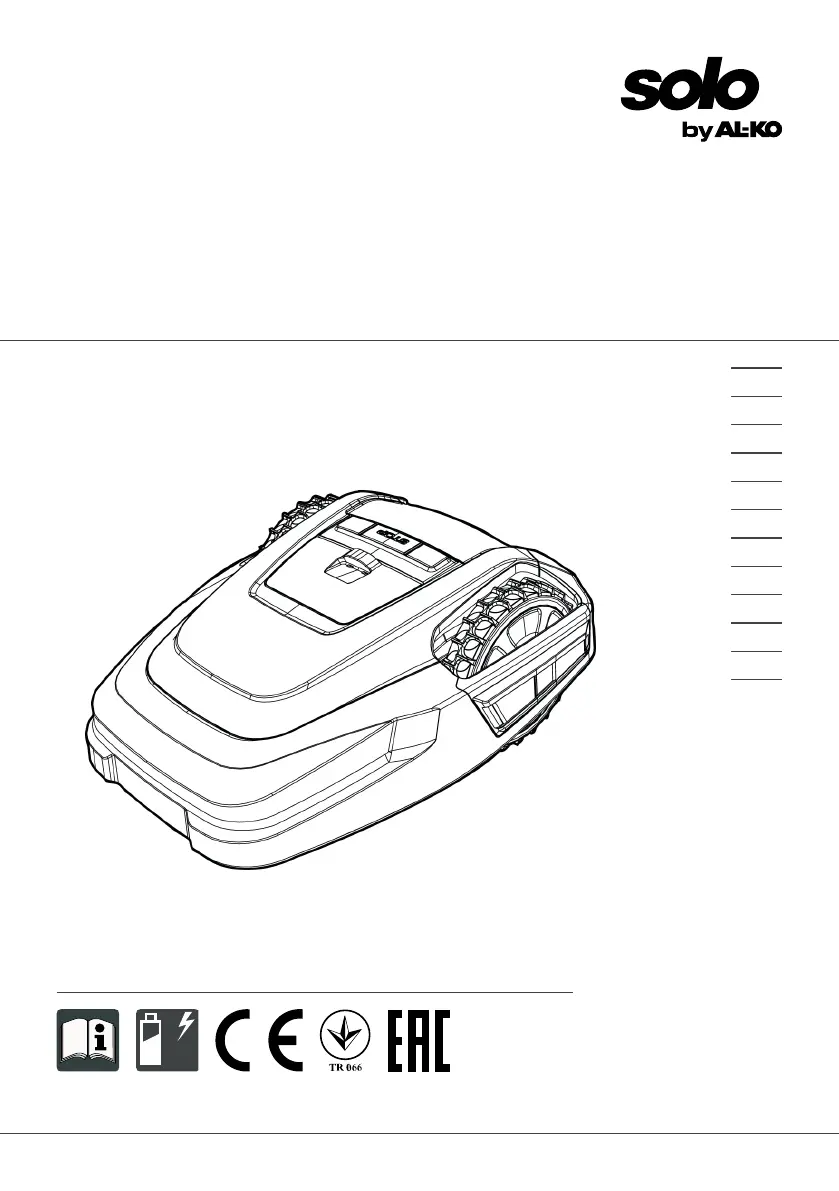
BA Robolinho Master
Deckblatt
Li
BETRIEBSANLEITUNG
ROBOTER-RASENMÄHER
Robolinho 1100
Robolinho 110
457290_b
11 | 2017
DE
GB
NL
FR
IT
PL
CZ
SK
HU
DK
SE
FI

Table of Contents

Questions and Answers

  • L
    Lisa SchultzSep 3, 2025
    What to do when AL-KO Solo Robolinho 110 Lawn Mower shows 'Tilt sensor' error?
    • A
      Alejandra ThomasSep 3, 2025
      If your AL-KO Lawn Mower displays a 'Tilt sensor' error, place the appliance on a flat surface and acknowledge the fault. This error occurs if the inclination sensor has been triggered because the maximum tilt was exceeded, the appliance was carried, or the slope is too steep.
  • G
    Gary HernandezSep 18, 2025
    What to do if AL-KO Solo Robolinho 110 Lawn Mower shows 'Cal: Collision' during calibration?
    • J
      John KingSep 18, 2025
      If your AL-KO Lawn Mower displays 'Cal: Collision' during calibration, remove the obstacle. This fault occurs if the appliance has bumped into an obstacle during calibration.
  • G
    Glen CrossSep 16, 2025
    How to fix 'Blocked WR' error on AL-KO Solo Robolinho 110?
    • R
      Robert WalkerSep 16, 2025
      If your AL-KO Lawn Mower displays 'Blocked WR', remove the blockage. This indicates that the right wheel motor is blocked.
  • C
    cpetersenSep 14, 2025
    How to fix 'Blocked WL' error on AL-KO Solo Robolinho 110 Lawn Mower?
    • T
      Travis GarciaSep 14, 2025
      If your AL-KO Lawn Mower displays 'Blocked WL', remove the blockage. This indicates that the left wheel motor is blocked.
  • K
    Keith MooreSep 12, 2025
    Why does my AL-KO Solo Robolinho 110 Lawn Mower show 'Cal: signal weak' during calibration?
    • J
      Jodi SantosSep 12, 2025
      If your AL-KO Lawn Mower displays 'Cal: signal weak' during calibration, place the appliance at the prescribed calibrating position, aligned precisely at right angles. Also, check the power source of the base station, disconnecting and reconnecting the transformer, and inspect the boundary cable for damage. This fault occurs if the loop signal is too weak, there is no loop signal, or the boundary cable is faulty.
  • L
    Lindsay StoneSep 12, 2025
    What to do if AL-KO Lawn Mower shows 'Lift sensor' error?
    • F
      Frank ScottSep 12, 2025
      If your AL-KO Lawn Mower displays a 'Lift sensor' error, remove the obstacle. This error is triggered if the appliance cover has been deflected upwards by lifting or by an obstacle.
  • K
    Kayla WilsonSep 9, 2025
    What causes 'R-Bumper deflected' or 'L-Bumper deflected' on AL-KO Solo Robolinho 110 Lawn Mower?
    • S
      Sharon LarsenSep 9, 2025
      If your AL-KO Lawn Mower displays 'R-Bumper deflected' or 'L-Bumper deflected', remove the obstacle. This happens when the appliance has moved onto an obstacle and cannot free itself.
  • B
    Brenda BradleySep 7, 2025
    What to do if AL-KO Lawn Mower shows 'Cal: no loop' or 'Cal: outside'?
    • S
      Suzanne McdowellSep 7, 2025
      If your AL-KO Lawn Mower displays 'Cal: no loop' or 'Cal: outside' during calibration, check the LEDs and power source of the base station, disconnecting and reconnecting the transformer. Place the appliance at the prescribed calibrating position, aligned precisely at right angles, ensuring it can drive over the boundary cable. This fault occurs if the appliance cannot find the boundary cable during calibration.
  • O
    omartinezSep 5, 2025
    How do I fix 'Battery over heating' on AL-KO Solo Robolinho 110 Lawn Mower?
    • N
      nicole28Sep 5, 2025
      If your AL-KO Lawn Mower displays 'Battery over heating', switch off the appliance and allow the rechargeable battery to cool down. Also, do not place the appliance on the base station. This issue occurs when the rechargeable battery has overheated (more than 60 °C), or there was an emergency switch-off by the monitoring electronic control unit.
  • E
    Elizabeth TaylorAug 20, 2025
    What causes 'Blade motor over heating' on AL-KO Solo Robolinho 110 Lawn Mower?
    • C
      Chelsea AndersonAug 21, 2025
      If your AL-KO Lawn Mower displays 'Blade motor over heating', switch off the appliance and let it cool down. This issue occurs when the mowing motor has overheated (more than 80 °C).

Summary

Product Description

2.2 Automatic Lawn Mower Components

Details the components and features of the robotic lawn mower itself.

2.3 Appliance Symbols

Explains the meaning of various symbols displayed on the lawn mower.

2.4 Control Panel Overview

Describes the buttons and functions of the lawn mower's control panel.

2.5 Display Information

Explains the information shown on the lawn mower's display screen and its navigation.

2.6 Menu Structure

Provides an overview of the appliance's menu system and navigation paths.

2.7 Base Station Details

Details the base station, its components, and functions for charging and operation.

2.8 Integrated Battery Information

Explains the appliance's built-in battery, charging, and maintenance.

2.9 Functional Description

Explains how the automatic lawn mower operates and its mowing/charging cycle.

Safety Information

3.1 Intended Use and Misuse

Specifies authorized applications, limitations, and prohibited uses for the lawn mower.

3.3 Safety Devices and PIN;PUK

Discusses safety features, protective devices, and the PIN/PUK security system.

3.3.2 Safety Sensors

Describes the various safety sensors (lifting, bump, tilt) and their functions.

3.4 Safety Instructions for Operators

Provides general safety guidelines and operator responsibilities.

3.4.2 Safety of Persons and Animals

Details precautions to protect people and animals from hazards.

3.4.3 Appliance and Electrical Safety

Covers safety checks for the appliance and guidelines for safe electrical operation.

Installation Guide

4.1 Unpacking and Initial Planning

Guide to unpacking the machine and planning the mowing area layout.

4.2 Mowing Area Preparation

Steps to prepare the lawn surface before installing the boundary cable.

4.4 Base Station Setup

Instructions for correctly positioning and securing the base station.

4.5 Boundary Cable Installation

Comprehensive guide to installing the boundary wire around the mowing area.

4.5.1 Connecting Cable to Base Station

Steps for connecting the boundary cable to the base station terminals.

4.5.2 Routing the Boundary Cable

Methods for laying the boundary cable on the lawn or underground.

Start-Up Procedures

Operation and Settings

Maintenance and Care

After-Sales Service and Troubleshooting

Guarantee and Compliance

AL-KO Solo Robolinho 110 Specifications

General IconGeneral
BrandAL-KO
ModelSolo Robolinho 110
CategoryLawn Mower
LanguageEnglish

Related product manuals