EasyManua.ls Logo

AL-KO Robolinho 500E - User Manual

AL-KO Robolinho 500E
432 pages
Go to English
Print Icon
To Next Page IconTo Next Page
Loading...
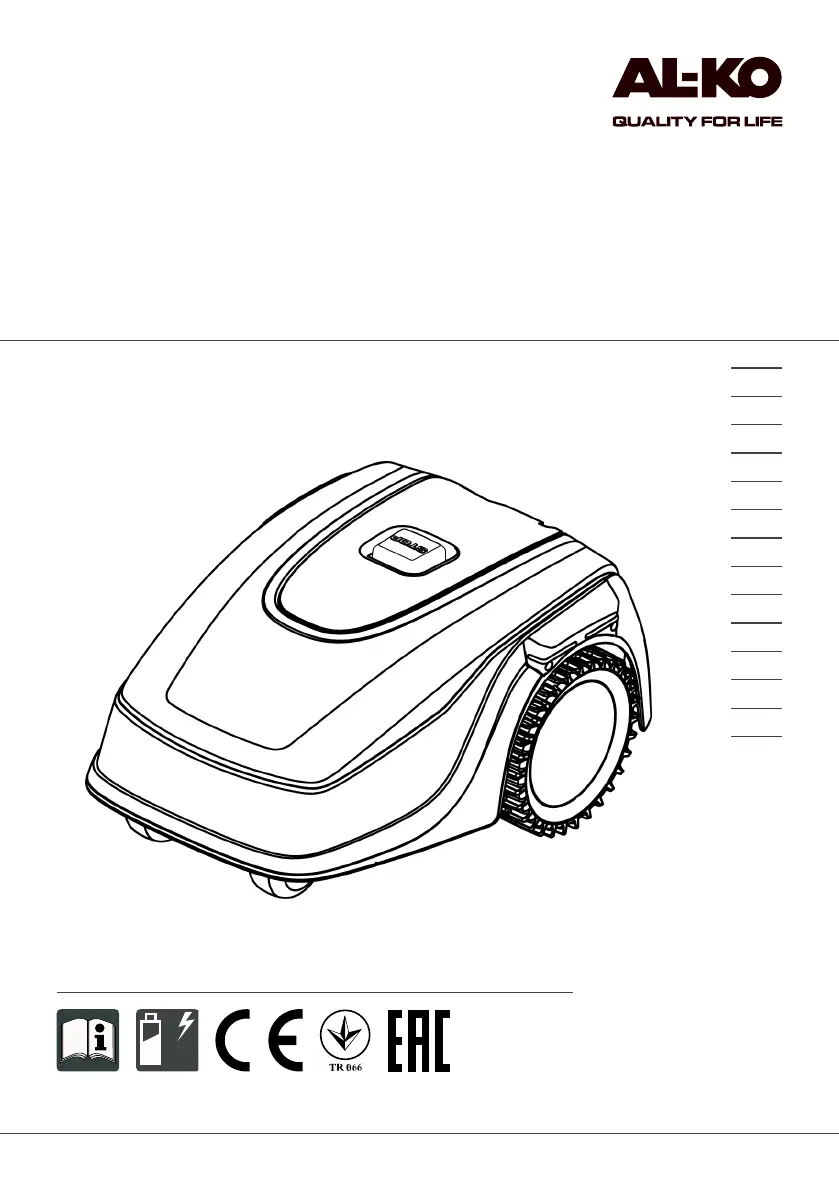
BA Robolinho Master
Deckblatt
Li
BETRIEBSANLEITUNG
ROBOTER-RASENMÄHER
Robolinho 500E
Robolinho 500I
457376_a
11 | 2017
DE
GB
NL
FR
IT
PL
CZ
SK
HU
DK
SE
FI
RU
UA

Table of Contents

Questions and Answers

  • A
    Anthony EspinozaSep 4, 2025
    What to do if AL-KO Lawn Mower recovery is impossible?
    • S
      shelby85Sep 4, 2025
      If recovery is impossible for your AL-KO Lawn Mower, it could be due to several reasons: * The appliance has moved onto an obstacle and cannot free itself. * The appliance is outside the designated grass surface. * The left wheel motor is blocked. To resolve this: * Remove the obstacle. * Place the appliance on the designated grass surface. * Remove any blockage from the left wheel motor.
  • D
    donnajacksonSep 18, 2025
    What to do if AL-KO Robolinho 500E Lawn Mower recov escape?
    • N
      Nicholas LucasSep 18, 2025
      If your AL-KO Lawn Mower displays 'Recov escape', it means automatic fault rectification is not possible. Manually acknowledge the malfunction message.
  • H
    Howard GardnerSep 16, 2025
    Why AL-KO Robolinho 500E tilt sensor is triggered?
    • J
      jessicathomasSep 16, 2025
      The tilt sensor on your AL-KO Lawn Mower might be triggered because: * The maximum tilt has been exceeded. * The appliance has been carried. * The slope is too steep. To resolve this, place the appliance on a flat surface and acknowledge the fault.
  • M
    Michael HuntSep 14, 2025
    What to do if AL-KO Robolinho 500E Lawn Mower battery is overheating?
    • T
      Terry DavisSep 14, 2025
      If your AL-KO Lawn Mower's battery is overheating (more than 60 °C), and discharging is not possible, switch off the appliance and let the rechargeable battery cool down.
  • V
    Victor BarkerSep 13, 2025
    What to do if AL-KO Robolinho 500E calibration shows collision?
    • J
      jonathon51Sep 13, 2025
      If your AL-KO Lawn Mower shows a collision during calibration, it means the appliance has bumped into an obstacle. To fix this, remove the obstacle.
  • J
    Jacob ReedSep 12, 2025
    What to do if AL-KO Robolinho 500E Lawn Mower lift sensor triggered?
    • R
      Roger WillisSep 12, 2025
      If the lift sensor on your AL-KO Lawn Mower has triggered, it means the appliance cover has been deflected upwards, either by lifting or by an obstacle. To solve this, remove the obstacle.
  • M
    Mark NicholsSep 9, 2025
    What to do if AL-KO Robolinho 500E Lawn Mower Blocked WR?
    • J
      Jonathan NealSep 9, 2025
      If your AL-KO Lawn Mower displays 'Blocked WR', it means the right wheel motor is blocked. To fix this, remove the blockage.
  • L
    Lorraine VasquezSep 7, 2025
    What to do if AL-KO Robolinho 500E calibration signal is weak?
    • B
      burchtoniSep 7, 2025
      A weak signal during calibration of your AL-KO Lawn Mower can be caused by: * A loop signal that is too weak. * No loop signal. * A faulty boundary cable. To address this: * Place the appliance at the prescribed calibrating position, aligned precisely at right angles. * Check the power source of the base station by disconnecting and reconnecting the power supply.
  • G
    George MurraySep 5, 2025
    What to do if AL-KO Robolinho 500E Lawn Mower calibration shows no loop?
    • E
      Elizabeth BradySep 5, 2025
      If your AL-KO Lawn Mower shows 'no loop' during calibration, it indicates the appliance cannot find the boundary cable. To solve this: * Check the LEDs on the base station. * Check the power source of the base station by disconnecting and reconnecting the power supply. * Place the appliance at the prescribed calibrating position, aligned precisely at right angles.
  • C
    Christopher WrightAug 21, 2025
    What to do if AL-KO Robolinho 500E blade motor is overheating?
    • T
      tiffanydavenportAug 21, 2025
      If the mowing motor of your AL-KO Lawn Mower has overheated (more than 80 °C), switch off the appliance and let it cool down.

Summary

About Operating Instructions

Legends and Signal Words

Defines warning symbols and keywords used in the manual for safety.

Product Description

Scope of Supply

Lists all components included in the delivery package for verification.

Automatic Lawn Mower

Describes the main robotic lawn mower unit and its key features.

Symbols on the Appliance

Explains the meaning of various safety and operational symbols on the mower.

Control Panel and Display

Details the buttons, controls, and display screen of the lawn mower.

Menu Structure

Outlines the hierarchical structure of the appliance's menu system.

Base Station and Charging

Explains the base station setup, charging contacts, and battery charging process.

Functional Description

Describes how the mower operates, including mowing and charging cycles.

SmartHome Integration

Covers connecting the mower to smart home systems via apps like AL-KO inTOUCH.

Safety Guidelines

Intended Use and Misuse

Defines the proper application and prohibited uses of the appliance.

Safety Devices and Sensors

Details protective devices, PIN input, and various sensors for safe operation.

Operator and Appliance Safety

Covers operator responsibilities, safety for persons/animals, and electrical safety.

Installation Guide

Preparation and Area Setup

Covers unpacking, planning mowing areas, and preparing the lawn.

Base Station Setup

Details the process of placing and fixing the base station correctly.

Boundary Cable Installation

Explains how to connect, route, and manage the boundary cable, including obstacles.

Power Connection and Checks

Covers connecting the base station to power and verifying connections.

Initial Start-up Procedures

Charging the Rechargeable Battery

Instructions for fully charging the battery before first use.

Basic Settings Configuration

Guides through setting language, PIN, date, and time.

Setting the Cutting Height

Explains how to manually adjust the blade cutting height.

Automatic Calibration Movement

Details the process for calibrating the mower to the boundary cable.

Appliance Operation

Manual Start and Stop

How to manually start, stop, and cancel mowing operations.

Secondary Area Mowing

Procedure for mowing a separate or secondary lawn area.

System Settings and Configuration

General Settings and Tones

Adjusting general preferences and enabling/disabling button tones.

Mowing Program Setup

Configuring daily mowing schedules, times, and program types.

Edge Mowing and Connectivity

Setting up edge mowing and managing the inTOUCH app connection.

Advanced Settings and Information

Covers display contrast, setting lock, recalibration, factory reset, and data display.

Maintenance and Care

Cleaning Procedures

Instructions for cleaning the mower, base station, and contact surfaces.

Regular Checks and Blade Replacement

Outlines routine checks and how to replace cutting blades.

Transport and Storage

Transporting the Appliance

Guidelines for safely moving the automatic lawn mower.

Storage Guidelines

Procedures for storing the mower, base station, and boundary cable.

Disposal and Service

Disposal Information

Regulations and methods for disposing of the appliance and batteries.

After-Sales Service

Information on warranty, repairs, and contacting customer service.

Help in Case of Malfunction

Correcting Appliance Faults

Guides on identifying and resolving common appliance and handling issues.

Fault Codes and Troubleshooting

Lists error codes and their corresponding causes and remedies.

Guarantee and Conformity

Warranty Information

Details the terms and conditions of the product warranty.

EU Declaration of Conformity

States compliance with EU directives and standards.

AL-KO Robolinho 500E Specifications

General IconGeneral
BrandAL-KO
ModelRobolinho 500E
CategoryLawn Mower
LanguageEnglish

Related product manuals