EasyManua.ls Logo

AL-KO Robolinho 500 - User Manual

AL-KO Robolinho 500
652 pages
Go to English
Print Icon
To Next Page IconTo Next Page
Loading...
4
4
2
8
1
1
B
A
R
o
b
o
l
i
n
h
o
(
Z
u
s
a
m
m
e
n
l
e
g
u
n
g
)
D
e
c
k
b
l
a
t
t
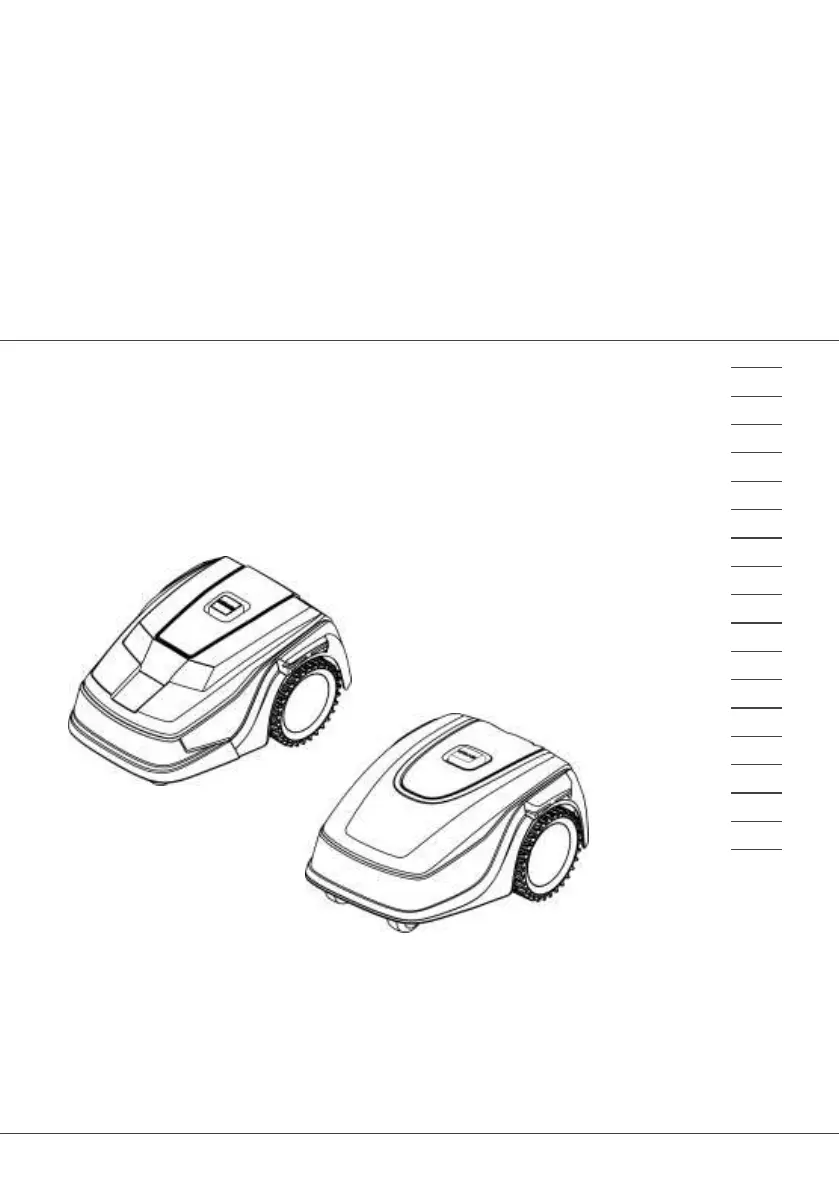
BETRIEBSANLEITUNG
ROBOTER-RASENMÄHER
Robolinho 500
Robolinho 700
Robolinho 1150
Robolinho 1200
Robolinho 2000
DE
GB
NL
FR
IT
SI
HR
RS
SK
HU
DK
NO
FI
RU
UA

Table of Contents

Other manuals for AL-KO Robolinho 500

Questions and Answers

  • C
    Carla WhiteSep 17, 2025
    Why is the calibration signal weak on my AL-KO Robolinho 500?
    • M
      Michael HarveySep 18, 2025
      A weak calibration signal on your AL-KO Lawn Mower can be caused by a loop signal that is too weak, no loop signal, or a faulty boundary cable. To address this, place the appliance at the prescribed calibrating position, aligning it precisely at right angles. Also, check the power source of the base station by disconnecting and reconnecting the power supply, and inspect the boundary cable for damage.
  • M
    monicarogersAug 25, 2025
    What to do if the blade motor is overheating on my AL-KO Lawn Mower?
    • L
      Larry LaneAug 25, 2025
      If the mowing motor on your AL-KO Lawn Mower has overheated (more than 80 °C), switch off the appliance and let it cool down.
  • C
    Christine StevensAug 25, 2025
    Why is my AL-KO Lawn Mower showing 'No loop signal'?
    • J
      Joseph HamptonAug 26, 2025
      The 'No loop signal' error on your AL-KO Lawn Mower indicates a problem with the boundary cable. This could be due to: a faulty boundary cable, a missing loop signal, or a loop signal that is too weak. To resolve this, check the LEDs on the base station, verify the power source of the base station by disconnecting and reconnecting the power supply, and inspect the boundary cable for any damage, repairing it as necessary.
  • A
    Anthony SmithAug 26, 2025
    What to do if my AL-KO Robolinho 500 Lawn Mower displays 'Battery' error?
    • J
      Jesse CowanAug 27, 2025
      If your AL-KO Lawn Mower shows a 'Battery' error, several issues could be the cause. Here's what you can check: 1. If the rechargeable battery is flat, make sure the boundary cable location is correct. 2. If the loop of the boundary cable is too long or has too many islands, correct its location. 3. If there's no contact to the charging contacts, clean the charging contacts, ensure the appliance is properly placed in the base station, and that the charging contacts are making contact. 4. Remove any obstacles close to the base station. 5. If the appliance has gotten stuck, place it on the free, designated grass surface. 6. If the appliance does not find the base station, check the boundary cable for damage.
  • D
    Derrick BatesSep 18, 2025
    How to fix the tilt sensor on my AL-KO Robolinho 500 Lawn Mower?
    • S
      Sara DeleonSep 18, 2025
      The inclination sensor on your AL-KO Lawn Mower may have been triggered because the maximum tilt was exceeded, the appliance was carried, or the slope is too steep. Place the appliance on a flat surface and acknowledge the fault.
  • R
    Ryan RuizSep 23, 2025
    What to do if my AL-KO Lawn Mower shows 'Cal: Collision' during calibration?
    • S
      Sandra LeeSep 23, 2025
      If your AL-KO Lawn Mower shows a 'Cal: Collision' error during calibration, it means the appliance has bumped into an obstacle. Remove the obstacle.
  • C
    Colton CohenSep 9, 2025
    What does AL-KO Robolinho 500 Lawn Mower error 'CN099: Recov escape' mean?
    • J
      Jordan HallSep 9, 2025
      The error 'Recov escape' on your AL-KO Lawn Mower means that automatic fault rectification was not possible. To solve this, manually acknowledge the malfunction message.
  • C
    colefordSep 10, 2025
    What to do if my AL-KO Robolinho 500 Lawn Mower has no loop signal?
    • M
      Mark TaylorSep 10, 2025
      If your AL-KO Lawn Mower displays a 'no loop signal' error, the boundary cable might be faulty, or the loop signal might be too weak. You can try to check the LEDs on the base station, check the power source of the base station by disconnecting and reconnecting the power supply, and inspect the boundary cable for any damage. If you find any damage, repair the defective cable.
  • E
    Emily TorresSep 3, 2025
    Why does my AL-KO Robolinho 500 Lawn Mower show 'CN017: Cal: signal weak'?
    • B
      Brett ArmstrongSep 3, 2025
      If your AL-KO Lawn Mower displays 'Cal: signal weak' during calibration, it indicates a weak or missing loop signal, or a faulty boundary cable. To address this, place the appliance at the prescribed calibrating position, aligned precisely at right angles, check the power source of the base station by disconnecting and reconnecting the power supply, and check the boundary cable for damage.
  • J
    jonesmelissaSep 1, 2025
    What does 'CN119: R-Bumper de- flected CN120: L-Bumper de- flected' mean on my AL-KO Lawn Mower?
    • O
      ojonesSep 1, 2025
      The error message 'R-Bumper deflected' or 'L-Bumper deflected' on your AL-KO Lawn Mower indicates that the appliance has moved onto an obstacle and cannot free itself. To solve this, simply remove the obstacle.

Summary

Product Details

Functional Description

Explains how the automatic lawn mower operates, including mowing and charging.

App Control

Controlling the mower via WiFi, the inTOUCH app, and smartphone integration.

Safety Guidelines

Intended Use

Specifies the intended non-commercial applications for the appliance.

Safety Features

Information on safety features and protective measures to prevent injury.

General Safety Instructions

General safety guidelines for operating the appliance safely.

Personal Protective Equipment

Details the required protective clothing and equipment for safe operation.

Appliance Safety

Ensuring the appliance is in good condition and safe to use, including checks before operation.

Prohibited Use

Details inappropriate uses of the machine, such as in public gardens or sports stadiums.

PIN and PUK Security

Instructions for setting and using the Personal Identification Number for appliance security.

Operator Responsibilities

Rules for the person operating the appliance, including age and capability requirements.

Safety of Persons and Animals

Guidelines to ensure the safety of people and animals around the operating mower.

Electrical Safety

Safety precautions related to the electrical components and power supply of the appliance.

Sensors

Explanation of the safety sensors and their role in operation and error detection.

Assembly and Installation

Preparing Mowing Areas

Instructions on preparing the lawn for mowing, including grass height and obstacle removal.

Boundary Cable Installation

Guide on how to install the boundary cable, including connection and routing.

Planning Mowing Areas

Guidance on planning the mowing areas, including base station location and boundary cable routing.

Base Station Setup

Detailed steps for correctly installing and positioning the base station.

Initial Start-Up

Operation

Maintenance and Care

Blade Replacement

Step-by-step guide for safely replacing worn or damaged cutting blades.

Troubleshooting

Correcting Faults

Guidance on troubleshooting common malfunctions and handling errors.

After-Sales Service

Guarantee

AL-KO Robolinho 500 Specifications

General IconGeneral
TypeRobotic lawn mower
Cutting width200 mm
Product colorGray
Number of blades4
Rotational speed3400 RPM
Maximum lawn area500 m²
Mulching function-
Sound power level58 dB
Sound pressure level60 dB
Maximum cutting height55 mm
Minimum cutting height25 mm
Cutting clearance adjustmentYes
International Protection (IP) codeIPX1
Power sourceBattery
Battery voltage20 V
Battery capacity2.5 Ah
Battery life (min)55 min
Weight and Dimensions IconWeight and Dimensions
Weight7600 g

Related product manuals