EasyManua.ls Logo

AL-KO Robolinho 350 W - User Manual

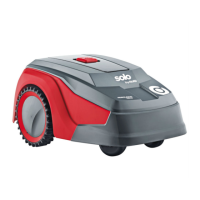
AL-KO Robolinho 350 W
452 pages
Go to English
Print Icon
To Next Page IconTo Next Page
Loading...
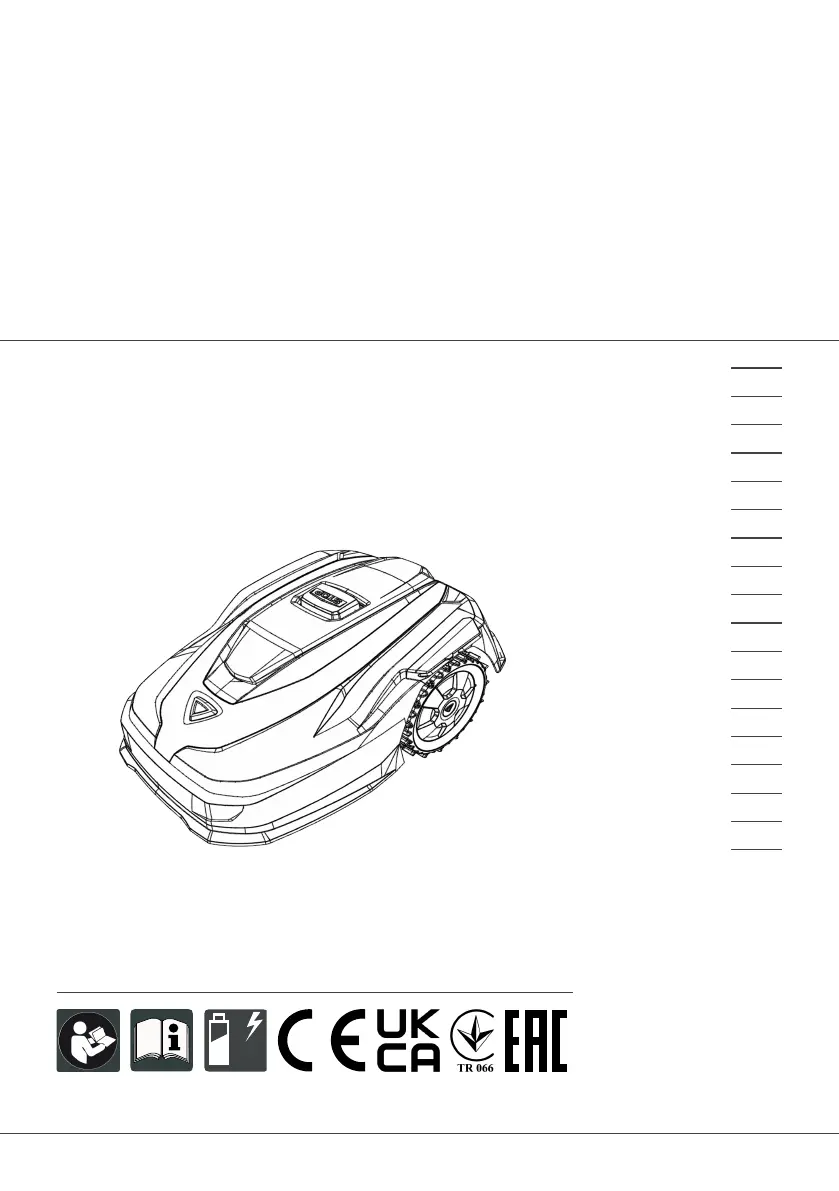
495761_BA_Robolinhos_AL-KO_sbA_2023
Deckblatt_AL-KO_sbA_2023
Li
BETRIEBSANLEITUNG
ROBOTER-RASENMÄHER
Robolinho 350 W | 550 W | 1300 W
Robolinho 520 W | 822 W | 1423 W | 2323 W
495761_a
01 | 2023
DE
GB
NL
FR
IT
SI
HR
RS
PL
CZ
SK
HU
DK
SE
FI
RO
RU
UA

Table of Contents

Questions and Answers

  • M
    Marcus RogersAug 19, 2025
    What to do if my AL-KO Robolinho 350 W says 'No loop signal'?
    • C
      chloe24Aug 19, 2025
      If your AL-KO Lawn Mower indicates 'No loop signal', it could be due to several reasons: there might be no loop signal at all, the boundary cable could be defective, or the loop signal might be too weak. First, check the LED on the base station. Then, check the power supply to the base station by disconnecting and reconnecting the power supply unit. Finally, inspect the boundary cable for any damage and repair it if necessary.
  • K
    Katrina HowardAug 21, 2025
    What to do if AL-KO Lawn Mower displays 'Loop signal weak'?
    • J
      Jonathan YoungAug 22, 2025
      If your AL-KO Lawn Mower is showing a 'Loop signal weak' message, it could be because the loop signal is too weak or the boundary cable is buried too deep. Check the LED on the base station and the power supply to the base station by disconnecting and reconnecting the power supply unit. Also, raise the boundary cable to the prescribed height, attaching it directly to the lawn if needed.
  • M
    Mary BakerAug 23, 2025
    What to do if my AL-KO Lawn Mower displays 'Bumper deflected'?
    • J
      Jennifer AndradeAug 25, 2025
      If your AL-KO Lawn Mower displays 'Bumper deflected', it means that the appliance has collided with an obstacle and cannot free itself. Place the appliance on the free, demarcated lawn surface. Also, correct the position of the boundary cable.
  • K
    Kathleen EvansAug 26, 2025
    What to do if my AL-KO Robolinho 350 W Lawn Mower shows 'CN119: R-Bumper deflected CN120: L-Bumper deflected'?
    • C
      Charles RiveraAug 26, 2025
      If your AL-KO Lawn Mower displays 'CN119: R-Bumper deflected CN120: L-Bumper deflected', it indicates that the appliance has collided with an obstacle and cannot free itself. To resolve this, remove the obstacle.
  • M
    Megan Rhodes PhDAug 28, 2025
    What to do if my AL-KO Lawn Mower shows 'Recovery impossible'?
    • C
      chad57Aug 28, 2025
      If your AL-KO Lawn Mower displays 'Recovery impossible', it means that the appliance has collided with an obstacle and cannot free itself. To solve this, remove the obstacle.
  • S
    Sheryl JohnsonAug 29, 2025
    What to do if AL-KO Robolinho 350 W Lawn Mower displays 'Bad position'?
    • C
      Clarence MooreAug 29, 2025
      If your AL-KO Lawn Mower shows a 'Bad position' error, it could be because the appliance is outside the demarcated lawn surface or the boundary cable has been routed in a criss-cross pattern. Place the appliance on the free, demarcated lawn surface. Also, correct the position of the boundary cable around curves and obstacles, and eliminate any criss-crossing of the cable.
  • R
    Robert OchoaAug 31, 2025
    What to do if my AL-KO Lawn Mower shows 'Escaped robot'?
    • T
      Tanya CantuAug 31, 2025
      If your AL-KO Lawn Mower displays 'Escaped robot', it means the appliance is outside the demarcated lawn surface. Correct the position of the boundary cable around curves and obstacles.
  • M
    maryrhodesSep 2, 2025
    What to do if my AL-KO Robolinho 350 W Lawn Mower shows 'Blocked WR'?
    • R
      rickybrooksSep 2, 2025
      If your AL-KO Lawn Mower displays 'Blocked WR', it means the right wheel motor is blocked. Remove the blockage.
  • A
    Alexander GreeneSep 4, 2025
    What to do if my AL-KO Lawn Mower shows 'Cal: Collision'?
    • D
      Diane GarciaSep 5, 2025
      If your AL-KO Lawn Mower displays 'Cal: Collision' during calibration, it means that the appliance has collided with an obstacle. Remove the obstacle.
  • R
    Rachel MendozaSep 6, 2025
    What to do if my AL-KO Lawn Mower displays 'Cal: signal weak'?
    • A
      Andrea WilliamsSep 6, 2025
      If your AL-KO Lawn Mower displays 'Cal: signal weak' during calibration, it could be due to a loop signal that is too weak, no loop signal, or a defective boundary cable. Place the appliance in the prescribed calibrating position, aligned precisely at right angles. Check the power supply to the base station by disconnecting and reconnecting the power supply unit. Also, check the boundary cable for damage.

Summary

About These Operating Instructions

Symbols on the Title Page

Identifies symbols used on the title page of the manual.

Legends and Signal Words

Explains legends and signal words for safety and understanding.

Product Description

Scope of Supply

Lists all components included in the standard scope of supply.

Automatic Lawn Mower

Describes the automatic lawn mower appliance itself.

Symbols on the Appliance

Explains the meaning of symbols found on the appliance.

Control Panel

Details the functions and layout of the appliance's control panel.

Display

Describes the appliance's display screen and its functions.

Menu Structure

Outlines the navigation structure of the appliance's menu system.

Base Station

Details the base station components and its function.

Rechargeable Battery

Information on the rechargeable battery, its charging, and care.

Functional Description

Explains how the appliance operates on the grass and during mowing/charging.

WiFi Module and inTOUCH App

Describes the WiFi module and app for remote control and monitoring.

Safety

Intended Use

Specifies the intended non-commercial use of the appliance.

Possible Misuse

Lists situations and applications where the machine should not be used.

Safety Features and Operation

Covers PIN/PUK, sensors, operator safety, and other safety instructions.

Safety

Safety Guidelines and Precautions

Covers PPE, safety of persons/animals, appliance, and electrical safety.

Assembly

Unpacking the Machine

Steps for unpacking the appliance and checking for transport damage.

Planning the Mowing Areas

Guidance on planning the layout of mowing areas and base station location.

Assembly

Preparing the Mowing Areas

Instructions for preparing the lawn before starting the appliance.

Setting Up the Base Station

Detailed steps for correctly installing the base station.

Installing and Routing Boundary Cable

Guides on installing and laying the boundary wire around the mowing area.

Assembly

Excluding Obstacles

How to use the boundary cable to exclude obstacles from the mowing area.

Enclosing Corridors

Guidelines for creating corridors between mowing areas.

Excluding Downward Slopes

How to exclude steep slopes using the boundary cable.

Creating Cable Loops

Instructions for creating spare cable loops for future adjustments.

Assembly

Typical Faults in Cable Routing

Identifies common issues and solutions for boundary cable installation.

Power and Connection Checks

Covers connecting the base station to power, checking connections, and installing kits.

Start-Up

Charging the Rechargeable Battery

Instructions for the initial charging of the appliance's battery.

Making Basic Settings

Guides through initial settings like language, date, time, and PIN.

Setting the Cutting Height

How to adjust the cutting height of the lawn mower.

Automatic Calibration Movement

Procedure for performing an automatic calibration of the appliance.

Operation

Manual Operation

Steps for manually starting, stopping, and cancelling mowing operations.

Mowing Secondary Area

Instructions for mowing a separate area by hand.

Settings

General Settings and Modes

Covers accessing settings, button tones, Eco mode, and rain sensor configuration.

Settings

Mowing Program Setup

How to set up the weekly mowing schedule and programs.

Settings

Passage Mode and inTOUCH

How to use passage mode and connect via the inTOUCH app.

Manual Start and Secondary Area

Settings for manual edge mowing start and secondary area mowing.

Display and Lock Settings

How to adjust display contrast and activate the setting lock.

Recalibrating

When and how to recalibrate the appliance, e.g., after cable changes.

Settings

Restoring Factory Settings

How to reset the appliance to its original factory default settings.

Displaying Information

Information Categories

Covers blade service, hardware, software, program info, and failure logs.

Maintenance and Care

Cleaning Instructions

Instructions for cleaning the automatic lawn mower and base station.

Maintenance and Care

Regular Checks

Guidelines for weekly checks of the boundary cable, power supply, and rollers.

Replacing Cutting Blades

Detailed steps and safety precautions for replacing the cutting blades.

Help in Case of Malfunction

Correcting Appliance and Handling Faults

A table listing common malfunctions, their causes, and remedies.

Help in Case of Malfunction

Troubleshooting Malfunctions

Detailed troubleshooting for issues like getting stuck, wrong time, motor stops, uneven mowing, and battery life.

Help in Case of Malfunction

Fault Codes and Troubleshooting

Explains error codes (CN001, CN002, etc.) and their corresponding causes and remedies.

Help in Case of Malfunction

Fault Codes and Troubleshooting (continued)

Further error codes (CN008, CN010, etc.) with causes and remedies.

Help in Case of Malfunction

Fault Codes and Troubleshooting (continued)

Additional error codes (CN099, CN104, etc.) and their troubleshooting steps.

Transport

Transporting the Appliance

Step-by-step instructions for safely transporting the lawn mower.

Storage and Disposal

Storage Guidelines

Covers storing the mower, charging pole, and boundary cable.

Disposal Regulations

Covers disposal of electrical equipment and batteries according to regulations.

Disposal

Packaging and Battery Removal

Notes on packaging recyclability and battery removal for disposal.

After-Sales;Service and Conformity

Contacting Service and Declaration

Information on contacting AL-KO service and product conformity declaration.

Warranty

Warranty Terms and Exclusions

Details warranty terms, conditions, and items not covered.

Warranty

Warranty Exclusions

Lists items and conditions not covered by the warranty.

Contact Information

Regional Importers

Contact details for importers in Russia, Ukraine, and the UK.

AL-KO GERÄTE GmbH Headquarters

Contact details for the main German headquarters.

AL-KO Robolinho 350 W Specifications

General IconGeneral
TypeRobotic lawn mower
Wi-FiYes
Drive typeFront wheel drive
Noise level60 dB
Cutting width200 mm
Grass catcherNo
Product colorBlack, Red
Number of wheels4 wheel(s)
Maximum lawn area350 m²
Mulching function-
Minimum cutting height25 mm
Maximum speed (forward)0.97 km/h
Suitable for slope up to30 %
Cutting clearance adjustment typeStepless
Power sourceBattery
Charging time50 h
Battery voltage18 V
Battery capacity2.2 Ah
Battery life (max)45 min
Weight and Dimensions IconWeight and Dimensions
Depth630 mm
Width430 mm
Height270 mm
Weight13000 g

Related product manuals