EasyManua.ls Logo

AL-KO Robolinho 520 W - User Manual

AL-KO Robolinho 520 W
452 pages
Go to English
Print Icon
To Next Page IconTo Next Page
Loading...
495761_BA_Robolinhos_AL-KO_sbA_2023
Deckblatt_AL-KO_sbA_2023
Li
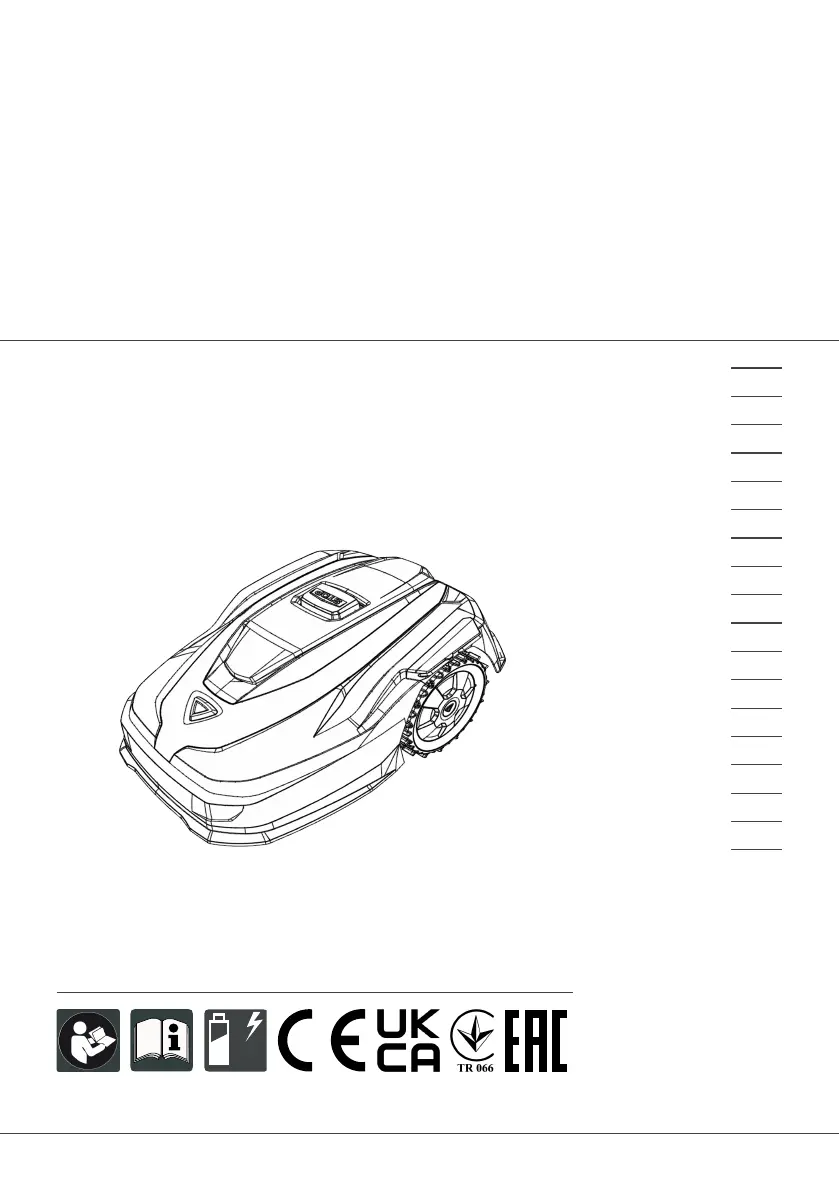
BETRIEBSANLEITUNG
ROBOTER-RASENMÄHER
Robolinho 350 W | 550 W | 1300 W
Robolinho 520 W | 822 W | 1423 W | 2323 W
495761_a
01 | 2023
DE
GB
NL
FR
IT
SI
HR
RS
PL
CZ
SK
HU
DK
SE
FI
RO
RU
UA

Table of Contents

Questions and Answers

  • S
    Steven PierceAug 20, 2025
    What to do if my AL-KO Robolinho 520 W Lawn Mower says 'No loop signal'?
    • J
      Jennifer CowanAug 20, 2025
      If your AL-KO Lawn Mower indicates 'No loop signal', it could be due to several reasons: there might be no loop signal at all, the boundary cable could be defective, or the loop signal might be too weak. First, check the LED on the base station. Then, check the power supply to the base station by disconnecting and reconnecting the power supply unit. Finally, inspect the boundary cable for any damage and repair it if necessary.
  • A
    Antonio BrownAug 21, 2025
    What to do if AL-KO Robolinho 520 W displays 'Loop signal weak'?
    • S
      Stephanie WilsonAug 22, 2025
      If your AL-KO Lawn Mower is showing a 'Loop signal weak' message, it could be because the loop signal is too weak or the boundary cable is buried too deep. Check the LED on the base station and the power supply to the base station by disconnecting and reconnecting the power supply unit. Also, raise the boundary cable to the prescribed height, attaching it directly to the lawn if needed.
  • S
    Sarah WhiteAug 25, 2025
    What to do if my AL-KO Lawn Mower displays 'Bumper deflected'?
    • C
      courtney71Aug 25, 2025
      If your AL-KO Lawn Mower displays 'Bumper deflected', it means that the appliance has collided with an obstacle and cannot free itself. Place the appliance on the free, demarcated lawn surface. Also, correct the position of the boundary cable.
  • J
    Jeremy EvansAug 26, 2025
    What to do if my AL-KO Robolinho 520 W shows 'CN119: R-Bumper deflected CN120: L-Bumper deflected'?
    • S
      susan91Aug 26, 2025
      If your AL-KO Lawn Mower displays 'CN119: R-Bumper deflected CN120: L-Bumper deflected', it indicates that the appliance has collided with an obstacle and cannot free itself. To resolve this, remove the obstacle.
  • W
    William KirbyAug 27, 2025
    What to do if my AL-KO Robolinho 520 W Lawn Mower shows 'Recovery impossible'?
    • J
      Jill FrederickAug 28, 2025
      If your AL-KO Lawn Mower displays 'Recovery impossible', it means that the appliance has collided with an obstacle and cannot free itself. To solve this, remove the obstacle.
  • T
    Taylor GuzmanAug 29, 2025
    What to do if AL-KO Robolinho 520 W displays 'Bad position'?
    • S
      Steven LongAug 30, 2025
      If your AL-KO Lawn Mower shows a 'Bad position' error, it could be because the appliance is outside the demarcated lawn surface or the boundary cable has been routed in a criss-cross pattern. Place the appliance on the free, demarcated lawn surface. Also, correct the position of the boundary cable around curves and obstacles, and eliminate any criss-crossing of the cable.
  • C
    Carlos DeanSep 1, 2025
    What to do if my AL-KO Robolinho 520 W shows 'Escaped robot'?
    • L
      lschmidtSep 1, 2025
      If your AL-KO Lawn Mower displays 'Escaped robot', it means the appliance is outside the demarcated lawn surface. Correct the position of the boundary cable around curves and obstacles.
  • S
    Stacy McdonaldSep 3, 2025
    What to do if my AL-KO Robolinho 520 W Lawn Mower shows 'Blocked WR'?
    • S
      Stacey AndersonSep 3, 2025
      If your AL-KO Lawn Mower displays 'Blocked WR', it means the right wheel motor is blocked. Remove the blockage.
  • A
    Ariana CurtisSep 4, 2025
    What to do if my AL-KO Robolinho 520 W Lawn Mower shows 'Cal: Collision'?
    • M
      michellegrahamSep 5, 2025
      If your AL-KO Lawn Mower displays 'Cal: Collision' during calibration, it means that the appliance has collided with an obstacle. Remove the obstacle.
  • T
    todd38Sep 6, 2025
    What to do if my AL-KO Robolinho 520 W Lawn Mower displays 'Cal: signal weak'?
    • J
      Julie PorterSep 7, 2025
      If your AL-KO Lawn Mower displays 'Cal: signal weak' during calibration, it could be due to a loop signal that is too weak, no loop signal, or a defective boundary cable. Place the appliance in the prescribed calibrating position, aligned precisely at right angles. Check the power supply to the base station by disconnecting and reconnecting the power supply unit. Also, check the boundary cable for damage.

Summary

2 Product description

2.2 Automatic lawn mower (02)

Details the automatic lawn mower unit and its features.

2.9 Functional description

Explains how the appliance operates on the grass surface and during mowing/charging.

2.10 WiFi radio module and AL-KO inTOUCH Smart Garden app

Details the WiFi connectivity and the smart garden app for remote control.

3 SAFETY

3.3 Safety Devices and Features

Details safety sensors, protective devices, and input requirements like PIN/PUK.

3.4 Operator and Appliance Safety

Provides guidelines for operator, PPE, persons, animals, appliance, and electrical safety.

4 ASSEMBLY

4.2 Planning Mowing Areas

Guidance on selecting the base station location and defining mowing areas.

4.3 Preparing the Mowing Areas

Instructions on preparing the lawn surface before setting up the system.

4.4 Setting Up the Base Station

Detailed steps for correctly installing the base station on the ground.

4.5 Installing the Boundary Cable

Procedures for connecting, routing, excluding obstacles, creating loops, and troubleshooting boundary cable installation.

4.6 Connecting Base Station to Power

Instructions for connecting the base station to the electrical power source.

5 START-UP

5.1 Charging the Rechargeable Battery

Instructions for the initial charging of the appliance's battery.

5.2 Making Basic Settings

Guide to configuring initial settings like language, PIN, date, and time.

5.4 Automatic Calibration Movement

Procedure for performing the initial calibration movement for optimal operation.

6 OPERATION

7 SETTINGS

7.5 Mowing Program Setup

Details on setting up mowing programs, general settings, start points, and times.

8 DISPLAYING INFORMATION

9 MAINTENANCE AND CARE

10 HELP IN CASE OF MALFUNCTION

10.1 Correcting Appliance and Handling Faults

Provides a table to identify and resolve common appliance issues and handling faults.

10.2 Fault Codes and Troubleshooting

Lists specific error codes and their corresponding causes and remedies for troubleshooting.

12 STORAGE

13 DISPOSAL

AL-KO Robolinho 520 W Specifications

General IconGeneral
Max Area500 m²
Battery Voltage20 V
Battery Capacity2.5 Ah
Cutting Height25-55 mm
Maximum Gradient45%
Battery TypeLithium-Ion
Power SourceBattery
Cutting Height AdjustmentCentral
Grass Collection VolumeNot applicable

Related product manuals