EasyManua.ls Logo

AL-KO Solo Robolinho 4100 - User Manual

AL-KO Solo Robolinho 4100
400 pages
Go to English
Print Icon
To Next Page IconTo Next Page
Loading...
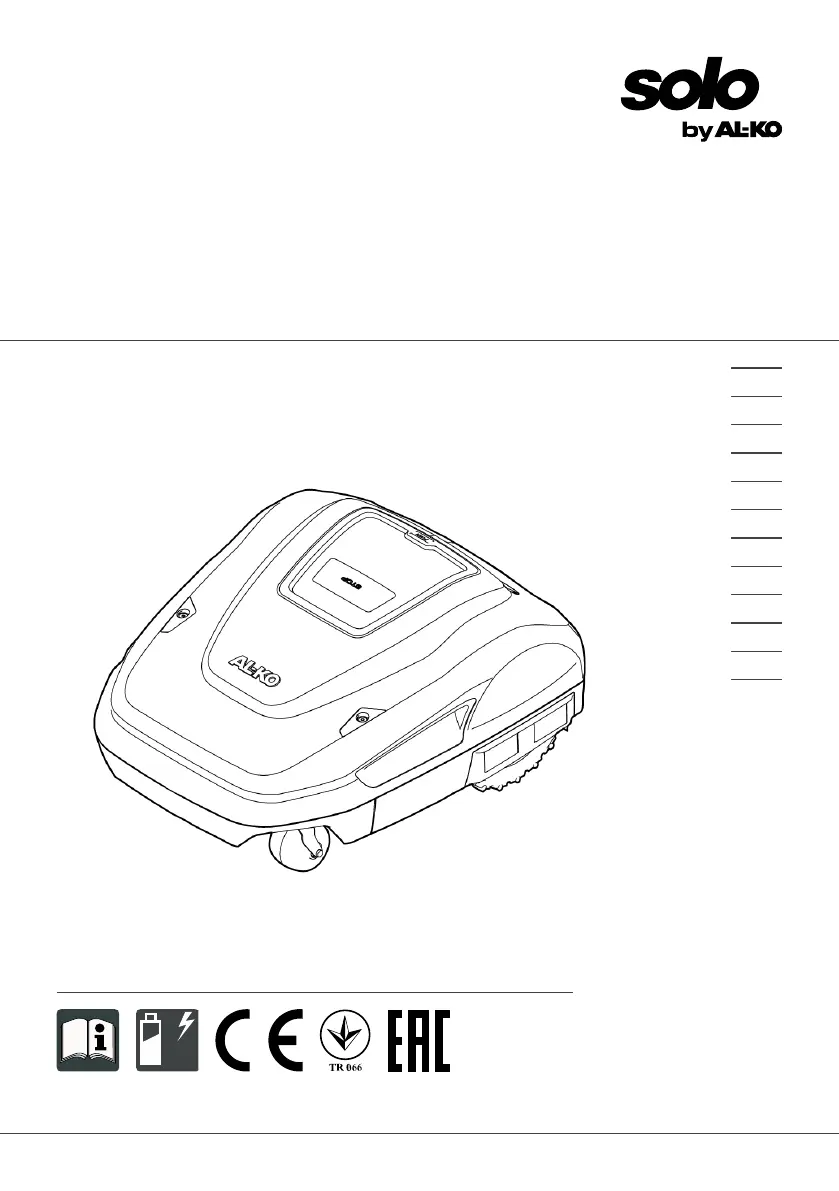
BA Robolinho Master
Deckblatt
Li
BETRIEBSANLEITUNG
ROBOTER-RASENMÄHER
Robolinho 4100
457296_b
11 | 2017
DE
GB
NL
FR
IT
PL
CZ
SK
HU
DK
SE
FI

Table of Contents

Questions and Answers

  • J
    Jade HendrixSep 10, 2025
    Why does my AL-KO Lawn Mower show 'CN008: Loop signal weak'?
    • B
      bpowellSep 10, 2025
      If your AL-KO Lawn Mower displays 'CN008: Loop signal weak', it is likely because the boundary cable is buried too deep. You should check the LEDs on the base station, check the power source of the base station by disconnecting and reconnecting the transformer, and raise the boundary cable to the prescribed height, attaching it directly on the grass if necessary.
  • S
    Shelly AlexanderAug 23, 2025
    What to do if my AL-KO Lawn Mower displays 'CN104: Battery over heating'?
    • A
      Anthony BerryAug 23, 2025
      If your AL-KO Lawn Mower displays 'CN104: Battery over heating', the rechargeable battery has overheated (more than 60 °C), preventing discharging. Switch off the appliance and let the rechargeable battery cool down. Do not place the appliance on the base station.
  • J
    James BautistaAug 25, 2025
    What to do if my AL-KO Lawn Mower displays 'CN110: Blade motor over heating'?
    • S
      Shannon WilliamsAug 25, 2025
      If your AL-KO Lawn Mower displays 'CN110: Blade motor over heating', it means the mowing motor has overheated (more than 80 °C). Switch off the appliance and let it cool down.
  • M
    Melissa CamposAug 27, 2025
    What to do if my AL-KO Lawn Mower shows 'CN007: No loop signal'?
    • R
      Robert KingAug 27, 2025
      If your AL-KO Lawn Mower displays a 'CN007: No loop signal' error, it indicates that the boundary cable is faulty. You should: * Check the LEDs on the base station. * Check the power source of the base station by disconnecting and reconnecting the transformer. * Inspect the boundary cable for any damage and repair it if necessary.
  • P
    Patrick RussellAug 28, 2025
    What to do if my AL-KO Lawn Mower shows 'CN005: Bumper de- flected'?
    • M
      maria94Aug 28, 2025
      If your AL-KO Lawn Mower displays 'CN005: Bumper deflected', it means the appliance has driven into an obstacle and cannot free itself. Place the appliance on a free, designated grass surface and correct the location of the boundary cable.
  • X
    xgarrettAug 29, 2025
    What to do if my AL-KO Lawn Mower displays 'CN010: Bad position'?
    • P
      paulhaleAug 29, 2025
      If your AL-KO Lawn Mower shows a 'CN010: Bad position' error, it indicates that the appliance is outside the designated grass surface. To resolve this, place the appliance on the free, designated grass surface and correct the location of the boundary cable around curves and obstacles.
  • R
    Rachel WilsonSep 18, 2025
    How to fix AL-KO Lawn Mower tilt sensor error?
    • A
      Ashley TurnerSep 18, 2025
      To fix the 'CN001: Tilt sensor' error on your AL-KO Lawn Mower, place the appliance on a flat surface and acknowledge the fault.
  • J
    Jessica AndersonSep 12, 2025
    What to do if my AL-KO Lawn Mower displays 'CN017: Cal: signal weak'?
    • R
      Robert TylerSep 12, 2025
      If your AL-KO Lawn Mower displays 'CN017: Cal: signal weak', it means the loop signal is too weak. Place the appliance at the prescribed calibrating position, aligning it precisely at right angles and check the power source of the base station by disconnecting and reconnecting the transformer.
  • C
    Charlotte HoltSep 8, 2025
    What to do if my AL-KO Lawn Mower displays 'CN018: Cal: Colli- sion'?
    • D
      dale65Sep 8, 2025
      If your AL-KO Lawn Mower displays 'CN018: Cal: Collision', it means the appliance has bumped into an obstacle. Remove the obstacle.
  • B
    brittanydavisSep 5, 2025
    What does it mean if my AL-KO Lawn Mower displays 'CN099: Recov escape'?
    • V
      Valerie HillSep 5, 2025
      If your AL-KO Lawn Mower displays 'CN099: Recov escape', it means that automatic fault rectification is not possible. Manually acknowledge the malfunction message.

Summary

About These Operating Instructions

Legends and Signal Words

Explains danger, warning, caution, and important signal words for safety.

Product Description

Scope of Supply

Lists the components included in the delivery package.

Automatic Lawn Mower

Details the components and features of the automatic lawn mower.

Control Panel and Display

Describes the control panel buttons, functions, and the display interface.

Base Station and Integrated Battery

Details the base station components, functionality, and the appliance's battery.

Functional Description and SmartHome Integration

Explains operation and integration with AL-KO inTOUCH and innogy SmartHome.

Safety

Intended Use and Possible Misuse

Defines proper applications and lists uses considered misuse of the appliance.

Safety and Protective Devices

Discusses essential safety features, protective mechanisms, and sensors.

Specific Safety Guidelines

Provides guidelines for operator, persons, animals, appliance, and electrical safety.

Installation

Planning and Preparing Mowing Areas

Instructions for unpacking, planning, and preparing the lawn for installation.

Setting up Base Station and Boundary Cable

Steps for installing the base station and routing the boundary cable.

Excluding Obstacles, Corridors, and Slopes

Methods for using the boundary cable to avoid obstacles, create corridors, and exclude slopes.

Connecting Power and Checking Connections

How to connect the base station to power and verify installation via LEDs.

Start-Up

Charging the Rechargeable Battery

Instructions for fully charging the battery before the first use.

Making the Basic Settings

Steps for configuring essential settings like language, PIN, date, and time.

Automatic Calibration Movement

Procedure for calibrating the appliance to the boundary cable.

Operation and Settings

Manual Operation Modes

Covers starting manually, cancelling mowing, and mowing secondary areas.

General Settings

Accessing and configuring general settings like language, cutting height, and button tones.

Mowing Program and Scheduling

Setting up mowing programs, rain sensor, Eco mode, and start points.

Advanced Settings and Information Display

Covers mowing times, edge mowing, inTOUCH, secondary areas, and displaying information.

Maintenance and Care

Cleaning

Detailed instructions for cleaning the automatic lawn mower and its components.

Regular Checks and Blade Replacement

Guidelines for routine checks, replacing cutting blades, and fuses.

Transport

Storage

Storing the Automatic Lawn Mower

How to properly store the appliance during off-season or long breaks.

Storing the Base Station

Guidelines for storing the base station, whether indoors or outdoors.

Winter Storage of the Boundary Cable

Recommendations for storing the boundary cable, especially for winter.

Disposal Information

Disposal

Information on the correct disposal of electrical appliances and batteries.

Battery Act Information

Details regarding battery disposal regulations and symbols.

After-Sales Service and Malfunction Help

After-Sales; Service

Information on obtaining warranty, repairs, or spare parts from AL-KO.

Malfunction Correction

Guides the user through troubleshooting common appliance issues and fault codes.

Fault Codes and Troubleshooting

Lists specific error codes and their corresponding causes and solutions.

Guarantee and Conformity

Guarantee

Details the terms and conditions of the appliance's warranty.

EU Declaration of Conformity

Statement confirming the product's compliance with EU directives and standards.

AL-KO Solo Robolinho 4100 Specifications

General IconGeneral
BrandAL-KO
ModelSolo Robolinho 4100
CategoryLawn Mower
LanguageEnglish

Related product manuals