EasyManua.ls Logo

AL-KO Solo Robolinho 1100 - User Manual

AL-KO Solo Robolinho 1100
376 pages
Go to English
Print Icon
To Next Page IconTo Next Page
Loading...
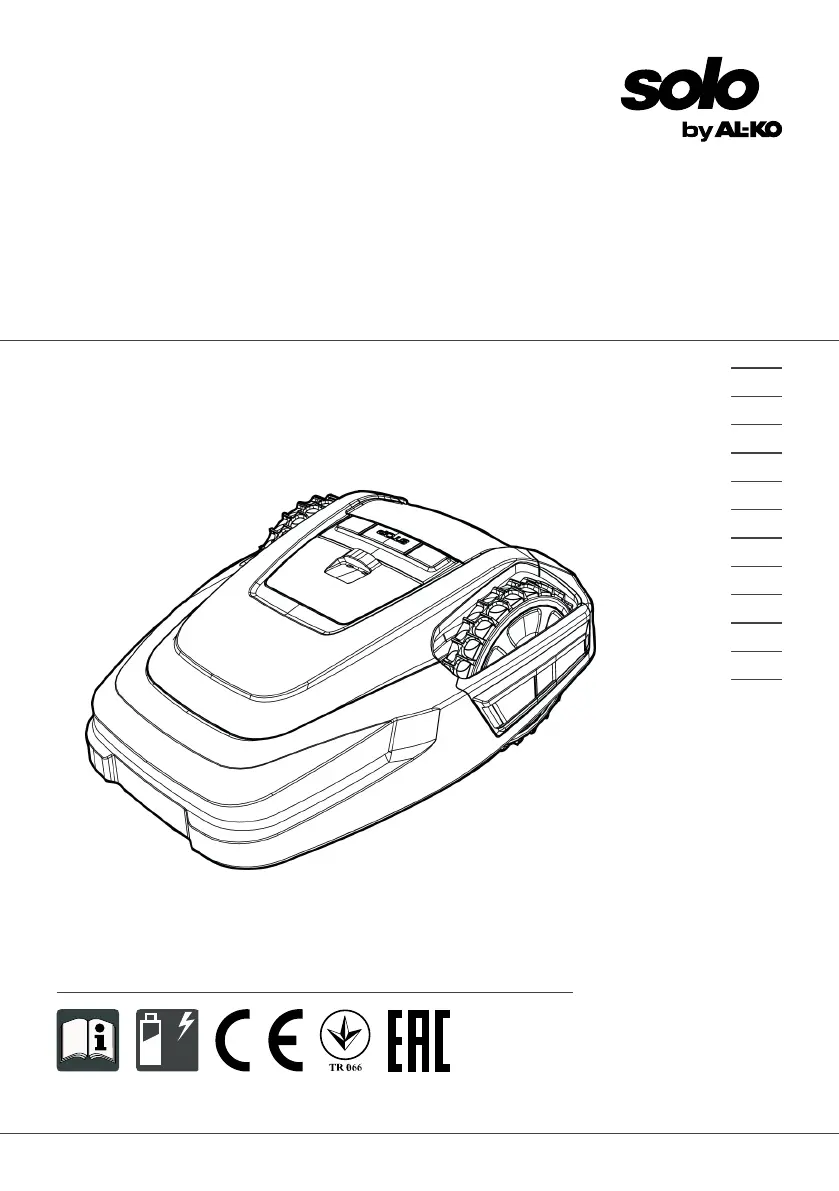
BA Robolinho Master
Deckblatt
Li
BETRIEBSANLEITUNG
ROBOTER-RASENMÄHER
Robolinho 1100
Robolinho 110
457290_b
11 | 2017
DE
GB
NL
FR
IT
PL
CZ
SK
HU
DK
SE
FI

Table of Contents

Questions and Answers

  • M
    michael94Sep 3, 2025
    What to do when AL-KO Lawn Mower shows 'Tilt sensor' error?
    • S
      Samantha DiazSep 4, 2025
      If your AL-KO Lawn Mower displays a 'Tilt sensor' error, place the appliance on a flat surface and acknowledge the fault. This error occurs if the inclination sensor has been triggered because the maximum tilt was exceeded, the appliance was carried, or the slope is too steep.
  • D
    Donald MilesSep 18, 2025
    What to do if AL-KO Solo Robolinho 1100 Lawn Mower shows 'Cal: Collision' during calibration?
    • C
      Cynthia SmithSep 18, 2025
      If your AL-KO Lawn Mower displays 'Cal: Collision' during calibration, remove the obstacle. This fault occurs if the appliance has bumped into an obstacle during calibration.
  • H
    Howard ReevesSep 16, 2025
    How to fix 'Blocked WR' error on AL-KO Lawn Mower?
    • M
      Monique FletcherSep 16, 2025
      If your AL-KO Lawn Mower displays 'Blocked WR', remove the blockage. This indicates that the right wheel motor is blocked.
  • G
    gtuckerSep 14, 2025
    How to fix 'Blocked WL' error on AL-KO Solo Robolinho 1100 Lawn Mower?
    • A
      Adam WilliamsSep 14, 2025
      If your AL-KO Lawn Mower displays 'Blocked WL', remove the blockage. This indicates that the left wheel motor is blocked.
  • S
    Steven MooreSep 13, 2025
    Why does my AL-KO Solo Robolinho 1100 Lawn Mower show 'Cal: signal weak' during calibration?
    • K
      Kelsey BriggsSep 13, 2025
      If your AL-KO Lawn Mower displays 'Cal: signal weak' during calibration, place the appliance at the prescribed calibrating position, aligned precisely at right angles. Also, check the power source of the base station, disconnecting and reconnecting the transformer, and inspect the boundary cable for damage. This fault occurs if the loop signal is too weak, there is no loop signal, or the boundary cable is faulty.
  • A
    Alexandra SmithSep 12, 2025
    What to do if AL-KO Solo Robolinho 1100 Lawn Mower shows 'Lift sensor' error?
    • B
      brett69Sep 12, 2025
      If your AL-KO Lawn Mower displays a 'Lift sensor' error, remove the obstacle. This error is triggered if the appliance cover has been deflected upwards by lifting or by an obstacle.
  • J
    Joseph SmithSep 9, 2025
    What causes 'R-Bumper deflected' or 'L-Bumper deflected' on AL-KO Solo Robolinho 1100 Lawn Mower?
    • J
      Joshua GrossSep 9, 2025
      If your AL-KO Lawn Mower displays 'R-Bumper deflected' or 'L-Bumper deflected', remove the obstacle. This happens when the appliance has moved onto an obstacle and cannot free itself.
  • I
    icastanedaSep 7, 2025
    What to do if AL-KO Lawn Mower shows 'Cal: no loop' or 'Cal: outside'?
    • M
      Matthew McintoshSep 7, 2025
      If your AL-KO Lawn Mower displays 'Cal: no loop' or 'Cal: outside' during calibration, check the LEDs and power source of the base station, disconnecting and reconnecting the transformer. Place the appliance at the prescribed calibrating position, aligned precisely at right angles, ensuring it can drive over the boundary cable. This fault occurs if the appliance cannot find the boundary cable during calibration.
  • L
    Lindsey ThomasSep 5, 2025
    How do I fix 'Battery over heating' on AL-KO Lawn Mower?
    • A
      april77Sep 6, 2025
      If your AL-KO Lawn Mower displays 'Battery over heating', switch off the appliance and allow the rechargeable battery to cool down. Also, do not place the appliance on the base station. This issue occurs when the rechargeable battery has overheated (more than 60 °C), or there was an emergency switch-off by the monitoring electronic control unit.
  • T
    Tiffany LozanoAug 21, 2025
    What causes 'Blade motor over heating' on AL-KO Solo Robolinho 1100?
    • B
      Bryan GonzalezAug 21, 2025
      If your AL-KO Lawn Mower displays 'Blade motor over heating', switch off the appliance and let it cool down. This issue occurs when the mowing motor has overheated (more than 80 °C).

Summary

About These Operating Instructions

Legends and Signal Words

Explains warning symbols and signal words used in the manual.

Product Description

Scope of Supply

Lists all items included in the product package.

Automatic Lawn Mower

Symbols on the Appliance

Details the meaning of various symbols displayed on the lawn mower.

Control Panel

Display

Explains the function and display elements of the control panel.

Menu Structure

Base Station

Integrated Battery

Describes the function and characteristics of the built-in battery.

Functional Description

Integration in innogy SmartHome

Explains how to integrate the mower with the innogy SmartHome system.

Safety

Intended Use

Specifies the intended applications and limitations of the appliance.

Possible Misuse

Lists applications for which the machine is not suitable.

Safety and Protective Devices

PIN and PUK Input

Details the process of entering PIN and PUK for security.

Sensors

Describes the various safety sensors and their functions.

Safety Instructions

Operator

Provides safety guidelines for the user operating the appliance.

Safety of Persons and Animals

Outlines precautions for protecting people and animals.

Appliance Safety

Electrical Safety

Details safety measures related to electrical aspects of the appliance.

Installation

Unpacking the Machine

Instructions for safely unpacking the appliance and checking contents.

Planning the Mowing Areas (01)

Preparing the Mowing Areas

Steps to prepare the lawn before installing the base station and cable.

Setting up the Base Station (03;a)

Installing the Boundary Cable

Steps for installing the boundary cable around the mowing area.

Connecting the Boundary Cable to the Base Station (04)

Routing the Boundary Cable (01)

Guidance on how to lay the boundary cable correctly.

Excluding Obstacles

Enclosing Corridors (01;i)

How to create corridors between different mowing zones.

Excluding Downward Slopes

Creating Loops of Cable (08)

Instructions for creating spare cable loops for future adjustments.

Typical Faults in Cable Routing (02)

Connecting the Base Station to the Power Source (05)

Steps to connect the base station to the electrical power supply.

Checking the Connections on the Base Station (05)

Start-Up

Guide to the initial setup and first use of the appliance.

Charging the Rechargeable Battery (09)

Making the Basic Settings

How to configure initial settings like language and PIN.

Setting the Cutting Height

Carrying Out an Automatic Calibration Movement

Process for calibrating the mower's movement and boundary detection.

Operation

Starting the Appliance Manually

Instructions for manually starting the mowing operation.

Cancelling Mowing

Mowing the Secondary Area (01;NF)

How to operate the mower in a secondary mowing area.

Settings

Calling up the Setting - General

How to access and navigate the settings menu.

Activating;Deactivating the Button Tones

Setting the Mowing Program

How to configure the mowing schedule and programs.

Setting the Mowing Program - General

Setting the Start Points (only for Robolinho 1100)

How to define specific start points for mowing.

Setting the Mowing Times

Edge Mowing with a Manual Start

How to initiate edge mowing manually.

inTOUCH

Setting the Secondary Area Mowing

How to configure mowing settings for secondary areas.

Setting the Display Contrast

Setting Lock

How to activate or deactivate the control panel lock.

Recalibrating

Restoring Factory Settings

How to reset the appliance to its original factory configuration.

Displaying Information

Maintenance and Care

Cleaning

Instructions for cleaning the automatic lawn mower and base station.

Regular Checks

Replacing the Cutting Blades

Step-by-step guide for replacing the cutting blades safely.

Replacing the Fuse on the Transformer (11)

Transport

Procedures for transporting the lawn mower from one area to another.

Storage

Storing the Automatic Lawn Mower

Guidelines for storing the appliance, especially during winter.

Storing the Base Station

Winter Storage of the Boundary Cable

Instructions on how to store the boundary cable for winter.

Disposal

Information on the German Electrical and Electronic Equipment Act (ElectroG)

Regulations and procedures for disposing of electrical and electronic equipment.

Information on German Battery Act (BattG)

After-Sales; Service

Help in Case of Malfunction

Correcting Appliance and Handling Faults

Table of common malfunctions, their causes, and remedies.

Fault Codes and Troubleshooting

AL-KO Solo Robolinho 1100 Specifications

General IconGeneral
Cutting Width22 cm
Cutting Height Adjustment25-55 mm
DriveElectric
Battery TypeLithium-Ion
Grass Collection VolumeMulching only

Related product manuals