EasyManua.ls Logo

AL-KO Robolinho 1150 - User Manual

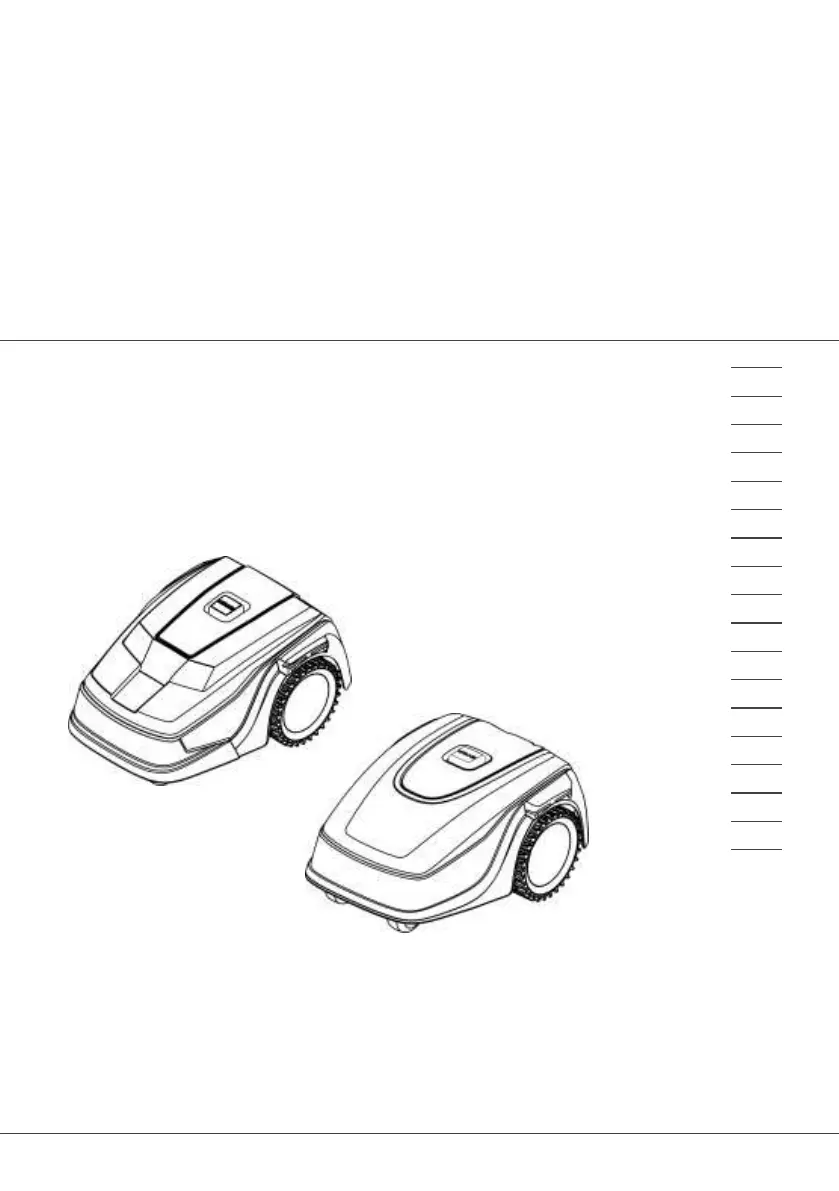
AL-KO Robolinho 1150
652 pages
Go to English
Print Icon
To Next Page IconTo Next Page
Loading...
4
4
2
8
1
1
B
A
R
o
b
o
l
i
n
h
o
(
Z
u
s
a
m
m
e
n
l
e
g
u
n
g
)
D
e
c
k
b
l
a
t
t
BETRIEBSANLEITUNG
ROBOTER-RASENMÄHER
Robolinho 500
Robolinho 700
Robolinho 1150
Robolinho 1200
Robolinho 2000
DE
GB
NL
FR
IT
SI
HR
RS
SK
HU
DK
NO
FI
RU
UA

Table of Contents

Other manuals for AL-KO Robolinho 1150

Questions and Answers

  • C
    colemanmonicaSep 23, 2025
    What to do if my AL-KO Lawn Mower shows 'Cal: Collision' during calibration?
    • T
      Travis AdamsSep 23, 2025
      If your AL-KO Lawn Mower shows a 'Cal: Collision' error during calibration, it means the appliance has bumped into an obstacle. Remove the obstacle.
  • D
    Diana AdamsAug 23, 2025
    What to do if AL-KO Robolinho 1150 Lawn Mower bumper deflected?
    • M
      Michelle ClarkAug 23, 2025
      If the AL-KO Lawn Mower has driven into an obstacle and cannot free itself, especially near the base station, place the appliance on the designated grass surface. Also, ensure the boundary cable is correctly positioned.
  • L
    Laura SmithAug 25, 2025
    Why does my AL-KO Lawn Mower say no loop signal?
    • D
      David HintonAug 26, 2025
      If your AL-KO Lawn Mower displays a 'No loop signal' error, first check the LEDs on the base station. Then, check the power source by disconnecting and reconnecting it. Finally, inspect the boundary cable for any damage and repair it if necessary.
  • R
    Richard KingAug 26, 2025
    Why is the loop signal weak on my AL-KO Robolinho 1150?
    • J
      jorge62Aug 26, 2025
      If your AL-KO Lawn Mower shows a weak loop signal, check the LEDs on the base station and ensure the power source is properly connected by disconnecting and reconnecting it. If the issue persists, raise the boundary cable to the correct height, attaching it directly to the grass if needed. It might be that the boundary cable is buried too deep.
  • D
    Duane FoxAug 27, 2025
    What to do if AL-KO Robolinho 1150 is in bad position?
    • D
      Daniel MckeeAug 27, 2025
      If your AL-KO Lawn Mower is in a bad position, ensure it is placed on the designated grass surface. Correct the boundary cable's location around curves and obstacles, and eliminate any criss-crossing of the cable. This may happen because the appliance is outside the designated grass surface or the boundary cable has been routed in a criss-cross pattern.
  • D
    Donald WebbSep 17, 2025
    What to do if the bumper is deflected on my AL-KO Robolinho 1150 Lawn Mower?
    • J
      jennifergrantSep 17, 2025
      If your AL-KO Lawn Mower has moved onto an obstacle and cannot free itself, remove the obstacle.
  • J
    Janice MaxwellSep 14, 2025
    Why is the calibration signal weak on my AL-KO Robolinho 1150?
    • S
      Samantha ColonSep 14, 2025
      A weak calibration signal on your AL-KO Lawn Mower can be caused by a loop signal that is too weak, no loop signal, or a faulty boundary cable. To address this, place the appliance at the prescribed calibrating position, aligning it precisely at right angles. Also, check the power source of the base station by disconnecting and reconnecting the power supply, and inspect the boundary cable for damage.
  • M
    martinleslieSep 15, 2025
    How to fix the tilt sensor on my AL-KO Robolinho 1150?
    • J
      Jessica PollardSep 15, 2025
      The inclination sensor on your AL-KO Lawn Mower may have been triggered because the maximum tilt was exceeded, the appliance was carried, or the slope is too steep. Place the appliance on a flat surface and acknowledge the fault.
  • J
    Jessica ArmstrongSep 6, 2025
    What to do if my AL-KO Lawn Mower has no loop signal?
    • M
      Melissa CookSep 6, 2025
      If your AL-KO Lawn Mower displays a 'no loop signal' error, the boundary cable might be faulty, or the loop signal might be too weak. You can try to check the LEDs on the base station, check the power source of the base station by disconnecting and reconnecting the power supply, and inspect the boundary cable for any damage. If you find any damage, repair the defective cable.
  • V
    valentinerichardSep 3, 2025
    How to fix AL-KO Lawn Mower tilt sensor error?
    • K
      Kevin RodriguezSep 3, 2025
      If the AL-KO Lawn Mower's tilt sensor is triggered, place the appliance on a flat surface and acknowledge the fault. This may occur if the maximum tilt is exceeded, the appliance has been carried, or the slope is too steep.

Summary

Introduction and Product Overview

About Operating Instructions

Explains manual structure, symbols, and signal words for user guidance.

Scope of Supply and Appliance Features

Lists package contents and introduces the automatic lawn mower's capabilities.

Appliance Symbols and Controls

Details symbols on the appliance and its control panel for operation.

Safety Information

Intended Use and Misuse Warnings

Defines authorized applications and warns against improper appliance usage.

Safety Devices and Security Measures

Covers essential safety mechanisms, protective devices, and user security protocols.

Operator and General Safety Guidelines

Outlines operator responsibilities, protective equipment, and safety for persons and animals.

Installation and Setup

Assembly and Area Preparation

Guides on unpacking, preparing the mowing area, and installing the base station.

Boundary Cable Installation

Details on installing, routing, and connecting the boundary cable around the garden.

Base Station Power and Initial Start-Up

Instructions for connecting the base station to power and initial start-up procedures.

Battery Charging and Basic Settings

Guides on charging the battery and configuring basic settings for operation.

Operation and Settings

Manual Operation and Mowing

Instructions on starting, cancelling mowing, and operating the appliance.

Mowing Programs and Start Points

Details on setting mowing programs, start points, and times for optimized cutting.

Customizing Features and Settings

Guides on adjusting Eco mode, rain sensor, display contrast, and setting lock.

Information Display and System Settings

How to view appliance information, restore factory settings, and utilize the inTOUCH app.

Maintenance and Care

Cleaning Procedures

Guidelines for cleaning the mower and base station to ensure proper function.

Regular Checks and Blade Replacement

Instructions for routine checks, roller maintenance, and replacing cutting blades.

Storage, Transport, and Disposal

Storage and Transport Guidelines

Instructions for safely storing and transporting the appliance and its components.

Disposal Information

Information on the proper disposal of the appliance, batteries, and packaging materials.

Troubleshooting and Support

Malfunction Correction

Provides steps to correct common appliance malfunctions and handle operational faults.

Fault Codes and Troubleshooting

Lists specific fault codes, their causes, and recommended remedies for effective troubleshooting.

After-Sales Service and Guarantee

Information on obtaining service, warranty claims, and manufacturer contact details.

AL-KO Robolinho 1150 Specifications

General IconGeneral
TypeRobotic lawn mower
Cutting width220 mm
Grass catcherNo
Product colorGray
Number of blades4
Number of wheels4 wheel(s)
Rotational speed3400 RPM
Maximum lawn area1200 m²
Mulching function-
Sound power level58 dB
Sound pressure level60 dB
Maximum cutting height55 mm
Minimum cutting height25 mm
Cutting clearance adjustmentYes
International Protection (IP) codeIPX1
Power sourceBattery
Battery voltage25 V
Battery capacity5 Ah
Battery life (min)100 min
Weight and Dimensions IconWeight and Dimensions
Depth400 mm
Width600 mm
Height290 mm
Weight12300 g

Related product manuals