EasyManua.ls Logo

AL-KO Robolinho 1300 W - User Manual

AL-KO Robolinho 1300 W
452 pages
Go to English
Print Icon
To Next Page IconTo Next Page
Loading...
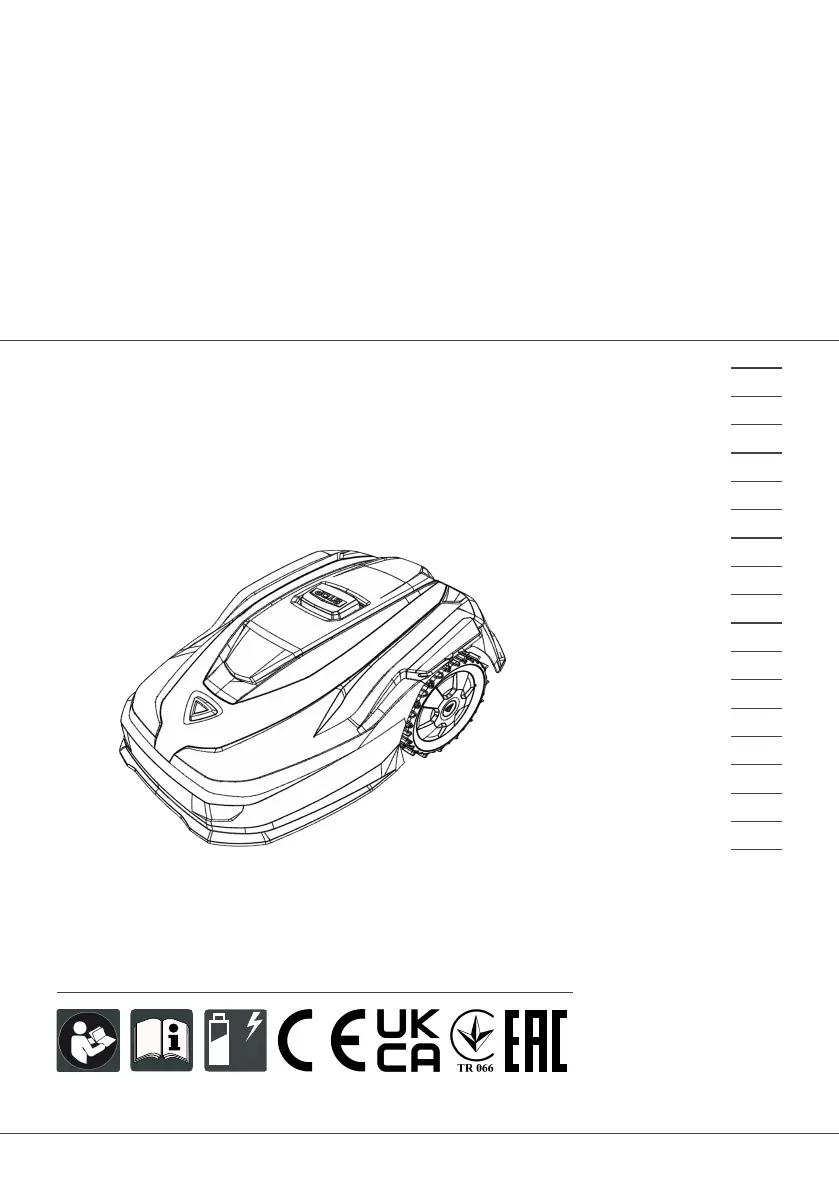
495761_BA_Robolinhos_AL-KO_sbA_2023
Deckblatt_AL-KO_sbA_2023
Li
BETRIEBSANLEITUNG
ROBOTER-RASENMÄHER
Robolinho 350 W | 550 W | 1300 W
Robolinho 520 W | 822 W | 1423 W | 2323 W
495761_a
01 | 2023
DE
GB
NL
FR
IT
SI
HR
RS
PL
CZ
SK
HU
DK
SE
FI
RO
RU
UA

Table of Contents

Questions and Answers

  • V
    vjeffersonAug 20, 2025
    What to do if my AL-KO Robolinho 1300 W Lawn Mower says 'No loop signal'?
    • T
      Tiffany DeanAug 20, 2025
      If your AL-KO Lawn Mower indicates 'No loop signal', it could be due to several reasons: there might be no loop signal at all, the boundary cable could be defective, or the loop signal might be too weak. First, check the LED on the base station. Then, check the power supply to the base station by disconnecting and reconnecting the power supply unit. Finally, inspect the boundary cable for any damage and repair it if necessary.
  • D
    douglas15Aug 22, 2025
    What to do if AL-KO Robolinho 1300 W Lawn Mower displays 'Loop signal weak'?
    • C
      Craig BartonAug 22, 2025
      If your AL-KO Lawn Mower is showing a 'Loop signal weak' message, it could be because the loop signal is too weak or the boundary cable is buried too deep. Check the LED on the base station and the power supply to the base station by disconnecting and reconnecting the power supply unit. Also, raise the boundary cable to the prescribed height, attaching it directly to the lawn if needed.
  • T
    tjohnsonAug 25, 2025
    What to do if my AL-KO Robolinho 1300 W displays 'Bumper deflected'?
    • D
      Diana MillerAug 25, 2025
      If your AL-KO Lawn Mower displays 'Bumper deflected', it means that the appliance has collided with an obstacle and cannot free itself. Place the appliance on the free, demarcated lawn surface. Also, correct the position of the boundary cable.
  • M
    matthew11Aug 26, 2025
    What to do if my AL-KO Robolinho 1300 W Lawn Mower shows 'CN119: R-Bumper deflected CN120: L-Bumper deflected'?
    • E
      Emily WhiteAug 27, 2025
      If your AL-KO Lawn Mower displays 'CN119: R-Bumper deflected CN120: L-Bumper deflected', it indicates that the appliance has collided with an obstacle and cannot free itself. To resolve this, remove the obstacle.
  • T
    taylorcookAug 28, 2025
    What to do if my AL-KO Lawn Mower shows 'Recovery impossible'?
    • D
      davidphelpsAug 28, 2025
      If your AL-KO Lawn Mower displays 'Recovery impossible', it means that the appliance has collided with an obstacle and cannot free itself. To solve this, remove the obstacle.
  • A
    Angel ReynoldsAug 30, 2025
    What to do if AL-KO Lawn Mower displays 'Bad position'?
    • J
      Janet RichardsAug 30, 2025
      If your AL-KO Lawn Mower shows a 'Bad position' error, it could be because the appliance is outside the demarcated lawn surface or the boundary cable has been routed in a criss-cross pattern. Place the appliance on the free, demarcated lawn surface. Also, correct the position of the boundary cable around curves and obstacles, and eliminate any criss-crossing of the cable.
  • W
    wjonesSep 1, 2025
    What to do if my AL-KO Lawn Mower shows 'Escaped robot'?
    • E
      etateSep 1, 2025
      If your AL-KO Lawn Mower displays 'Escaped robot', it means the appliance is outside the demarcated lawn surface. Correct the position of the boundary cable around curves and obstacles.
  • A
    Amber EatonSep 3, 2025
    What to do if my AL-KO Robolinho 1300 W Lawn Mower shows 'Blocked WR'?
    • K
      Kevin NguyenSep 3, 2025
      If your AL-KO Lawn Mower displays 'Blocked WR', it means the right wheel motor is blocked. Remove the blockage.
  • R
    rbrownSep 4, 2025
    What to do if my AL-KO Robolinho 1300 W shows 'Cal: Collision'?
    • S
      Sara HarrisSep 5, 2025
      If your AL-KO Lawn Mower displays 'Cal: Collision' during calibration, it means that the appliance has collided with an obstacle. Remove the obstacle.
  • C
    Chelsea OwensSep 7, 2025
    What to do if my AL-KO Robolinho 1300 W displays 'Cal: signal weak'?
    • A
      Alexis PetersonSep 7, 2025
      If your AL-KO Lawn Mower displays 'Cal: signal weak' during calibration, it could be due to a loop signal that is too weak, no loop signal, or a defective boundary cable. Place the appliance in the prescribed calibrating position, aligned precisely at right angles. Check the power supply to the base station by disconnecting and reconnecting the power supply unit. Also, check the boundary cable for damage.

Summary

2 Product description

2.10 WiFi radio module and AL-KO inTOUCH Smart Garden app

Details the smart features, WiFi connectivity, and app control for the lawn mower.

3 Safety.

4 Assembly.

2 PRODUCT DESCRIPTION

3 SAFETY

3.1 Intended use

Specifies the authorized and intended applications for the robotic lawn mower.

3.2 Possible misuse

Highlights scenarios and locations where the appliance should not be used.

3.3.2 Sensors

Describes the various safety sensors and their functions, including restart behavior.

3.3 Safety and protective devices

Details the built-in safety features and protective measures of the appliance.

3.4 Safety instructions

Provides critical safety guidelines for operating and maintaining the appliance.

3.4.1 Operator

Guidelines regarding the age and capabilities of the person operating the appliance.

3.4.2 Personal protective equipment

Specifies the required protective clothing and equipment for safe operation.

3.4.3 Safety of persons and animals

Precautions to ensure the safety of people and animals around the mowing area.

3.4.4 Appliance safety

General safety checks and conditions for operating the appliance safely and correctly.

3.4.5 Electrical safety

Specific safety instructions related to the electrical aspects of the appliance.

3 Safety

4 ASSEMBLY

4.2 Planning the mowing areas (05)

Guidance on planning the layout and location of the mowing area and base station.

4.5 Installing the boundary cable

Detailed steps for connecting and routing the boundary wire around the mowing area.

Assembly

4.5.3 Excluding obstacles

Guidelines for routing the boundary cable around obstacles and ensuring correct distances.

4.6 Connecting the base station to the power source (08)

5 START-UP

Start-up

5.4 Carrying out an automatic calibration movement

Steps to perform an automatic calibration for optimal mowing area recognition.

6 OPERATION

7 SETTINGS

SETTINGS

7.5 Setting the mowing program

Configuration for setting the appliance's mowing schedule and program.

7.5.2 Setting the start points

Guide to defining specific starting positions for the appliance within the mowing area.

7.5.3 Setting the mowing times

How to program the daily and weekly mowing times and durations.

Settings

7.6 inTOUCH

Instructions for connecting and managing the appliance's smart garden features.

7.12 Restoring factory settings

9 MAINTENANCE AND CARE

Help in case of malfunction

10.2 Fault codes and troubleshooting

Lists specific error codes and their corresponding causes and remedies.

9.3 Replacing the cutting blades

Detailed steps for safely replacing the cutting blades on the appliance.

10 HELP IN CASE OF MALFUNCTION

14 AFTER-SALES;SERVICE

AL-KO Robolinho 1300 W Specifications

General IconGeneral
TypeRobotic lawn mower
ECO modeYes
Drive typeAll-wheel drive
Noise level60 dB
Cutting width220 mm
Grass catcherNo
Product colorBlack, Red
Number of speeds1
Number of wheels4 wheel(s)
Maximum lawn area1300 m²
Mulching function-
Minimum cutting height25 mm
Maximum speed (forward)0.97 km/h
Suitable for slope up to45 %
Battery typeBuilt-in battery
Power sourceBattery
Charging time1.4 h
Battery voltage25 V
Battery capacity5 Ah
Battery life (min)100 min
Weight and Dimensions IconWeight and Dimensions
Depth630 mm
Width430 mm
Height270 mm
Weight8900 g

Related product manuals