EasyManua.ls Logo

AL-KO Robolinho 800 - User Manual

AL-KO Robolinho 800
484 pages
Go to English
Print Icon
To Next Page IconTo Next Page
Loading...
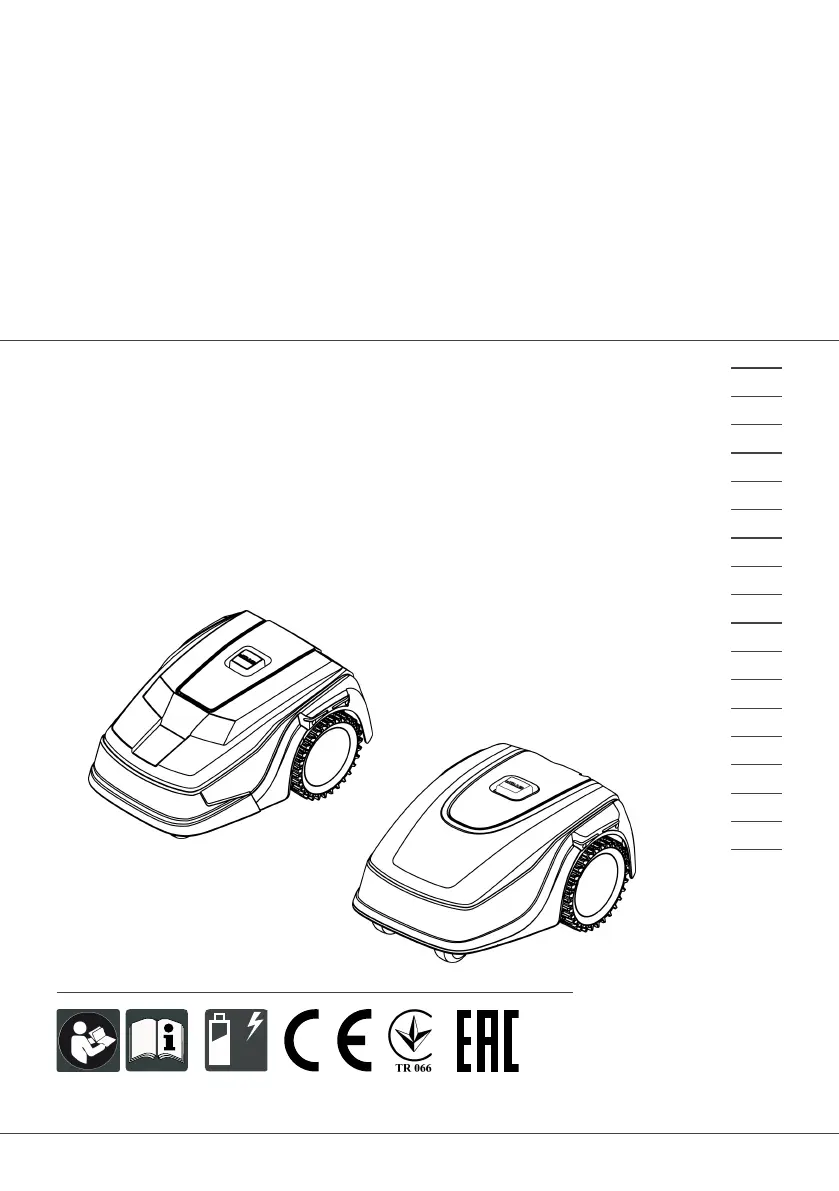
442811 BA Robolinho (Zusammenlegung)
Deckblatt
Li
BETRIEBSANLEITUNG
ROBOTER-RASENMÄHER
Robolinho 300
Robolinho 450
Robolinho 500
Robolinho 700
Robolinho 800
Robolinho 1150
Robolinho 1200
Robolinho 2000
495439_a
01 | 2021
DE
GB
NL
FR
IT
SI
HR
RS
PL
CZ
SK
HU
DK
SE
FI
RO
RU
UA

Table of Contents

Questions and Answers

  • K
    kylerobinsonAug 15, 2025
    What to do if AL-KO Robolinho 800 Lawn Mower bumper deflected?
    • E
      Ebony DavisAug 15, 2025
      If the AL-KO Lawn Mower has driven into an obstacle and cannot free itself, especially near the base station, place the appliance on the designated grass surface. Also, ensure the boundary cable is correctly positioned.
  • J
    Jill Mathews DDSAug 18, 2025
    Why does my AL-KO Robolinho 800 Lawn Mower say no loop signal?
    • J
      Jared AndersonAug 18, 2025
      If your AL-KO Lawn Mower displays a 'No loop signal' error, first check the LEDs on the base station. Then, check the power source by disconnecting and reconnecting it. Finally, inspect the boundary cable for any damage and repair it if necessary.
  • E
    Elizabeth JohnsonAug 21, 2025
    Why is the loop signal weak on my AL-KO Robolinho 800?
    • B
      bscottAug 21, 2025
      If your AL-KO Lawn Mower shows a weak loop signal, check the LEDs on the base station and ensure the power source is properly connected by disconnecting and reconnecting it. If the issue persists, raise the boundary cable to the correct height, attaching it directly to the grass if needed. It might be that the boundary cable is buried too deep.
  • L
    Lucas RogersAug 25, 2025
    What to do if AL-KO Lawn Mower is in bad position?
    • A
      Andre SmithAug 25, 2025
      If your AL-KO Lawn Mower is in a bad position, ensure it is placed on the designated grass surface. Correct the boundary cable's location around curves and obstacles, and eliminate any criss-crossing of the cable. This may happen because the appliance is outside the designated grass surface or the boundary cable has been routed in a criss-cross pattern.
  • C
    cswansonAug 27, 2025
    How to fix AL-KO Robolinho 800 escaped robot error?
    • V
      vpowersAug 28, 2025
      If the AL-KO Lawn Mower has escaped, correct the location of the boundary cable around curves and obstacles, as the appliance is outside the designated grass surface.
  • Q
    qdavisAug 30, 2025
    What to do if AL-KO Robolinho 800 Lawn Mower shows Cal: no loop CN015: Cal: outside?
    • A
      Allison NorrisAug 31, 2025
      If your AL-KO Lawn Mower displays 'Cal: no loop' or 'CN015: Cal: outside' during calibration, check the LEDs on the base station and the power source by disconnecting and reconnecting it. Place the appliance at the prescribed calibrating position, aligned precisely at right angles, ensuring it can drive over the boundary cable. This issue arises because the appliance cannot find the boundary cable during calibration.
  • T
    Thomas LewisSep 2, 2025
    Why does my AL-KO Robolinho 800 Lawn Mower show Cal: signal weak?
    • B
      Brent HaleSep 2, 2025
      If your AL-KO Lawn Mower displays 'Cal: signal weak' during calibration, place the appliance at the prescribed calibrating position, aligned precisely at right angles. Also, check the power source of the base station by disconnecting and reconnecting it, and inspect the boundary cable for damage. This can happen because the loop signal is too weak or there is no loop signal, or the boundary cable is faulty.
  • R
    Robert SanchezSep 5, 2025
    What to do if AL-KO Robolinho 800 shows Cal: Collision?
    • A
      Aaron BenderSep 5, 2025
      If your AL-KO Lawn Mower displays 'Cal: Collision' during calibration, remove any obstacles that the appliance has bumped into.
  • J
    Joshua HurstSep 8, 2025
    How to fix AL-KO Robolinho 800 tilt sensor error?
    • B
      Brian McintyreSep 8, 2025
      If the AL-KO Lawn Mower's tilt sensor is triggered, place the appliance on a flat surface and acknowledge the fault. This may occur if the maximum tilt is exceeded, the appliance has been carried, or the slope is too steep.
  • D
    Deborah BooneSep 12, 2025
    What to do if AL-KO Robolinho 800 Lawn Mower lift sensor triggered?
    • M
      Melissa BoyerSep 12, 2025
      If the lift sensor on your AL-KO Lawn Mower is triggered, remove the obstacle. This can happen if the appliance cover has been deflected upwards by lifting or by an obstacle.

Summary

About these operating instructions

Symbols on the title page

Explains symbols used on the title page for identification.

Legends and signal words

Defines signal words and symbols for warnings and important information.

Product description

Scope of supply

Lists items included in the standard scope of supply.

Automatic lawn mower

Describes the automatic lawn mower and its capabilities.

Symbols on the appliance

Explains symbols displayed on the appliance itself for operation.

Control panel

Details the functions of the control panel buttons and their operations.

Display

Explains the information shown on the appliance's display screen.

Menu structure

Outlines the appliance's menu hierarchy and navigation.

Base station

Describes the base station component and its functions.

Rechargeable battery

Provides details on the rechargeable battery, charging, and care.

Functional description

Explains how the appliance moves on grass and its mowing/charging cycle.

WLAN radio module and AL-KO inTOUCH app

Details app connectivity, control, and monitoring features.

Safety

Intended use

Specifies the correct applications for the appliance and warranty voidance.

Possible misuse

Lists inappropriate uses of the appliance that can lead to injury or damage.

Safety and protective devices

Covers safety features and their importance in preventing injury.

PIN and PUK input

Explains the security PIN and PUK system for appliance access.

Sensors

Describes the function of various safety sensors like lift, bump, and tilt.

Safety instructions

Provides general safety guidelines for operation, including operator responsibilities.

Operator

Defines who can operate the appliance and under what conditions.

Personal protective equipment

Lists required personal protective equipment for safe operation.

Safety of persons and animals

Covers safety measures for people and pets during mowing.

Appliance safety

Outlines safety precautions related to the appliance's condition and use.

Electrical safety

Details safety guidelines for electrical aspects and connections.

Assembly

Unpacking the machine

Steps for unpacking the appliance and checking for damage.

Planning the mowing areas

Guidance on planning the operational area, including base station placement.

Preparing the mowing areas

Steps to prepare the lawn, such as mowing to a low height.

Setting up the base station

Instructions for positioning and fixing the base station securely.

Installing the boundary cable

Step-by-step guide for installing the boundary wire around the mowing area.

Connecting the boundary cable to the base station

How to connect the boundary cable to the base station terminals.

Routing the boundary cable

Guidelines for laying out the boundary cable on the lawn or underground.

Excluding obstacles

How to use the boundary cable to exclude obstacles from the mowing area.

Enclosing corridors

How to create corridors between individual mowing areas.

Excluding downward slopes

How to exclude steep slopes using the boundary cable placement.

Creating loops of cable

Instructions for creating spare cable loops for future adjustments.

Typical faults in cable routing

Common issues and solutions encountered during boundary cable setup.

Connecting the base station to the power source

How to connect the base station to the mains power supply.

Checking the connections on the base station

How to verify that the base station is correctly connected and powered.

Start-up

Charging the rechargeable battery

Initial steps for charging the battery before first use.

Making the basic settings

Initial configuration of language, PIN, date, and time for the appliance.

Setting the cutting height

How to manually adjust the cutting height of the lawn mower.

Carrying out an automatic calibration movement

Procedure for the initial appliance calibration movement.

Operation

Starting the appliance manually

How to start the mower manually for immediate mowing.

Cancelling mowing

How to stop, pause, or cancel the current mowing operation.

Mowing the secondary area

Instructions for mowing secondary lawn areas manually.

Settings

Calling up the setting - General

How to access the general settings menu for configuration.

Activating;deactivating the button tones

How to control audible feedback for button presses.

Activating;deactivating Eco mode

How to enable energy-saving mode for reduced consumption.

Setting the rain sensor

Configuration of the rain sensor to pause mowing during wet conditions.

Setting the mowing program

How to configure mowing schedules and programs for automated operation.

Setting the mowing program - General

General settings for defining mowing programs and schedules.

Setting the start points

How to define specific starting positions for mowing cycles.

Setting the mowing times

How to schedule the appliance's mowing times for each day.

inTOUCH (Robolinho models W)

Settings for remote control and monitoring via the AL-KO inTOUCH app.

Edge mowing with a manual start

How to initiate edge mowing manually outside of scheduled times.

Setting the secondary area mowing

Configuring mowing for secondary lawn areas and their times.

Setting the display contrast

Adjusting the screen contrast for improved readability.

Setting lock

How to enable or disable the control panel lock to prevent unauthorized changes.

Recalibrating

Procedure to recalibrate the appliance after boundary cable changes.

Restoring factory settings

How to reset the appliance to its original factory settings.

Displaying information

Blades service

Shows when blade service is required and how to reset the counter.

Hardware

Displays appliance technical specifications like serial number and operating hours.

Software

Shows the current software version and update information.

Program Info

Displays current settings such as total weekly mowing time.

Failures

Lists recent fault messages, their date, time, and fault code.

MAINTENANCE AND CARE

Cleaning

Instructions for cleaning the automatic lawn mower and base station.

Regular checks

Weekly checks for machine, base station, cable, and power supply integrity.

Replacing the cutting blades

Step-by-step guide to safely replacing the cutting blades.

TRANSPORT

Transporting the appliance

Steps for safely transporting the appliance, including lifting and securing.

STORAGE

Storing the automatic lawn mower

Guidelines for storing the mower for extended periods, especially over winter.

Storing the charging pole

Instructions for removing and storing the charging pole.

Winter storage of the boundary cable

How to store the boundary cable for winter or periods of non-use.

DISPOSAL

Information on the German Electrical and Electronic Equipment Act (ElectroG)

Regulations for the proper disposal of electrical appliances.

Information on the German Battery Act (BattG)

Regulations for the proper disposal of batteries and rechargeable batteries.

HELP IN CASE OF MALFUNCTION

Correcting appliance and handling faults

Table of common malfunctions, their causes, and remedies.

Fault codes and troubleshooting

Lists specific fault codes and their corresponding troubleshooting steps.

AFTER-SALES; SERVICE

Contacting AL-KO Service

Information on how to contact AL-KO for warranty, repairs, or spare parts.

GUARANTEE

Warranty Information

Details regarding the appliance's warranty terms, coverage, and claims process.

AL-KO Robolinho 800 Specifications

General IconGeneral
BrandAL-KO
ModelRobolinho 800
CategoryLawn Mower
LanguageEnglish

Related product manuals