Getting to know your phone
31
Troubleshooting section of these instructions, or online at www.argos-support.co.uk If you still require further assistance, call one of our
experts on 0207 744 0346.
5
4
1
2
3
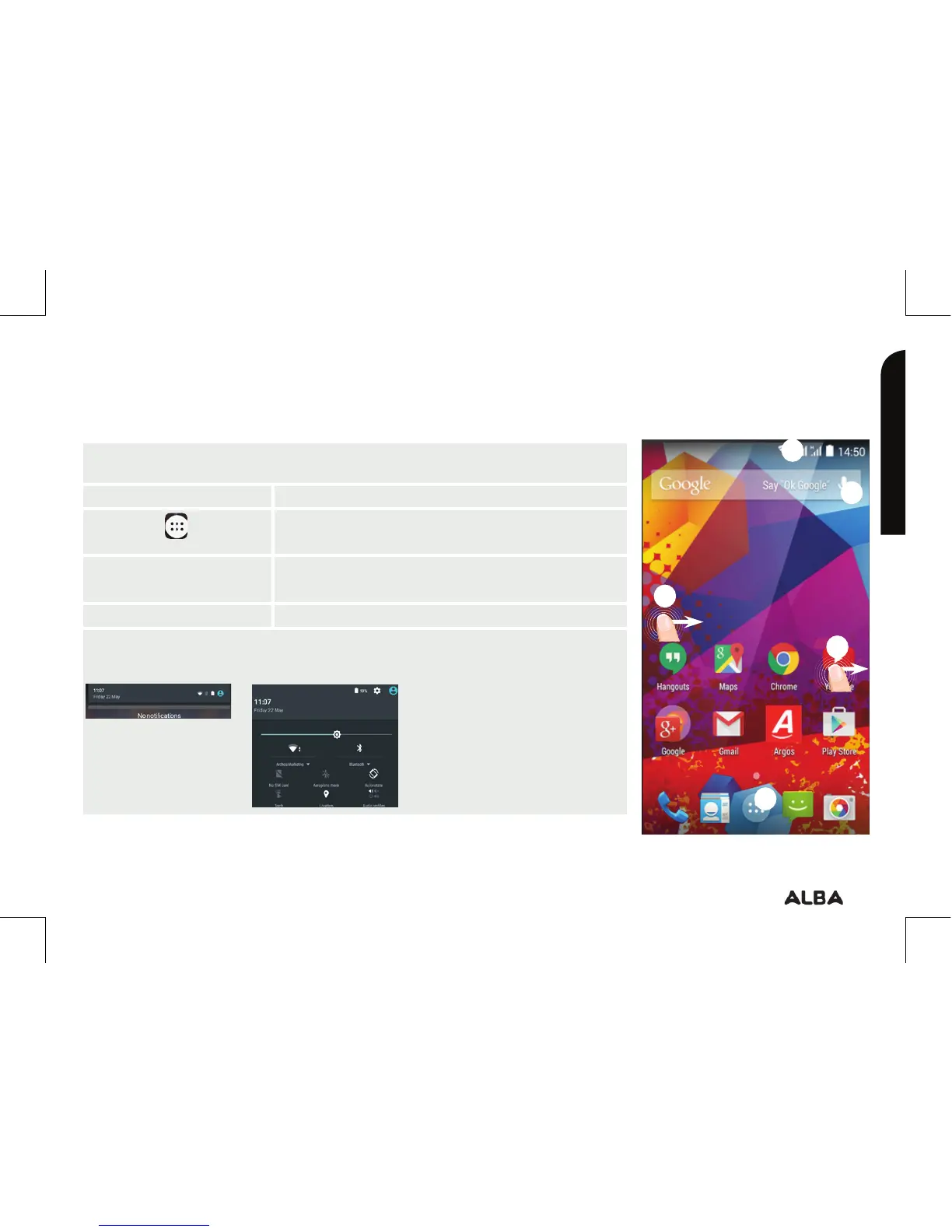
On your homescreen
1. Swipe right to access Google Now
2. Press
to access all your apps
3. Hold your finger
on an app
to move it right and create a new
homescreen.
4. Say “Ok Google” to launch the search page.
5. Touch and pull down the status bar to display it. Touch
again the bar to reveal the quick settings.
Getting to know your Alba 5" Phone
You’ll be up and running in no time


 To Next Page