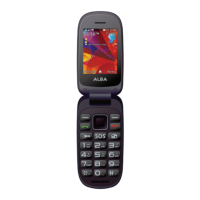
Product support
Help is always at hand
Troubleshooting
My phone is frozen or cannot switch on:
Check the battery contacts, remove and reinstall your battery, then turn your phone
on. Check the battery power level, charge for at least 20 minutes.
My phone cannot connect to a network or “No service” is displayed:
Try connecting in another location. Verify the network coverage with your operator.
Unable to make outgoing calls:
Make sure your phone is connected to a network, and the network is not overloaded
or unavailable.
Unable to receive incoming calls:
Make sure your phone is switched on and connected to a network (check for
overloaded or unavailable network).
Product support
46
If you require any technical guidance or find that your product is not operating as intended, a simple solution can often be found in the


 To Next Page