(1)
(2)
(5)
(7)
(8)
(9)
Getting to know your phone
32
If you require any technical guidance or find that your product is not operating as intended, a simple solution can often be found in the
Getting to know your Alba 5" Phone
You’ll be up and running in no time
Mobile data connection
If your mobile phone subscription includes a mobile data option, you should be
connected to the Internet without any further setup. The phone will only have signal
if you are in an area covered by your provider’s 3G network.
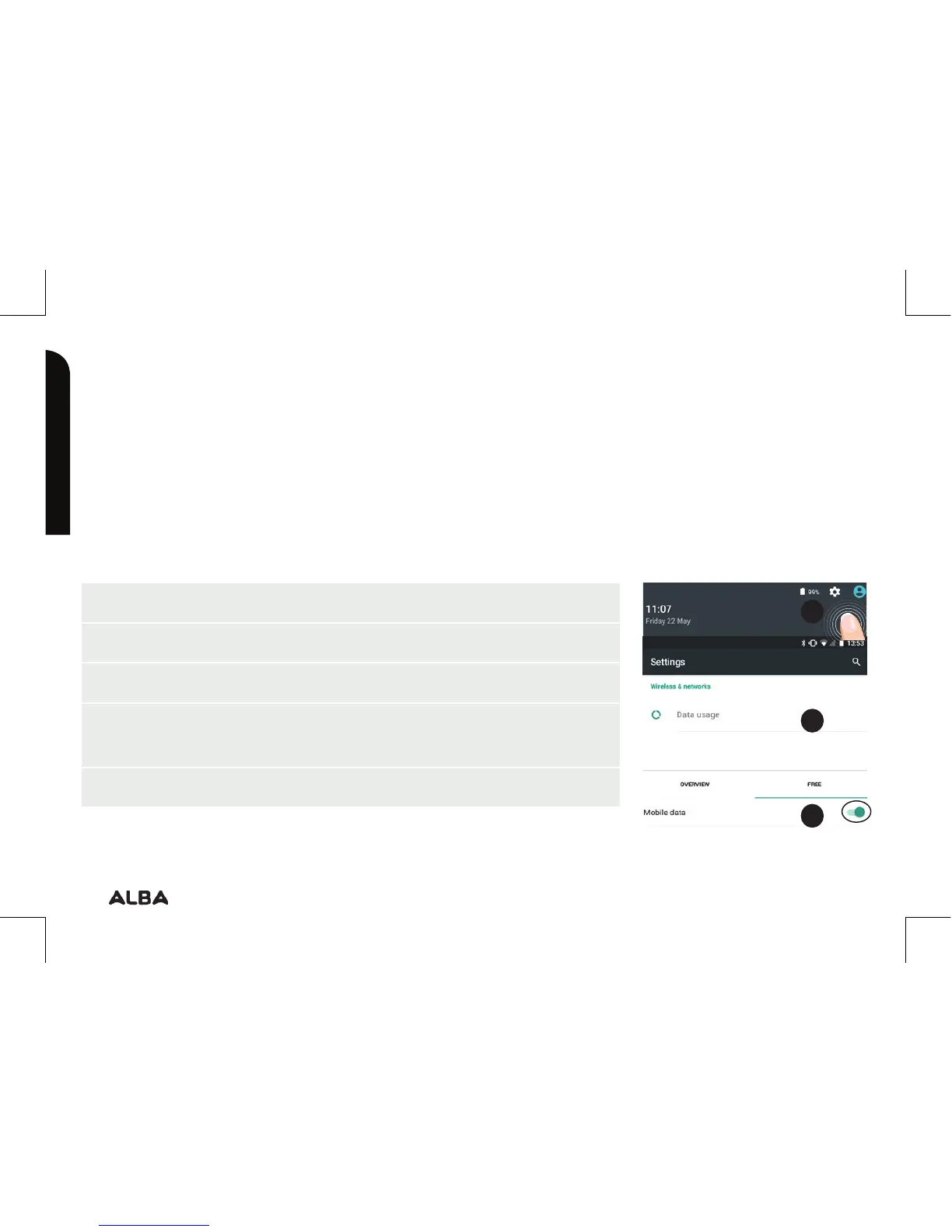
Activating/Deactivating the mobile data
1. Touch and pull down the status bar to display it.
2. Touch again the bar to reveal the quick settings.
3. Select the Settings icon.
4. In Wireless & networks, select Data usage, then the
SIM card tab.
5. Slide the Mobile data switch to turn on/o.
5
4
3


 To Next Page