42
If you require any technical guidance or find that your product is not operating as intended, a simple solution can often be found in the
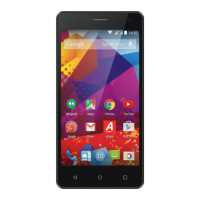
Using your Alba 5" Phone
You’ll be up and running in no time
Improving security on your Alba Phone
•Please note that your phone cannot be decrypted by the same process.
To decrypt you must return the phone to factory settings which will erase all of
your files and downloaded apps (securely).
•To reset to factory defaults go to ‘Settings’, select ‘Backup and Reset’ then ‘Factory
data reset’.
Erasing your personal data
If you sell your phone on or discard it, you should erase the data in memory before
you do so, using a file eraser program that actively writes to every record in the
memory. This securely erases your data so that it cannot be recovered. Please
note that simply returning your phone to factory settings is not a reliable way of
erasing your personal data (unless you have first encrypted your data).
•To download a file eraser go to Google Play store, select a file eraser program
such as Remo File Eraser – download and install.
•Open the app and follow instructions to securely erase your data.
Using your phone


 To Next Page