12
3.1 Displays on the battery pack
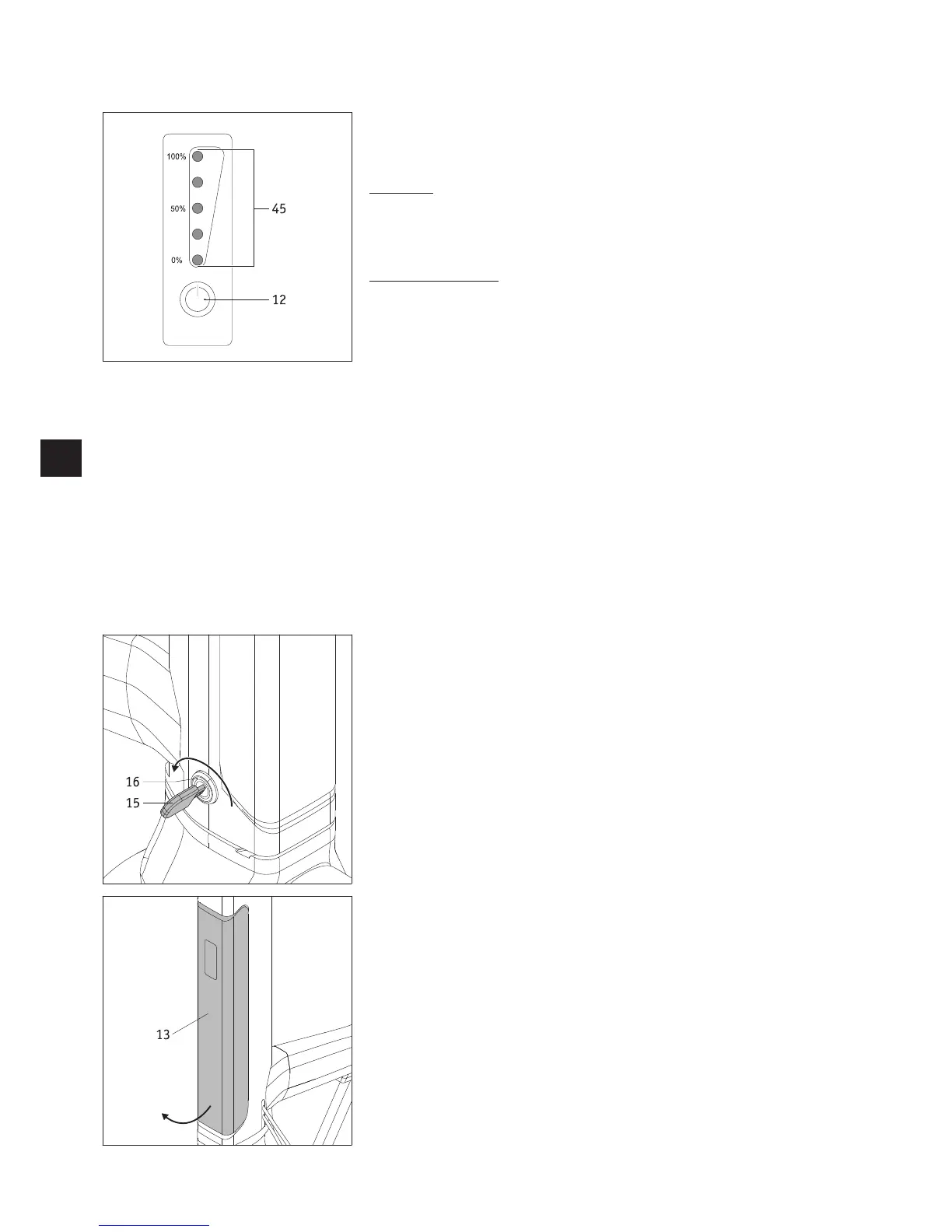
The display with button [12] and the LED display [45] are located on the front of the
battery pack.
Button [12]
Button [12] includes the functions
• “Wake up” battery pack (see chapter 3.4)
• Display the battery pack’s residual capacity (as described below)
Capacity of battery pack
The LED display [45] can show the current residual capacity of the battery.
Activate the display by pressing button [12].
The following indications mean:
• 5 LEDs light up – the battery pack is charged to 100%.
• 4 LEDs light up – 80 to 99% residual capacity available
• 3 LEDs light up – 60 to 79% residual capacity available
• 2 LEDs light up – 40 to 59% residual capacity available
• 1 LED lights up – 20 to 39% residual capacity available
• 1 LED flashes – maximum 19% residual capacity available
We strongly recommend that you do not cover expansive distances without previously
charging the battery pack.
The capacity of the battery pack is also shown on the display [3] on the handlebar of the
e-pilot.
3.2 Removing the battery pack
In general, the battery pack [13] remains on the e-pilot at all times. However, if you
need to remove it (for example for transportation), proceed as follows.
• Insert the key [15] into the battery lock [16].
• Release the battery lock [16] by turning the key [15] backwards (towards the driver).
• First swivel the bottom end of the battery pack [13] out of the mount [14] and then
pull it down and completely out.
• Set down the battery pack [13] in a suitable location (see also the relevant informa-
tion in chapter 3.5.7).
• Turn the key [15] slightly forwards again (away from the driver) and pull it out.


 To Next Page