18
4.3 Menus in the display
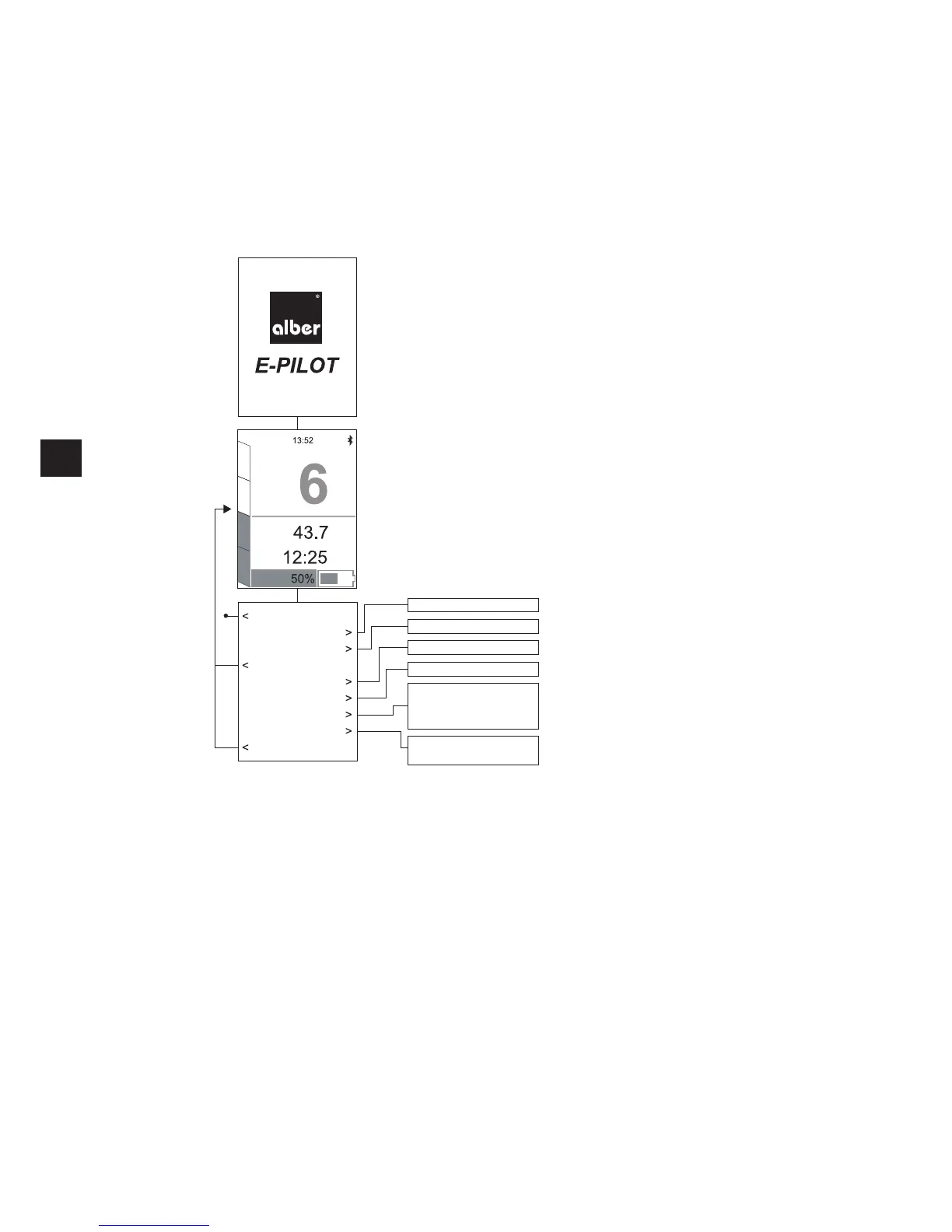
When the e-pilot is switched on, the display [3] first shows the start screen with the Alber logo and the writing
E-PILOT
. After a few seconds,
the regular driving screen appears, which provides information about various pre-settings and the operating status. Various parameters can be
adjusted individually by the wheelchair user (see chapter 4.3.3 and 4.3.4).
4.3.1 Menu structure (overview)
Start screen
Driving screen
Menu
Switch off
Sport / Tour / Eco
On / Off
On / Off
MAC / Name / Back
Date / Time
Language / Units
Brightness / Back
Display / Motor / Battery
Back
Driving mode
Traction assistance
Tour reset
Easy display
Bluetooth
Settings
Information
Back
Submenus
max.
km/h
Tour
km
Tour
h


 To Next Page