19
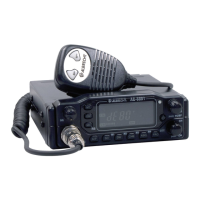
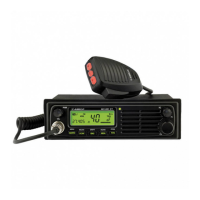
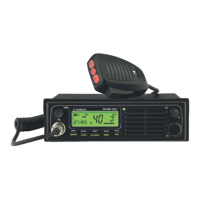
Short manual AE 6690 – Fast to the point
The most important functions at a glance:
Before the first time turning on, programming of the corresponding country settings
Programming: hold FC + BP key and turn on the radio. Display flashes, select with
channel knob CH the wished country setting and confirm with FC
80/40 dE Germany, Czech Republic
40/40 EU Belgium, Germany, Finland, France, Ireland, Italy, Latvia, Netherlands,
Poland, Portugal, Switzerland, Slovakia, Spain
Please pay attention to the different registration- and due-rules in some
countries (see pass card)
40 FM EC For temporary use on travelling in most of the EU countries +
Iceland, Norway, Switzerland. In most cases no registration necessary.
Please check the restrictions of use in the Radio Passport!
40 FM U United Kingdom channels
40/40 Po For Poland only
40/40 E For Spain only
Functions
VOL/ON turn radio on, set wished volume
A/F select type of modulation (AM or FM, if activated)
CH/UP/DN select channel
SQ squelch: for repressing weak signals turn right. If the know is completely
on the right, you can only hear relevant strong signals. The best setting
is, where the basic noise is just disappears.
ASQ automatic squelch setting on/off
Transmit hold the button on the side until you finished transmitting.
FC function key: press shortly and afterwards select the secondary function
you need (printed next to the key)
SC Scan on/off: press SC longer than 3 seconds and release the button
SCH special channel: short: switch to special channel. Long: select special
channel, confirm with SCH
SW special- and channel-watch: press FC, afterwards SCH
BP key confirmation tones on/off
RB Roger Beep on/off: press FC and afterwards BP
TSQ Tone squelch (pilot tone or CTCSS) on/off: press TSQ
Change CTCSS: hold TSQ, then select with the channel buttons and confirm
with TSQ
CH9 direct button from your selected channel to channel 9 and back
TOT Time out timer on/off
FR displaying the frequency instaed of the channel number: press FC and
afterwards ASQ
M1 – M3 select Memory: FC, afterwards M1, M2 or M3
Change memory: select channel, press FC and afterwards press long M1, M2
or M3



 To Next Page