37English
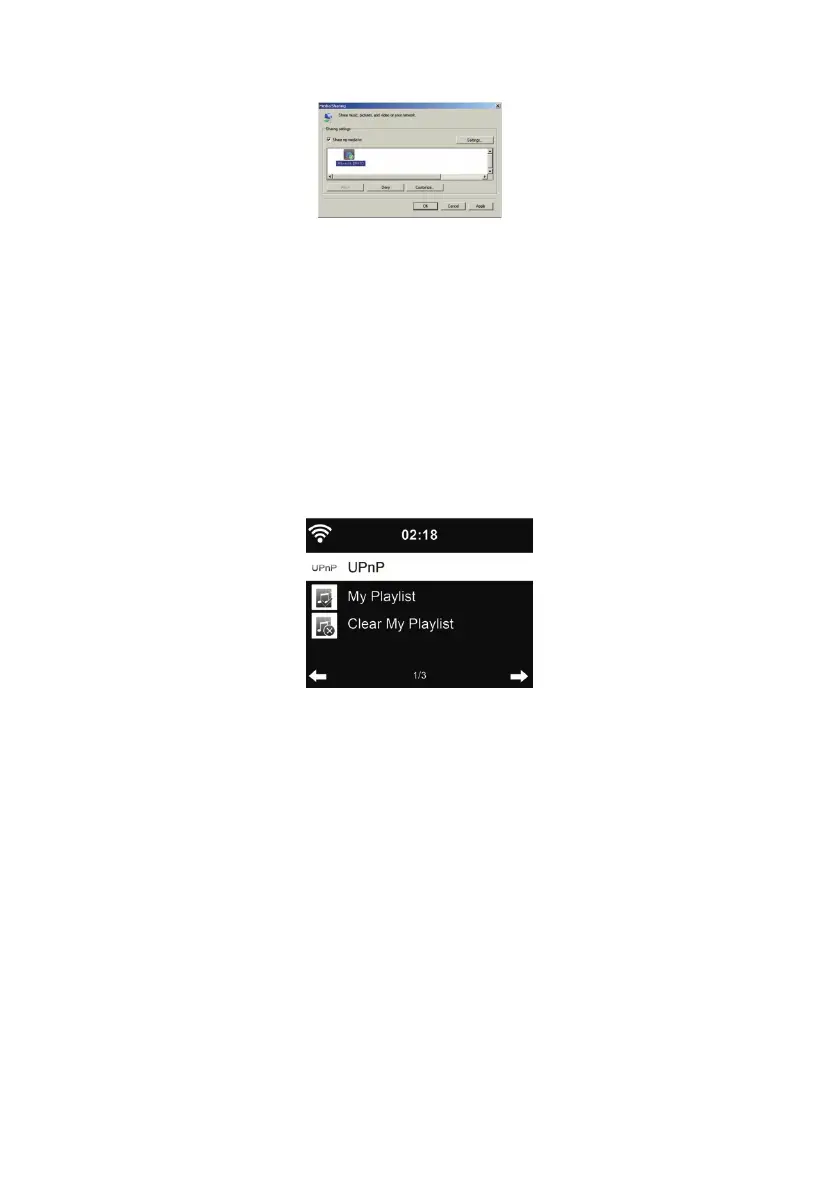
• Allow to share your media to ALBRECHT DR 471.
Add the audio les and folders you want to share with DR 471 to the media library.
You may also enjoy the streaming music from other music server, such as smart phone
(Android platform):
• Connect the mobile to the network
• Search and install media sharing apps from Google Play.
• Add the audio les from your mobile you want to share.
After setup the shared server, choose the music and control playback on the DR 471.
10. Media-Center
10.1. UPnP
If you have set up shared media, you should see the shared media from UPnP. If you have more
than one computer sharing media, the alternatives are listed. Select the shared media you want to
play.
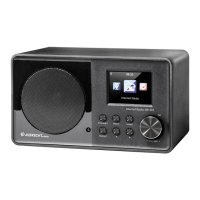
On the main menu, select Media Center and choose UPnP. It may take a few seconds for the radio
to complete the scan for available UPnP servers, especially when the WiFi connection is bad. If
no UPnP servers are found, it will show Empty. After a successful scan is done, select your UPnP
server.
The radio will show the media categories available from the UPnP server, e.g. ‘Music’, ‘Playlists’ etc.
Choose the media les that you wish to play.
Press ǀ◄◄/►►ǀ on the remote control to play previous/next music track, press ► to stop or play
Press Info to view the display information of the playing track.
Tips: The radio can only read the track of le names with less than 40 characters. And the cha-
racters should be in European language. If you encounter failure of reading the track under UPnP
mode, you may try to rename the le.
However, if the track is still unable to play, you can try converting the le to a different format.


 To Next Page