— 20 —
Pairing the Remote Control
y
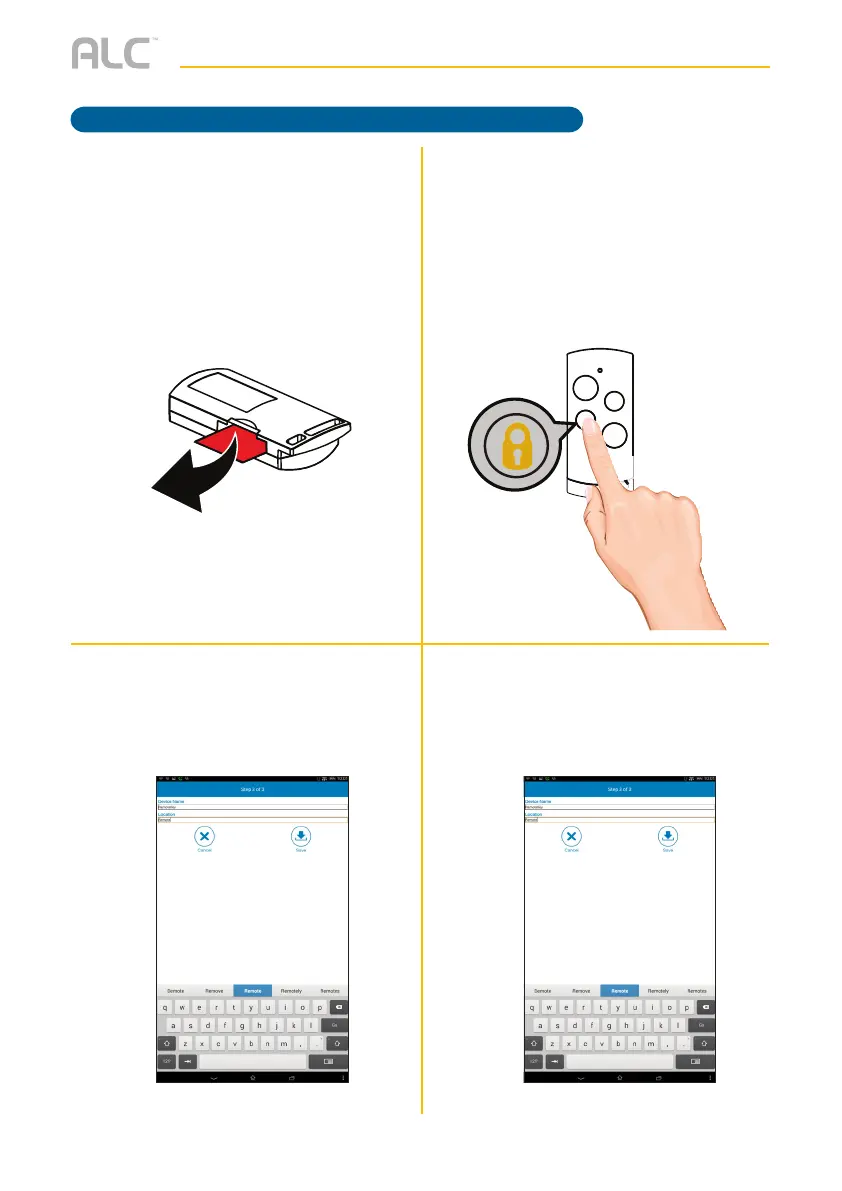
For initial setup, remove the insulating
plastic tab; the App will then search
for the Remote Control. If it does
not detect, see step 6. If detected,
continue to step 7.
U
If it did not detect the Remote
Control, press and hold the Armed
Stay button on the Remote Control
until the blue LED blinks.
V
The following screen will appear; enter
the desired Remote Control’s name
and the location.
W
Tap Save.
GETTING STARTED



 To Next Page