— 23 —— 22 —
GETTING STARTED
Pairing the Power Switch
v
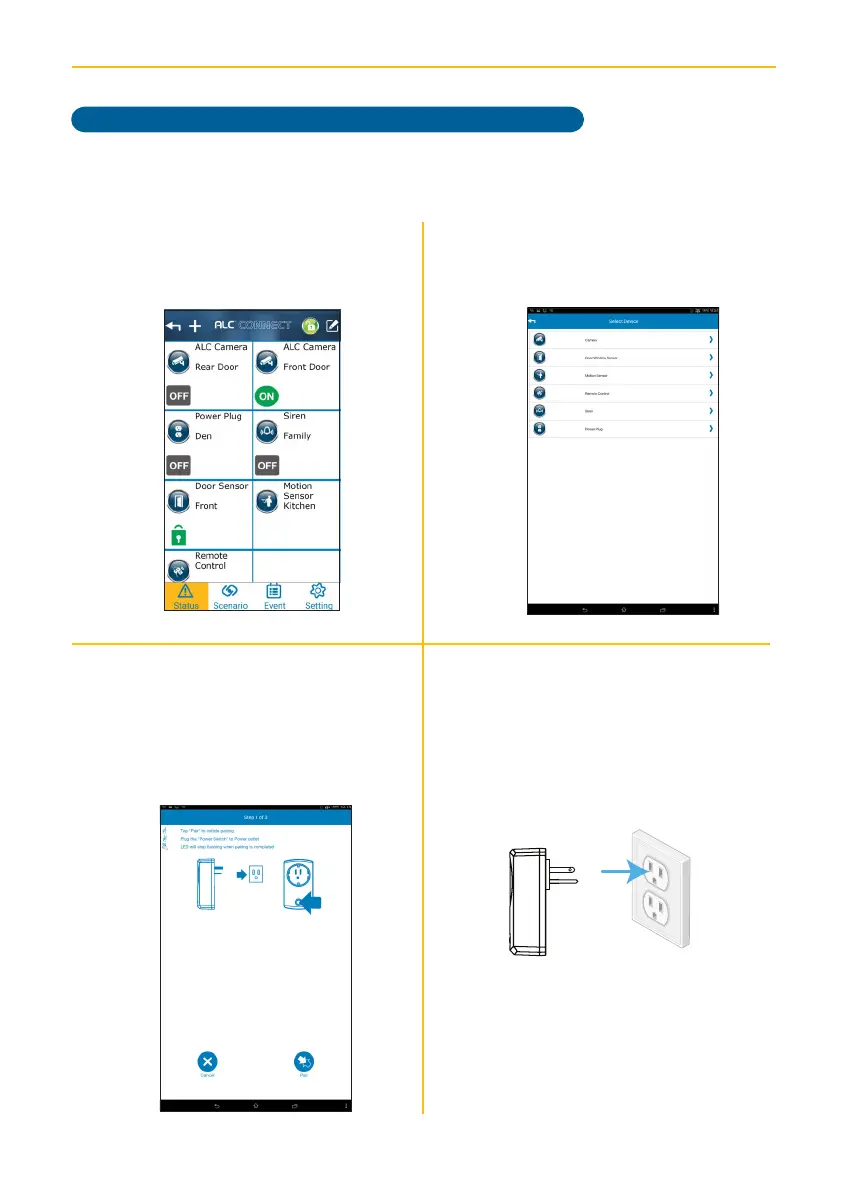
Tap Power Plug.
u
At the Status screen, tap +.
x
Plug the Power Switch into a standard
AC outlet having 120V, 60Hz; the LED
will blink indicating the Power Switch
is in the pairing mode.
w
Tap Pair to start the Pairing process.
Follow the on screen instructions.
Model AHS613 does not include an Power Switch.



 To Next Page