— 11 —— 10 —
Pairing the Control Hub
GETTING STARTED
u
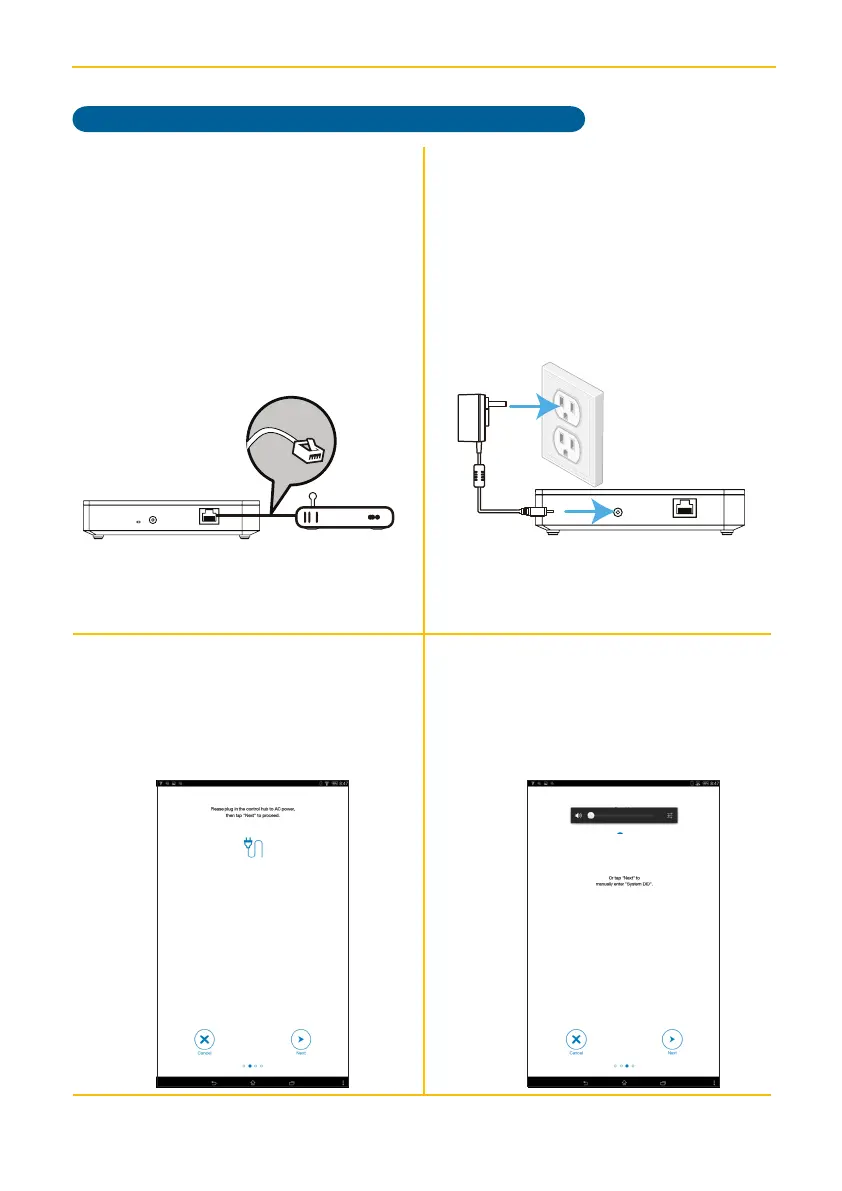
Connect the supplied Ethernet cable
from the router to the Ethernet jack on
the back of the Control Hub.
v
Connect one end of the AC Adaptor
to the DC IN jack on the rear of the
Control Hub and the other end to a
120 volt AC (standard indoor) power
outlet; the Red Power indicator will
light and the unit will beep twice to
indicate that the Control Hub is ready
to set up.
w
Launch the previously installed ALC
Connect App. At the next screen, tap
Next, then tap Next again.
x
The app will search for the Control Hub
and retrieve the DID automatically. If
it does not detect, then tap Next and
manually enter the DID code located
on the bottom of the Control Hub.



 To Next Page