— 13 —— 12 —
GETTING STARTED
Pairing the Camera
u
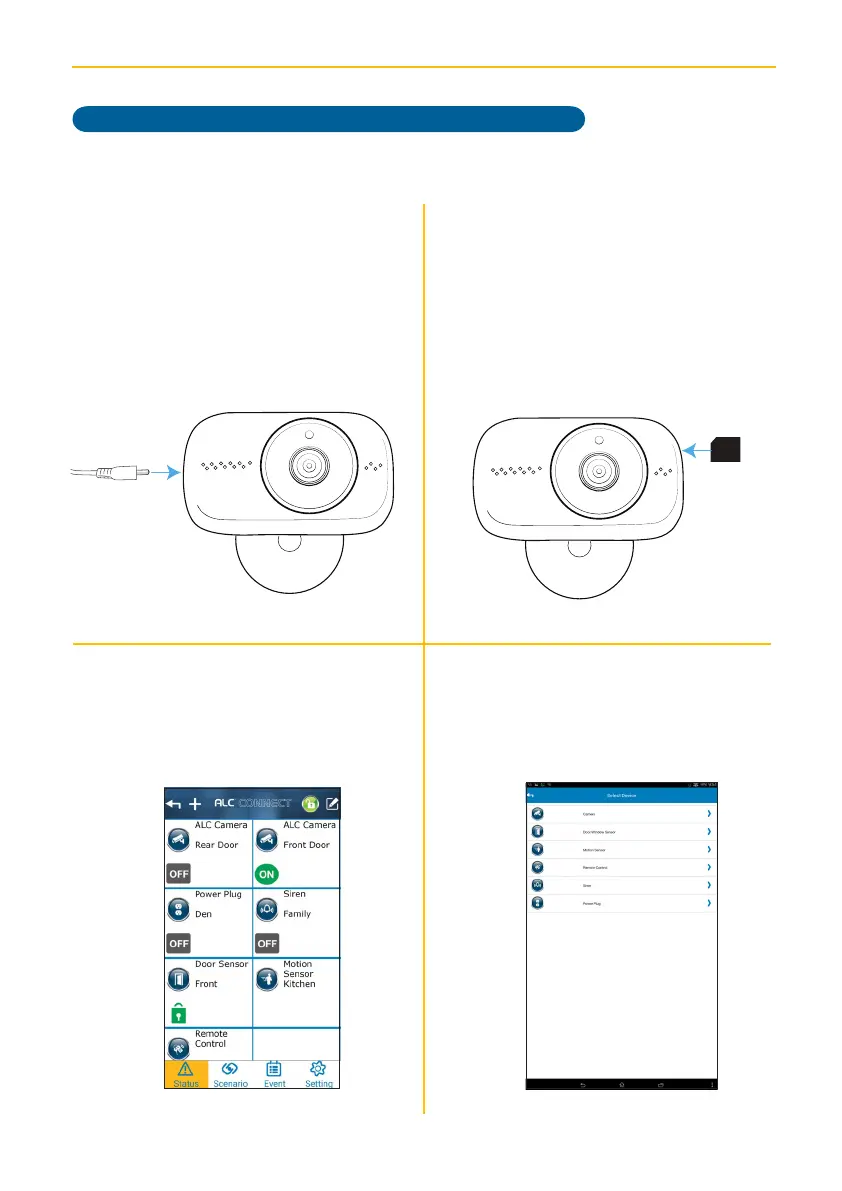
Connect the small end of the AC
adaptor to the Camera’s DC IN jack.
Plug the other end of the adaptor to a
120 volt AC (standard indoor) power
outlet. After 30-60 seconds, the red
Power Status LED will repeatedly blink
three times rapidly.
v
Insert an SD Card (up to 32GB - not
included) into the SD Card Slot. This
will allow you to record videos.
w
At the Status screen, tap +.
x
Tap Camera.
Back of
the card
Model AHS613 does not include a Camera. (Note: Any SightHD camera will work.)



 To Next Page