131
Professional working with RCP-2001
BPM Studio
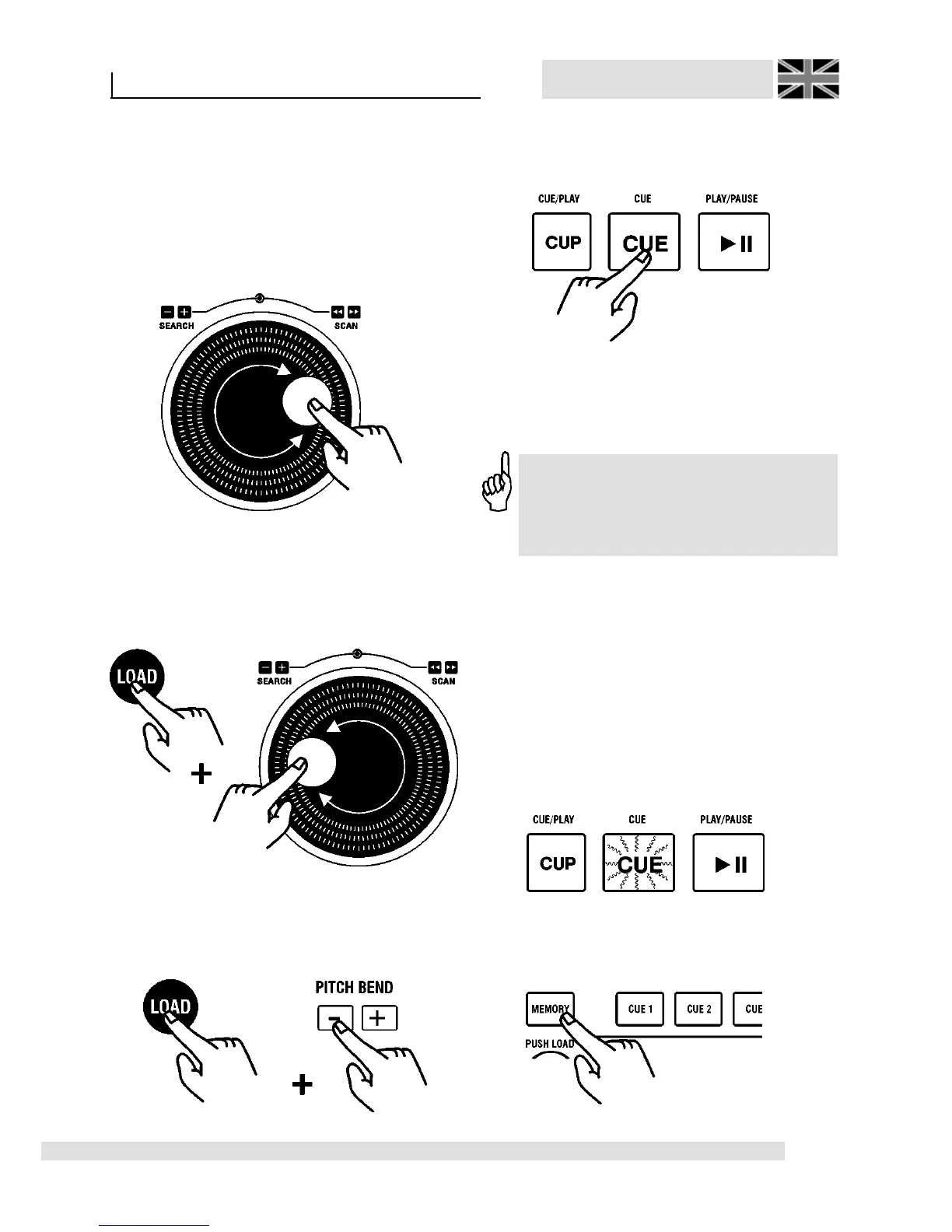
Now, move the disc of the Jog Shuttle Wheel [2].
The [CUE] key [4] is extinguished and 160 ms
will be played as Loop repeatedly from that CUE
point. (See also chapter “Beat-Matching with the
BPM Studio”).
Now, you can displace that point using the disc
of the Jog Shuttle Wheel:
8.2.3. Beat-Stepping
Hold the [LOAD] key [11] pressed and
additionally turn the disc of the Jog Shuttle Wheel,
then you can displace a Cue-Point one exact tact
(4 beats each).
If you hold the [LOAD] key [11] pressed, then
you can navigate with the Pitch Bend keys each
time exactly one beat forward or reverse.
Press again and then the corrections will be
stored by the [CUE] key [4] and the Player
remains in Pause Mode.
You can also immediately store corrections by
pressing the [PLAY/PAUSE] key [5] and start the
Player at once from this corrected Cue-Point.
8.2.4. Storing of a Cue-Point by a
DirectCue key
(Available only with the BPM Studio Pro Software
and only included with the Remote Control Unit
RCP-2001)
Every CUE point can be stored by a DirectCue
key for later use. In this case the Player has to be
in CUE mode (the [CUE] key [4] lights and in the
display the current CUE point appears (for
example 01:22:43)).
Press the [MEMORY] key [13] above the display.
Now, this one enlights for 10 seconds in green.
Edit of a Cue-Point with the Remote
Control Unit RC V3 or the software can
be made by using the Search keys [43]
and [44].



 To Next Page