135
Keyboard use
BPM Studio
General functions:
Menu key: opens the context menu
Insert:
1. Add records to the list with focus
2. Add new group
3. Alt+Insert: Add new subgroup
Space: Play/Stop Monitor
oder Expand/Collapse Group
F1: Help
CTRL-P, SHIFT-P, ALT - P:
Loads a track from a selected playlist into a
respective Player (CTRL for Player A, SHIFT for
Player B, ALT for CD-Player) by inserting the
selected title into the playlist of this player after
the current loaded title.
CTRL-Q, SHIFT-Q:
Loads a track from the FileArchive into the left or
right playlist (after the selected title in the playlist)
ALT - Q:
Loads a track from the FileArchive into the Waitlist
(after the selected title in the Waitlist)
Other functions:
Toggle + P: Load selected Track into Player
Toggle + Q: Load selected Track in Playlist
Toggle + Y: Pitch reset
Toggle + Z: Pitch on/off
Clipboard functions (Windows compatible):
CTRL-A: Select all
CTRL-C (CTRL-Insert): Copy
CTRL-V (SHIFT-Insert): Paste
CTRL-X (SHIFT-Delete): Cut
Alt + A: AutoFade on / off
Alt + B: BPM counter
Alt + C: Clear List or Clear Groups
Alt + D: Load Directory
Alt + E: File Editor
Alt + F: Start Manual Fade
Alt + G: Show Group-File Archive
Alt + H:
Alt + I: File Info Box
Alt + J:
Alt + K:
Alt + l: Load list (or load files into File Archive)
Alt + M: Show Mixer
Alt + N: Normalize
Alt + O: Options
Alt + R: Show Ripper
Alt + S: Search files
Alt + T:
Alt + U:
Alt + V:
Alt + W: Waitlist / PlayList
Alt + X: Exit
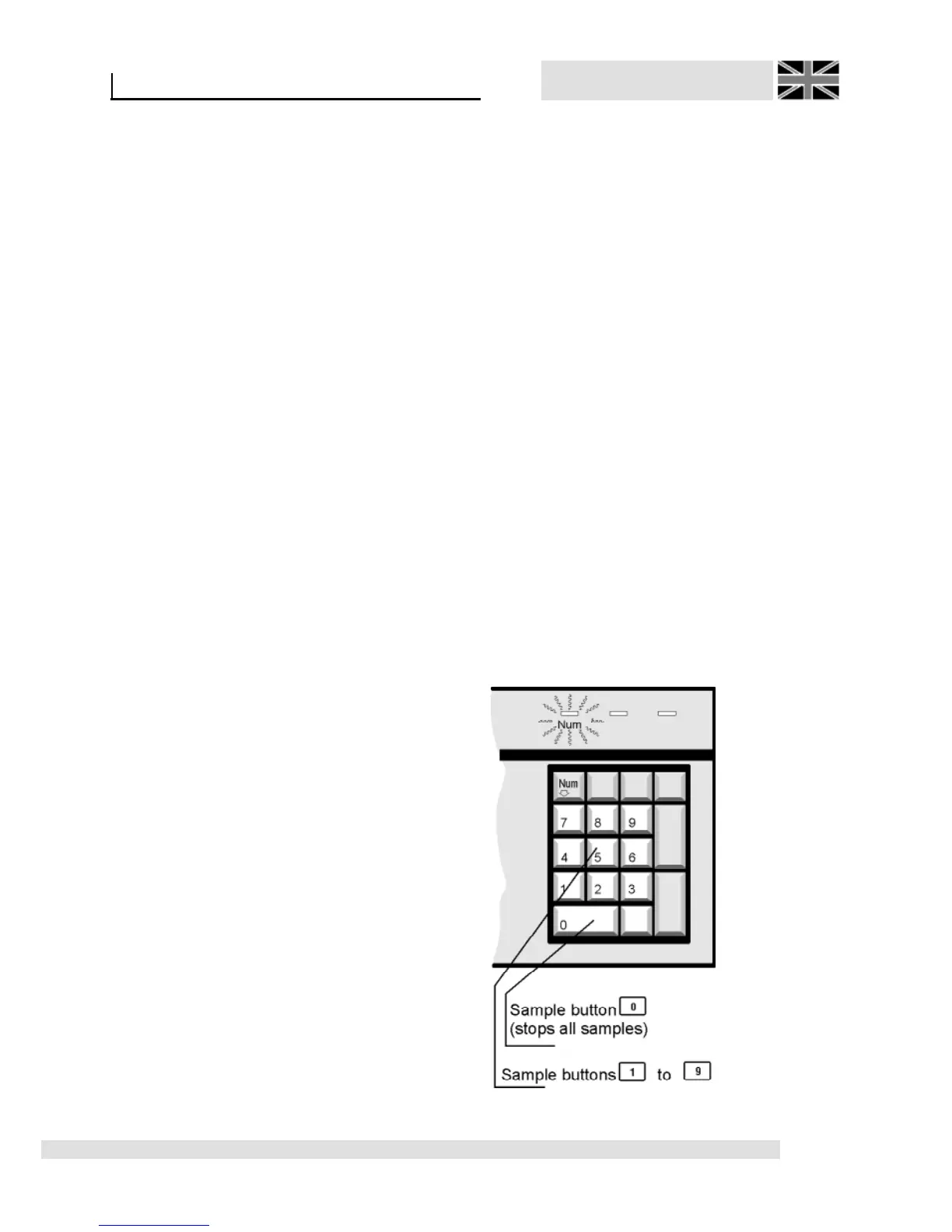
Sampler’s control:



 To Next Page