66
Program Options
BPM Studio
(Only if Kernel Driver has been selected)
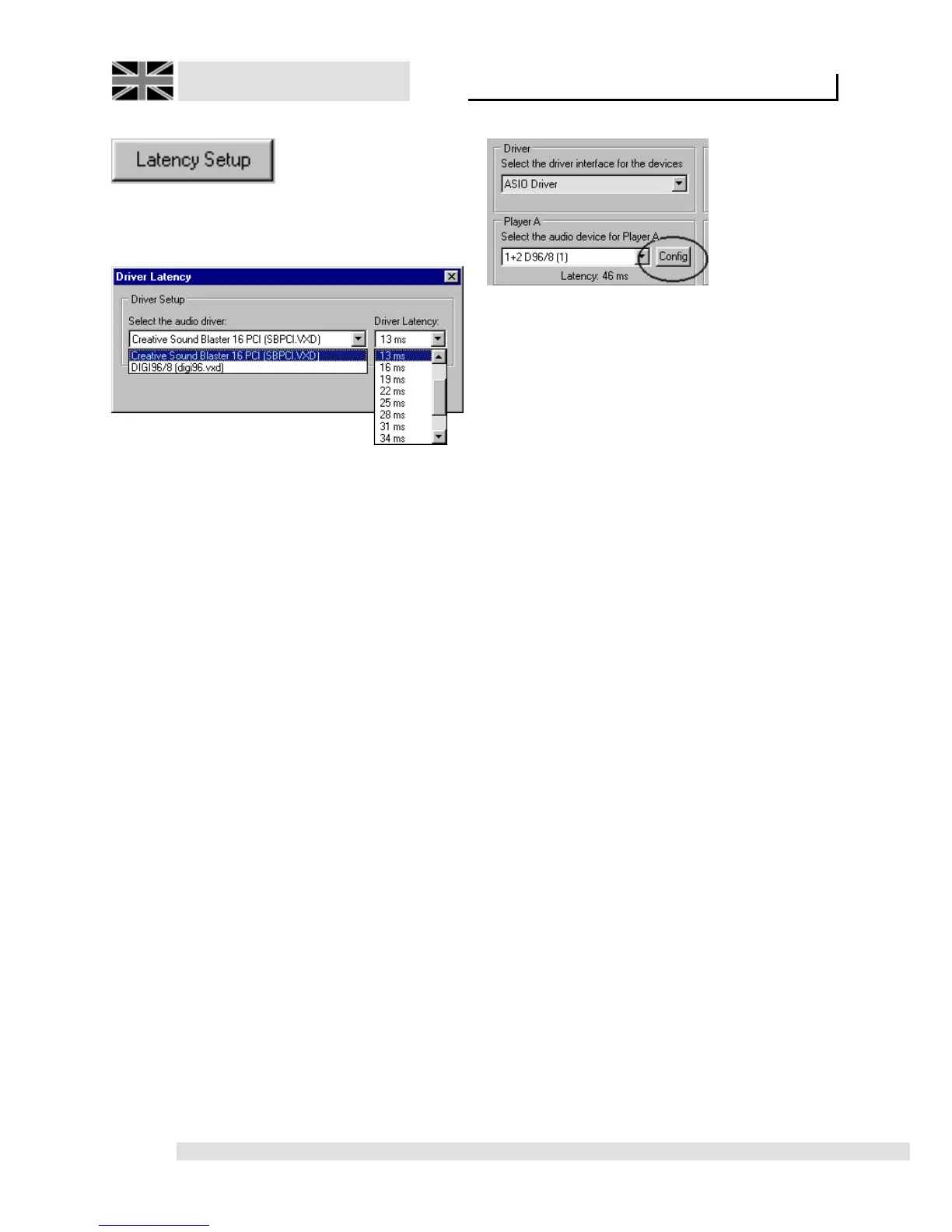
Opens
the dialog for latency adjustment:
Select the audio driver:
Select the driver to modify
Driver Latency
Here you can manipulate the driver’s latency
times. For a minimal delay between a button being
pushed, and the reaction of the sound card;
meaning, for a rapid response of the Cue-, Play-
, and Direct Cue buttons and Loop functions, this
value should be kept as small as possible. Only
increase this value if you experience problems
with playback.
ASIO-Driver settings
(Only if ASIO driver is selected)
With the config
buttons, located beside the pulldown menus of
the virtual devices you can access the ASIO
Driver settings for a particular device.
Please refer also to chapter 2.5 / Adjusting
audio parameters!



 To Next Page