EasyManua.ls Logo

Alcatel-Lucent Enterprise OS2260-P24 - User Manual

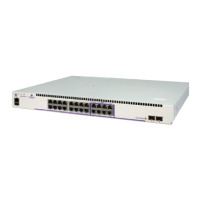
Alcatel-Lucent Enterprise OS2260-P24
80 pages
Print Icon
To Next Page IconTo Next Page
Loading...
Part No. 060718-00, Rev. A
July 2021
OmniSwitch 2x60
Hardware Users Guide
www.al-enterprise.com

Table of Contents

Question and Answer IconNeed help?

Do you have a question about the Alcatel-Lucent Enterprise OS2260-P24 and is the answer not in the manual?

Summary

About This Guide

Supported Platforms and Documentation

Details supported platforms and lists related user manuals for OmniSwitch.

OmniSwitch 2 x60 Availability Features

Hot-Swapping and Hardware Monitoring

Covers hot-swapping capabilities and hardware monitoring methods.

Getting Started: Installation

Hardware Installation Basics

Covers items required, site prep, electrical needs, and surge warnings.

Unpacking and Installation Details

Guidance on unpacking, items included, weight, and airflow considerations.

Airflow and Mounting

Recommendations for proper airflow and mounting the switch.

Connections and Console Setup

Connecting cables and setting up the serial console port for initial access.

Booting and Initial Login

Steps for booting the switch and performing the first login.

Chassis and Power Supplies

Chassis Models and Specifications

Details various OmniSwitch 2x60 chassis models and their technical specifications.

Chassis Status LEDs

Explanation of front panel LEDs for hardware operation and link status.

Switch Mounting and Grounding

Guidelines for mounting, rack-mounting, and grounding the switch chassis.

Monitoring Chassis Components

Chassis Temperature Monitoring

Viewing slot information and monitoring chassis temperature using CLI commands.

Managing Power over Ethernet (PoE)

PoE Specifications and Defaults

Covers PoE standards, defaults, budget, status, and class detection.

Configuring and Monitoring PoE

Adjusting port power, priority, and monitoring PoE via CLI.

Regulatory Compliance and Safety Information

Regulatory Compliance Statements

Covers CE Mark, WEEE, RoHS, FCC, Canada, and other standards.

Safety Warnings and Precautions

Includes laser, electrical, grounding, and translated safety instructions.

Summary

About This Guide

Supported Platforms and Documentation

Details supported platforms and lists related user manuals for OmniSwitch.

OmniSwitch 2 x60 Availability Features

Hot-Swapping and Hardware Monitoring

Covers hot-swapping capabilities and hardware monitoring methods.

Getting Started: Installation

Hardware Installation Basics

Covers items required, site prep, electrical needs, and surge warnings.

Unpacking and Installation Details

Guidance on unpacking, items included, weight, and airflow considerations.

Airflow and Mounting

Recommendations for proper airflow and mounting the switch.

Connections and Console Setup

Connecting cables and setting up the serial console port for initial access.

Booting and Initial Login

Steps for booting the switch and performing the first login.

Chassis and Power Supplies

Chassis Models and Specifications

Details various OmniSwitch 2x60 chassis models and their technical specifications.

Chassis Status LEDs

Explanation of front panel LEDs for hardware operation and link status.

Switch Mounting and Grounding

Guidelines for mounting, rack-mounting, and grounding the switch chassis.

Monitoring Chassis Components

Chassis Temperature Monitoring

Viewing slot information and monitoring chassis temperature using CLI commands.

Managing Power over Ethernet (PoE)

PoE Specifications and Defaults

Covers PoE standards, defaults, budget, status, and class detection.

Configuring and Monitoring PoE

Adjusting port power, priority, and monitoring PoE via CLI.

Regulatory Compliance and Safety Information

Regulatory Compliance Statements

Covers CE Mark, WEEE, RoHS, FCC, Canada, and other standards.

Safety Warnings and Precautions

Includes laser, electrical, grounding, and translated safety instructions.

Alcatel-Lucent Enterprise OS2260-P24 Specifications

General IconGeneral
BrandAlcatel-Lucent Enterprise
ModelOS2260-P24
CategorySwitch
LanguageEnglish

Related product manuals