EasyManua.ls Logo

Alcatel-Lucent Enterprise OS9907-CFM - User Manual

Alcatel-Lucent Enterprise OS9907-CFM
71 pages
Print Icon
To Next Page IconTo Next Page
Loading...
Alcatel-Lucent Enterprise
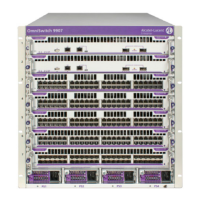
OmniSwitch 9900 Series
Hardware Users Guide
Part No. 060409-10, Rev C
July 2017

Table of Contents

Question and Answer IconNeed help?

Do you have a question about the Alcatel-Lucent Enterprise OS9907-CFM and is the answer not in the manual?

Summary

Chassis and Power

Chassis Management

Describes the Chassis Management Module (CMM), its ports, and capabilities.

Switch Fabric Modules

Details the OS9907-CFM module and its bandwidth.

Network Interface (NI) Modules

Details the OS99-XNI-48 and OS99-GNI-48 modules, ports, and power.

Fan Trays

Explains the function and specifications of fan trays.

Power Supplies

Introduces AC and DC power supply units.

DC Power Supply Connection

Guides users on connecting the DC power supply.

Getting Started and Installation

Mounting the Chassis

Discusses standalone and rack mounting procedures for the chassis.

Installing Chassis Components

Guides on installing fabric modules, fan trays, modules, and power supplies.

Booting the Switch

Describes the process of powering on and booting the switch.

The First Login Session

Guides the initial setup steps after booting the switch.

Working with Chassis Power Budget

Explains how to monitor and manage the chassis power budget.

Power Over Ethernet (PoE)

Managing Power over Ethernet (PoE)

Details PoE specifications and settings.

PoE Operational Status

Explains how to enable, disable, and configure PoE on ports and slots.

Removing Chassis Components

Summary

Chassis and Power

Chassis Management

Describes the Chassis Management Module (CMM), its ports, and capabilities.

Switch Fabric Modules

Details the OS9907-CFM module and its bandwidth.

Network Interface (NI) Modules

Details the OS99-XNI-48 and OS99-GNI-48 modules, ports, and power.

Fan Trays

Explains the function and specifications of fan trays.

Power Supplies

Introduces AC and DC power supply units.

DC Power Supply Connection

Guides users on connecting the DC power supply.

Getting Started and Installation

Mounting the Chassis

Discusses standalone and rack mounting procedures for the chassis.

Installing Chassis Components

Guides on installing fabric modules, fan trays, modules, and power supplies.

Booting the Switch

Describes the process of powering on and booting the switch.

The First Login Session

Guides the initial setup steps after booting the switch.

Working with Chassis Power Budget

Explains how to monitor and manage the chassis power budget.

Power Over Ethernet (PoE)

Managing Power over Ethernet (PoE)

Details PoE specifications and settings.

PoE Operational Status

Explains how to enable, disable, and configure PoE on ports and slots.

Removing Chassis Components

Alcatel-Lucent Enterprise OS9907-CFM Specifications

General IconGeneral
BrandAlcatel-Lucent Enterprise
ModelOS9907-CFM
CategorySwitch
LanguageEnglish

Related product manuals