Adding an OperatorConfiguring 8950 AAA Operators
............................................................................................................................................................................................................................................................
365-360-001R6.0
Issue 1, December 2008
11-11
............................................................................................................................................................................................................................................................
Adding an Operator
How to add an Operator
The following procedure lists the steps for creating a new System Operator.
1. From the list of action buttons panel on the top, as shown in Figure 11-5, click the
button, + or Insert a record.
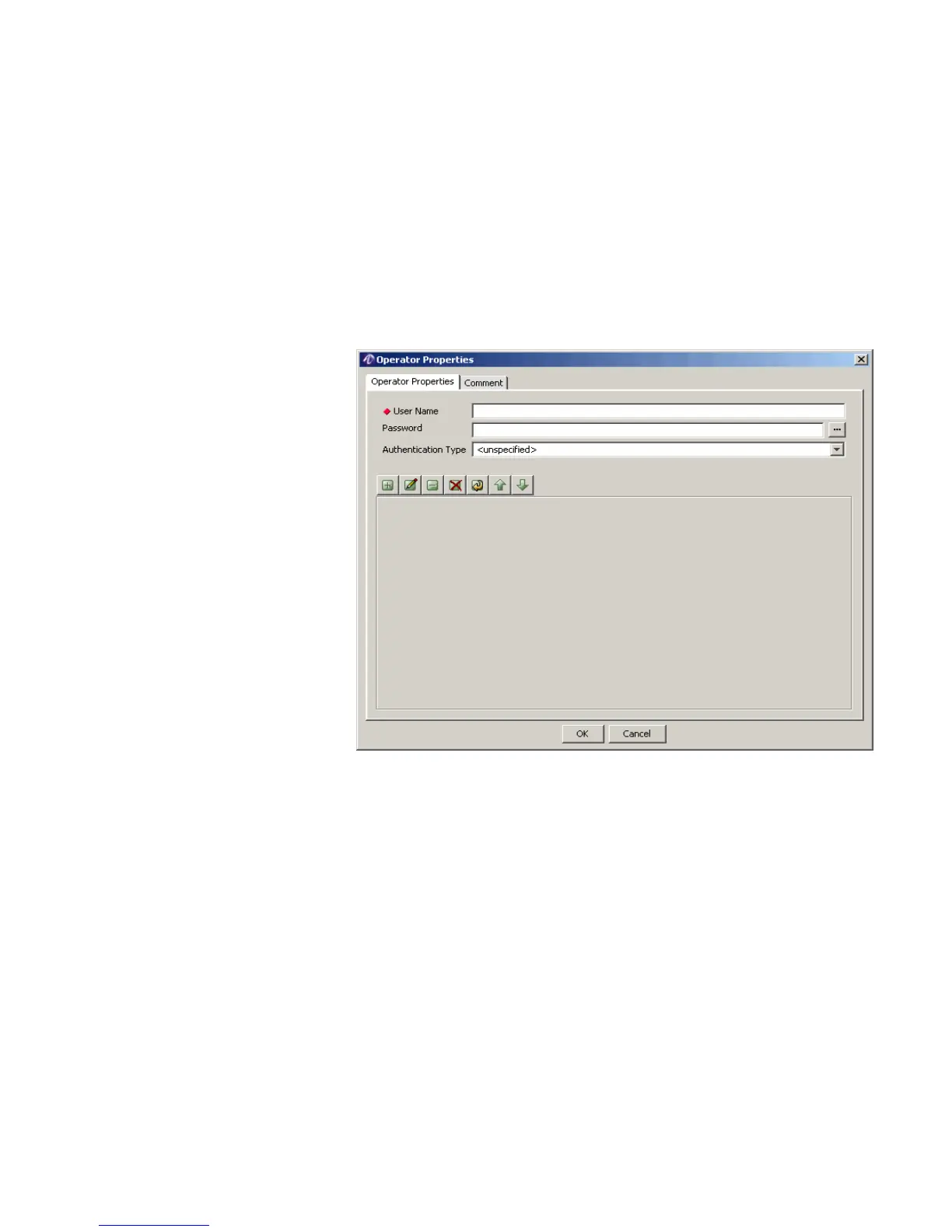
Result: The Operator Properties Panel appears as shown in Figure 11-8.
Figure 11-8 Operators Properties–Adding Operator properties
2. Enter the name for this System Operator in the User Name field.
3. Enter a password in the Password field. To hash (a one-way encryption) the password,
click the encrypt button, which is to the right of the Password field, and select an
encryption styles. You may leave the password as plain text, but this may seriously
compromise your system security. The following options are available:
MD5 - Hash the password using the MD5 algorithm; the hashed password starts
with
$MD5$
SHA1 - Hash the password using the SHA1 algorithm; the hashed password starts
with $SHA1$
Crypt - Hash the password using the UNIX crypt algorithm



 To Next Page