............................................................................................................................................................................................................................................................
Simple Address Manager ConfigurationConfiguring Simple Address Manager
12-4
365-360-001R6.0
Issue 1, December 2008
............................................................................................................................................................................................................................................................
Currently Leased Addresses tab
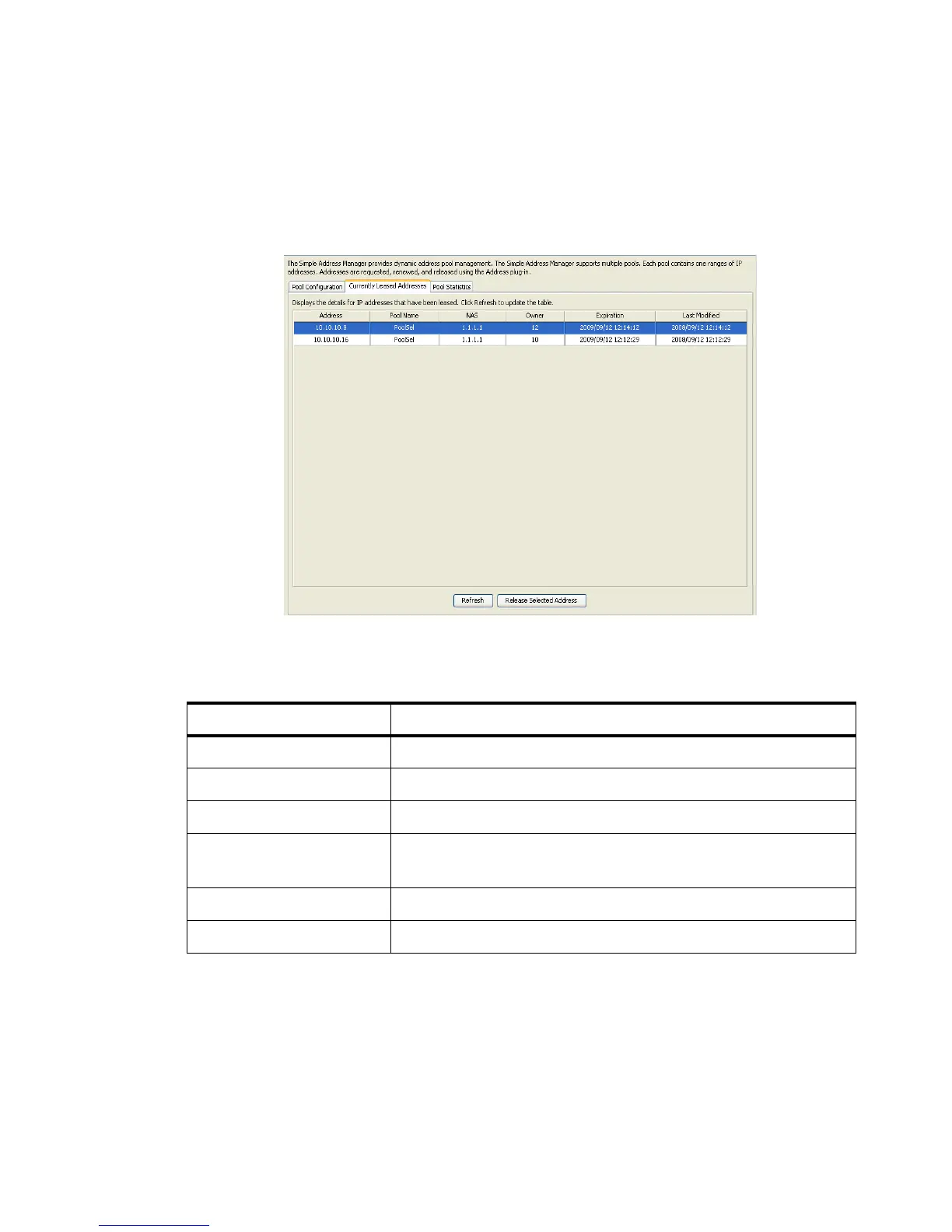
The Figure 12-6 displays the Simple Address Manager panel with the Currently Leased
Addresses tab selected. This screen displays the details of IP addresses that have been
leased.
Figure 12-6 Simple Address Manager–Currently Leased Addresses tab
Table 12-1 describes the different attributes/properties of the leased IP address.
Click Refresh to update the table and Release the Selected Address to remove it from the
list by sending it back to the pool.
Table 12-1 Currently Leased Addresses tab–Properties
Attributes Description
Address Leased IP address.
Pool Name Pool to which the leased IP address belong.
NAS The Network Access Server IP address.
Owner The Network Access Server port IP address (client to which it is
leased).
Expiration Lease expiration time.
Last Modified Last modification date and time.



 To Next Page