Sessions/ Counters/ Indices PanelServer Statistics
............................................................................................................................................................................................................................................................
365-360-001R6.0
Issue 1, December 2008
17-29
............................................................................................................................................................................................................................................................
Counters are created and maintained by the USS. Each counter tracks the occurrences of a
specific resource and contains the number of active sessions using that resource. For
example, if the counter for the resource User-Name=axrippa is 2, that means there are two
active sessions on the network for which the User-Name=axrippa.
Counters may be used to enforce PolicyFlow resource limit policies on the 8950 AAA
server.
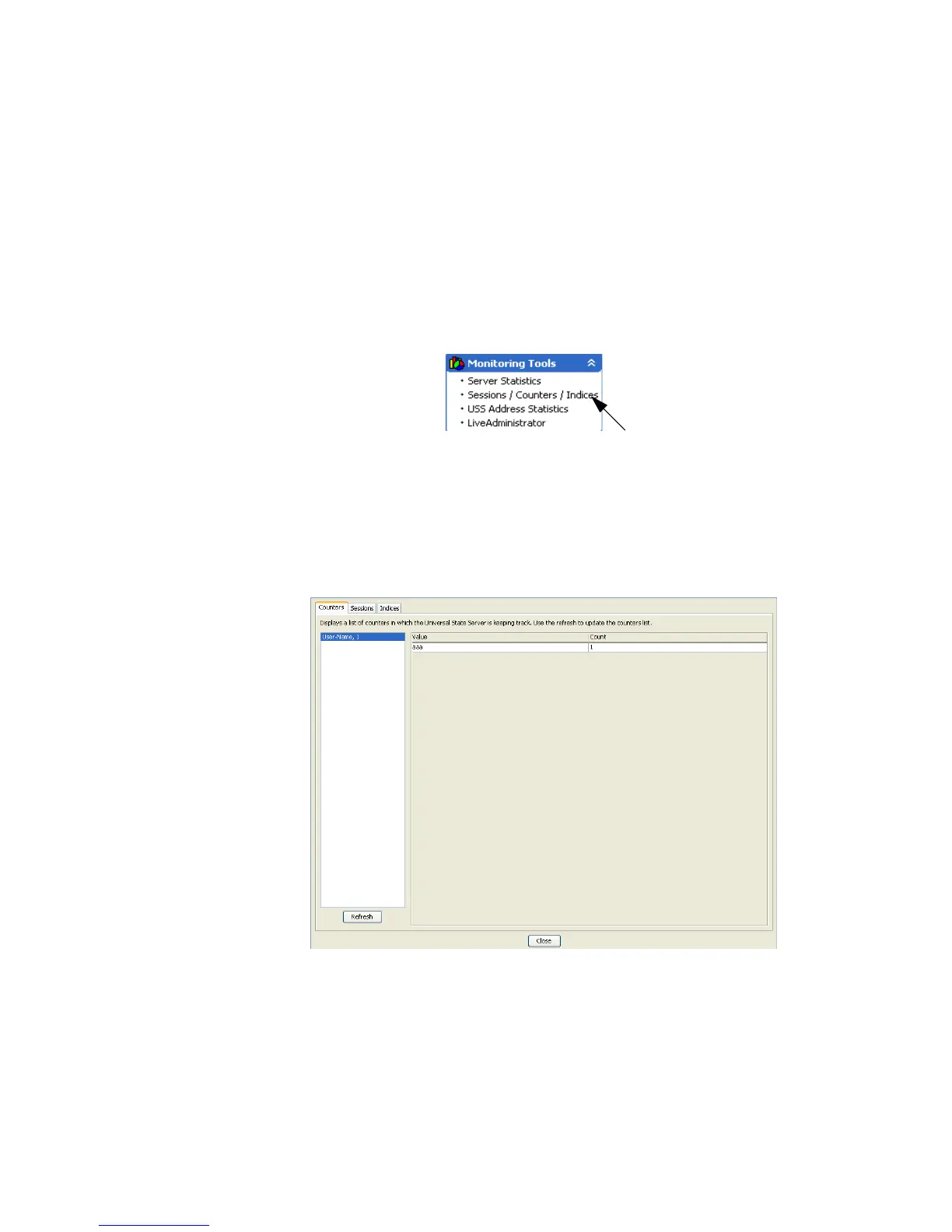
To display the Sessions/Counters/Indices panel, use the SMT Navigation Pane to select
Sessions/Counters/Indices under Monitoring Tools, as shown in Figure 17-22.
Figure 17-22 Navigation Pane–Sessions/Counters/Indices
The Sessions/Counters/Indices panel appears as shown in Figure 17-23.
The Counters tab displays a list on the left side. Each list entry contains a value and a
count of sessions associated with that counter.
Click Refresh to update the counters list.
Figure 17-23 Sessions/Counters/Indices–Counters Tab
The Sessions tab is shown in the Figure 17-17.
The list of sessions (IP- address under NASs and session key under Session Keys) is
displayed on the left side and corresponding state server entry is displayed on the right
side of the panel.



 To Next Page