Configuring ClientsConfiguring 8950 AAA Client Properties
............................................................................................................................................................................................................................................................
365-360-001R6.0
Issue 1, December 2008
5-3
............................................................................................................................................................................................................................................................
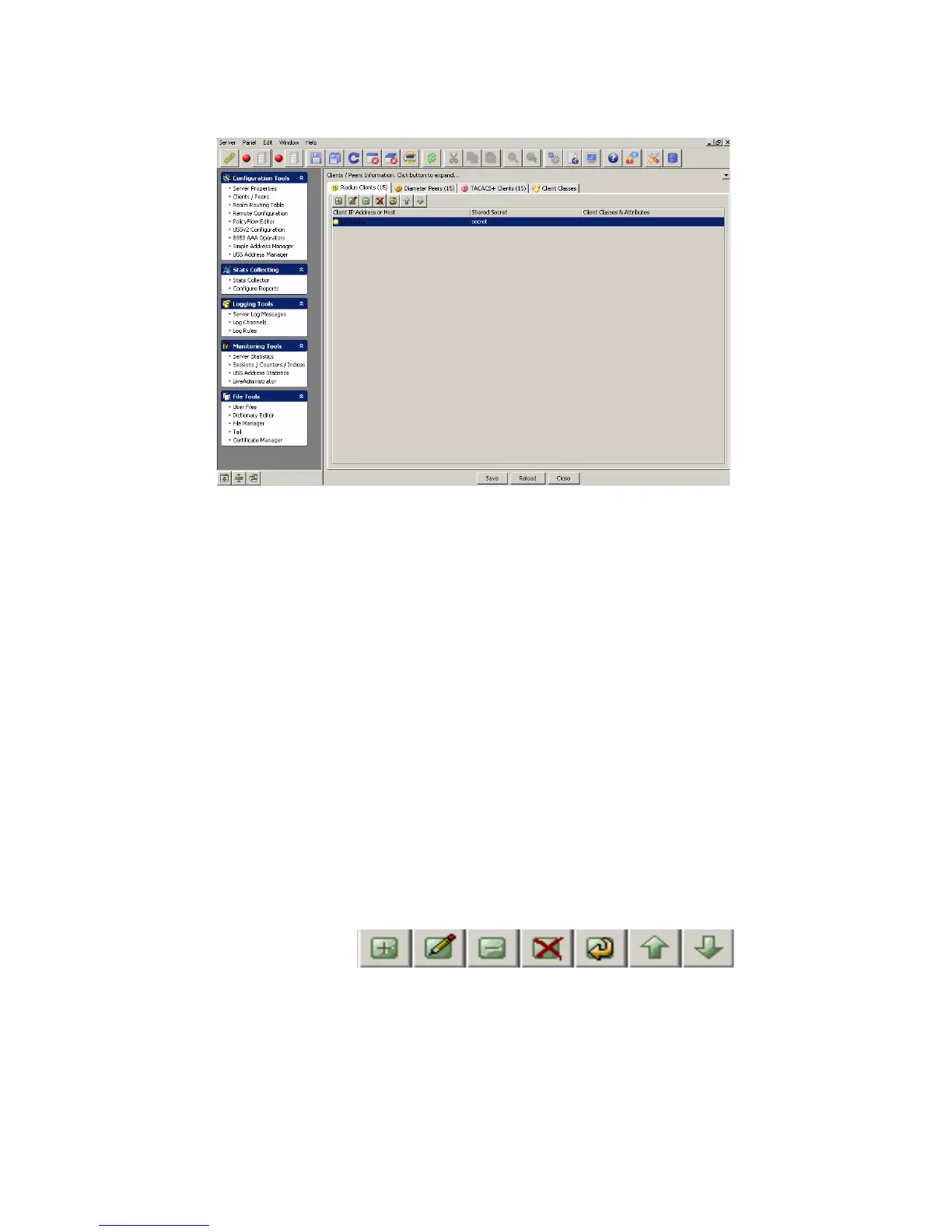
Figure 5-2 The 8950 AAA SMT–Clients/Peers panel
The Clients/Peers panel (Figure 5-2) contains four tabs as following:
• Radius Clients
• Diameter Peers
• TACACS+ Clients
• Client Classes
When you click on the Clients/Peers in the navigation pane, by default, the Radius Clients
tab is displayed as showed in Figure 5-2. Click on the other tabs like the Diameter Peers
tab, the TACACS+ Clients tab, and the Client Classes tab to display information related to
that screen. The following sections in this chapter explain each of these tabs in detail.
Using the Client/Peers SMT Action buttons
The Client/Peers menu bar also consists of a set of Action Buttons that appear at the top
of the 8950 AAA client/peer panel, as shown in Figure 5-2.
The Action buttons are as shown in Figure 5-3.
Figure 5-3 Client/Peers–Action buttons
You can perform the following actions using these action buttons:
• Insert a record
• Edit selected record
• Delete selected record



 To Next Page