19 20
4
FM radio ............................................
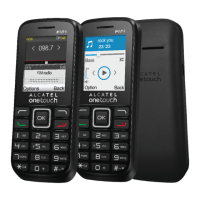
Your phone is equipped with a radio
(1)
. You can use the application as a traditional radio with saved
channels or with parallel visual information related to the radio programme on the display if you tune to
stations that offer Visual Radio service. You can listen to it while running other applications.
To use this feature you must plug in your headset, which works as an antenna when connected to
your phone.
Available options:
Channel list Open the list of saved stations.
Save Save the current tuned station to the "Channel list".
Manual search Search for channels by entering their frequency (MHz)
Auto search and save Automatically search FM stations and save them to "Channel list".
Record Record the current tuned radio: files will be automatically saved to
"Record file list".
Record Timing Enable/disable FM Record and set start time, time length,
frequency etc. for automatically recording.
Record file list View the recorded file list.
Open/close speaker Open/close speaker.
Background play Play the FM radio in background, then you can exit the FM radio
interface for other options.
(1)
The quality of the radio depends on the coverage of the radio station in that particular area.
5
Call logs ............................................
5.1 Access
You can access the call log function using the following options:
• Select from the main menu.
• Press the send key from the Home screen.
• For dual SIM model, the contacts of both SIM1 and SIM2 are available in this menu
(1)
.
Once entered this menu, following list will be displayed:
Missed calls (red arrows)
Outgoing calls (green arrows)
Incoming calls (blue arrows)
5.2 Available options
When you press "Options", you can access View, Send message, Save to contacts, Add to blacklist,
Add to whitelist, Missed calls/All calls, Delete, Delete all, etc.
(1)
1054D only.


 To Next Page