21 22
6
Music .................................................
You can access this feature from the main menu by selecting "Music".
You have full flexibility in managing music on your mobile and SD card.
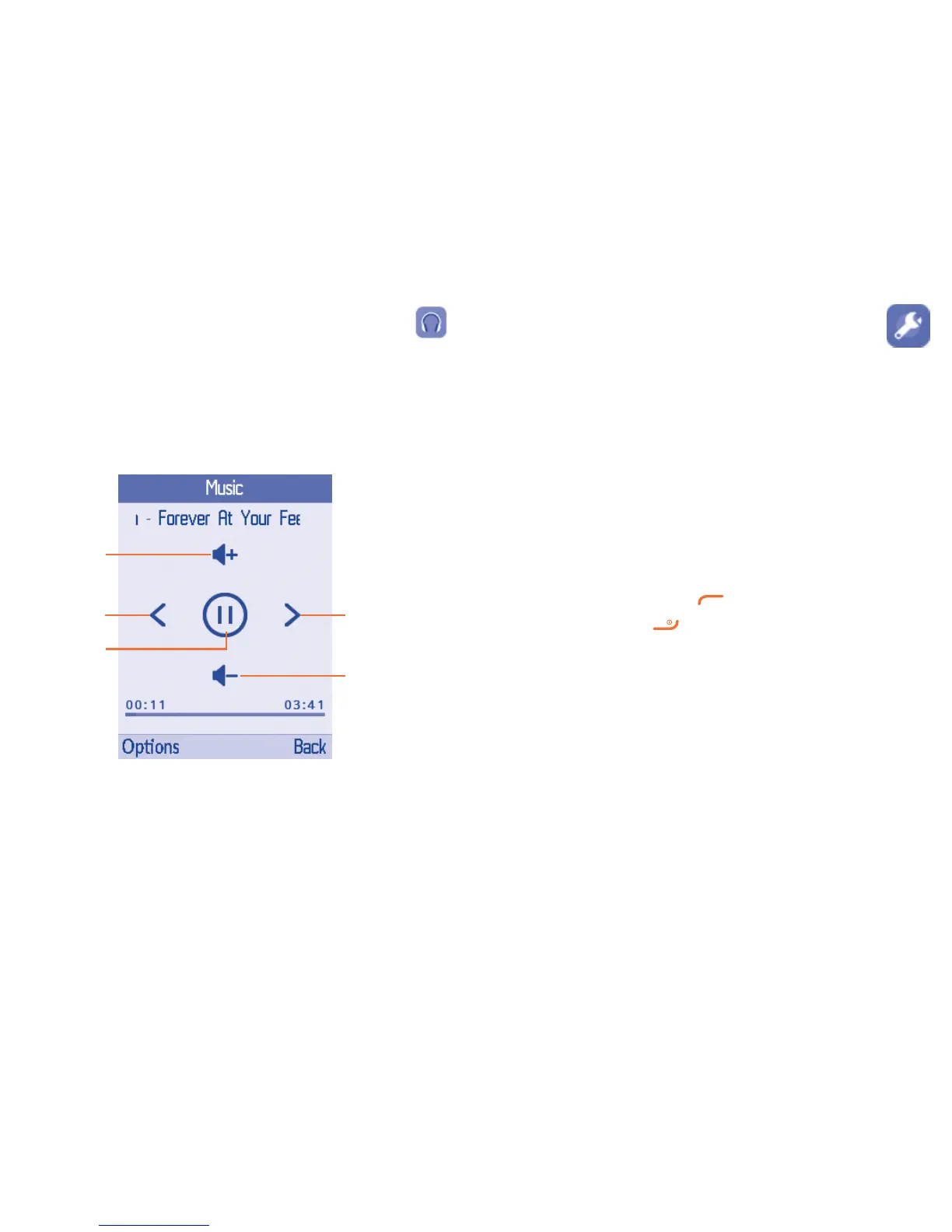
6.1 Music playing mode
Play/pause
Previous song Next song
Adjust the
volume up
Adjust the
volume down
7
Tools ...................................................
7.1 Alarm
Your mobile phone has a built-in alarm clock with a snooze feature. You can set up to five separate
alarms and choose whether or not the alarm should repeat.
Time Set the required time for the alarm.
Ringtone You can choose or record one audio as the alarm ringtone.
Repeat You can select Once (default)/Everyday/Days as the alert
frenquency.
7.2 Calculator
Access this feature by selecting "Calculator" from "Tools".
Enter a number, select the type of calculation to be performed using the Navigation key, and enter the
second number, then press "=" to display the result.
Once an operation is complete, you can press to clear numbers and carry out a new operation.
To return to the main screen, press .



 To Next Page